
-
“Is there a way in Ninox to get the display name of the current table through a script? I don’t want the tableId (which returns a unique ID)
“I’m looking for a function similar to tablename() in other systems, but it seems Ninox doesn’t provide it. Is there any workaround?”
- Answered
-
Slow Mac App
After updating my MacBook OS to the version 26.1 the MacApp is very slow.
-
Count items (all) in a dynamic multi choice field
There is probably a simple answer, but I've been scratching my head here.... I create a MultiChoice (dynamic) field and the contents come from a "select" statement filtering records from a table.…
- Answered
-
Creating Dynamic Code Using Scalable Field & Table Names Thursday, December 18th at 12pm EST/ 5pm GMT/ 6pm CET - Free Registration
Join Us For Ninox Learning Fun as we create dynamic code using scalable field and table names! Bring your favorite beverage and humor. Live Q&A after class! Thursday,…

-
3.17.16 available for web app (Public and Private Cloud)
Version 3.17.16 has been released for the web app in both Public and Private Cloud environments. The On-Premises Linux version will be available via Docker starting tomorrow (Thursday).…
-
3.17.15 available for web (Public/Private Cloud and On-Premises Linux)
Version 3.17.15 has been released for the web app in both Public and Private Cloud environments. The On-Premises Linux version will also be available via Docker starting tomorrow (Wednesday).…
-
Understand storage usage and backups
This article explains how Ninox calculates storage usage, how backups affect your total usage, and how storage works on Public Cloud and Private Cloud subscriptions.…
-
button to make an record in the table
There's a quick entry page. It has a dynamic selection field Project3 It has a dynamic selection field expenses a number field amount a text field comment a image field Image I need a formula for…
- Answered
-
Set a field
When I select a record in a table, the form for that record opens, which includes a field called "Reference". Since the record has many fields, I have to scroll and lose sight of the "Reference"…
-
sum up the amount of expenses
There is a table projects and it contains a sub-table with the expenses name There is also a dynamic selection field that displays the name of the expense.…
-
Selecting and mapping relationship fields
Relationship pairs are handled automatically, but display fields must be chosen explicitly When a relationship field is exposed: The reverse relationship is included automatically.…
-
Remapping fields in modules
Keep module connections stable when databases or interfaces change You need to remap fields when the connection between a module and a target database can no longer rely on the previous field…
-
Mapping fields in modules
Remap source and target fields to the same interface fields to keep connections stable as databases evolve Field mapping lets module consumers connect a target database to a module and align incoming…
-
Relationship fields show IDs by default
Expose additional fields to make related records readable in target databases After a relationship field is connected, it initially appears in external tables as record IDs only in the target…
-
Relationship fields in modules
Share links between records while keeping relationships consistent across connected modules Relationship fields can be shared in modules through interfaces.…
-
Image fields and calculated fields in modules
Image fields can't be shared, and they can block exposing or updating formulas that depend on them ℹ️ Note: Image fields aren't supported in modules. Because of this:…
-
Selecting dependencies when calculations reference tables
Choose a meaningful display field when a formula depends on a table, not just a single field If a calculated field in a module depends on a table (rather than a single field),…
-
Selecting dependencies for calculated fields
Expose everything a calculation needs so it can be evaluated correctly in the target database When a module provider exposes a calculated field in a module,…
-
Calculated fields in modules
Share logic across modules by exposing computed fields that update automatically in target databases Ninox supports sharing calculated fields in modules.…
-
Dynamic Reports - Data from Different tables
Another question: Is it possible to call data from two different unrelated tables to fill the report? Like this: let xFilter := record(Reports,1).Filter; let x :…
-
3.17.14 available for web (Public/Private Cloud)
Hi everyone, We've released Ninox 3.17.14 with a fix for the performance issue affecting iCloud-synchronized databases in the native apps on iPhone/iPad and Mac.…
-
CreateXLSX not working
I can't get the CreateXLSX function to work, at all - on Ninox v3.17.13 (Mac OS Tahoe).. I tried with field names, and couldn't get it to work, so tried static hard coded data - in fact,…
-
Navigate to corresponding record
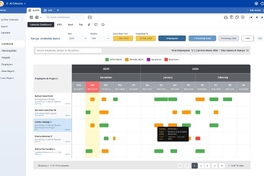
This database is just an example, but I need to know how to navigate to the corresponding record in the 'Planning Data' table by clicking on the bar. If anyone is interested,…
-
Menus Larger
How can I make these menus larger so that the words are clear?