
Dynamic Drop Down List sort order? and Pre Select?
So Guys - My question is in 2 parts
Firstly my dynamic list (Pcode) is sorted in order by text (A-Z) but as you can see from the screen shot. The list is out of order for each product that has qty 108 in the title. I know why this is - as computers naturally see 10 in the 108 string as being before the 18 in next line etc.
so Q1 is there a simple way around this ?
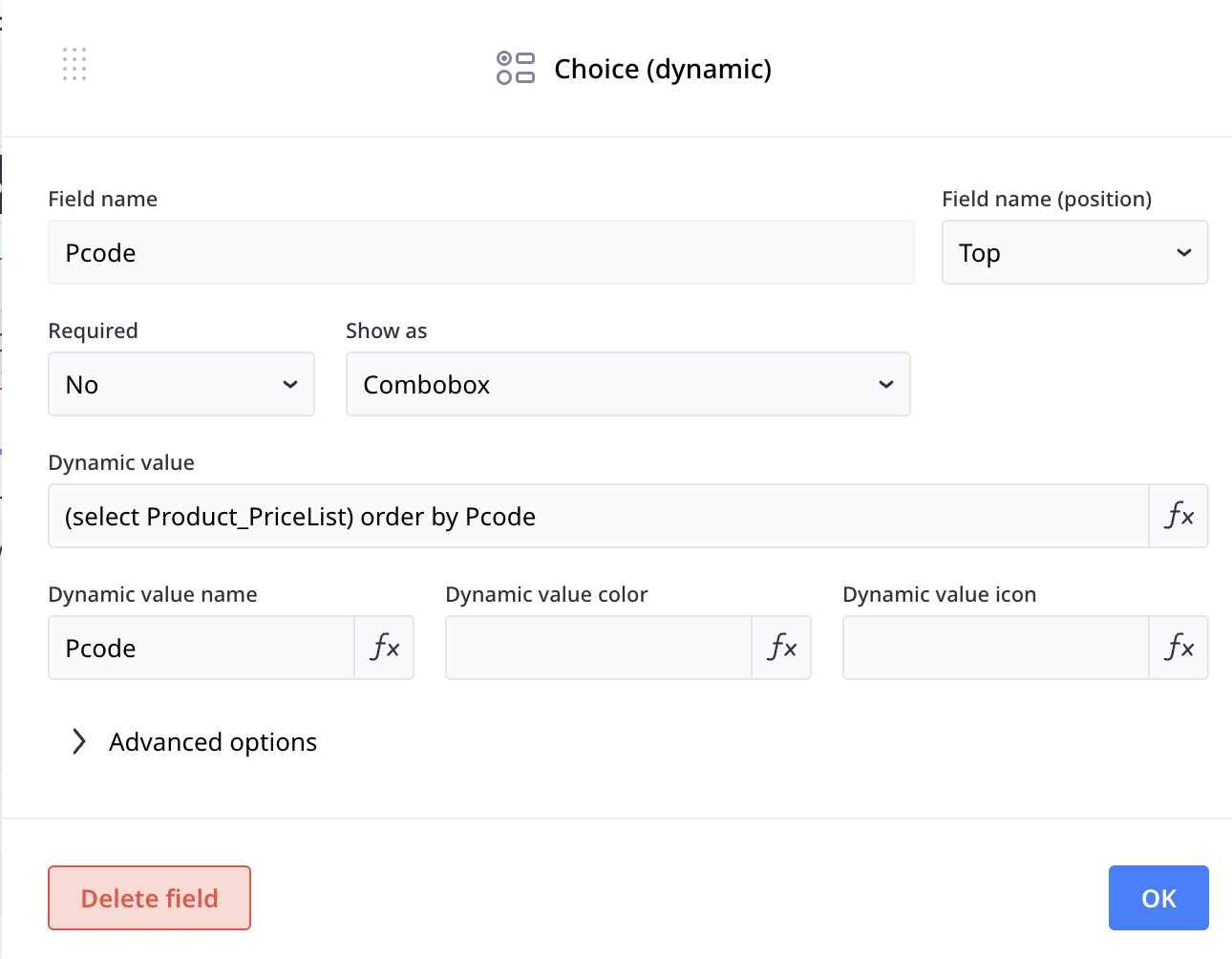
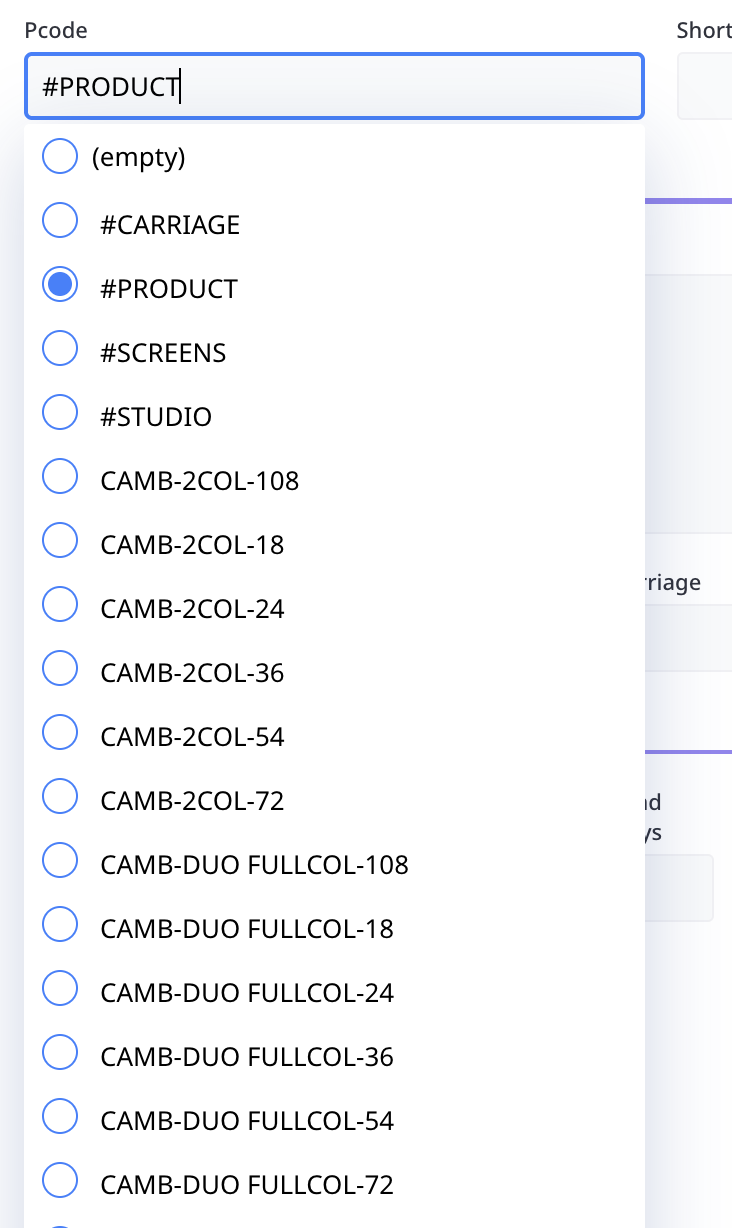
re Q2 When there is text already in the search and you want to filter search to say another item/part of item (instring search) ie DUO the limit the ist to just DUO items. You either have to edit the current wording in search box or select empty and then type again. so has anone done anything like have a text box before the dynamic field and then have that text pre-populate the dynamic list.
ie In the Text box type "Mug" - dynamic box on opening show all items with "MUG" in text .
Q3 (sorry on a roll now) my list will initially have about 200/300 items but could grow to over 600 items in it. Is there a better way to display this ie like - 2 dynamic lists - each item, will have a category Mug/Pen etc so first dynamic list - lists the categories and the dynamic list 2 shows just the results of all items that are in MUG Category. is this do able? and do you think it would better done this way rather than one giant list?
Has anyone done something similar that can advise me.
2 replies
-
Q1: You could create a sortOrder field in the table then you can use the field to sort in any way you want.
Q2: You can by just using another text field completely.
Q3: This can be done. So you need a table (or JSON) with the categories then you can use the selection from categories to influence the product field.
Content aside
- 4 mths agoLast active
- 2Replies
- 58Views
-
2
Following