
Status script not working
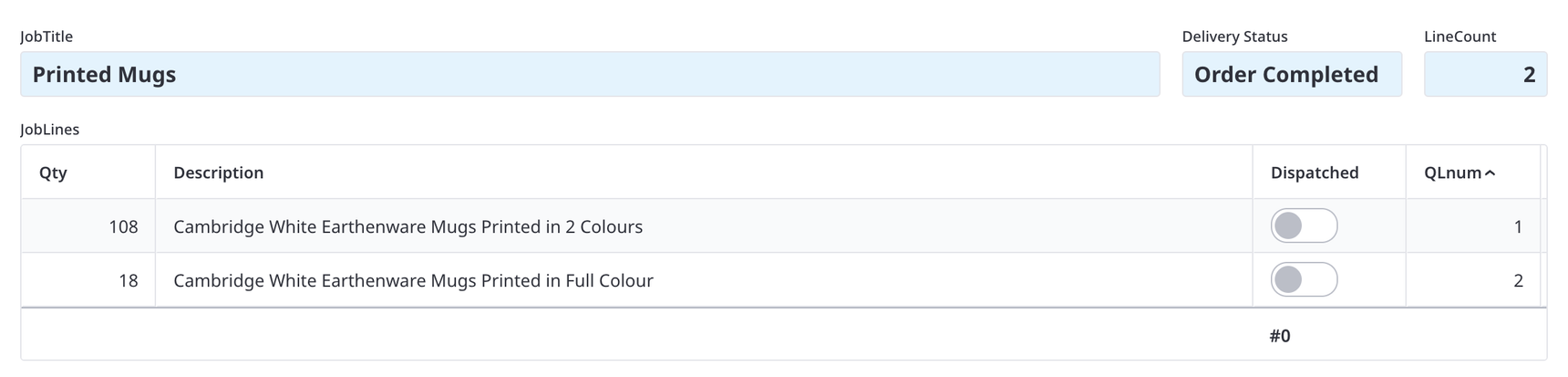
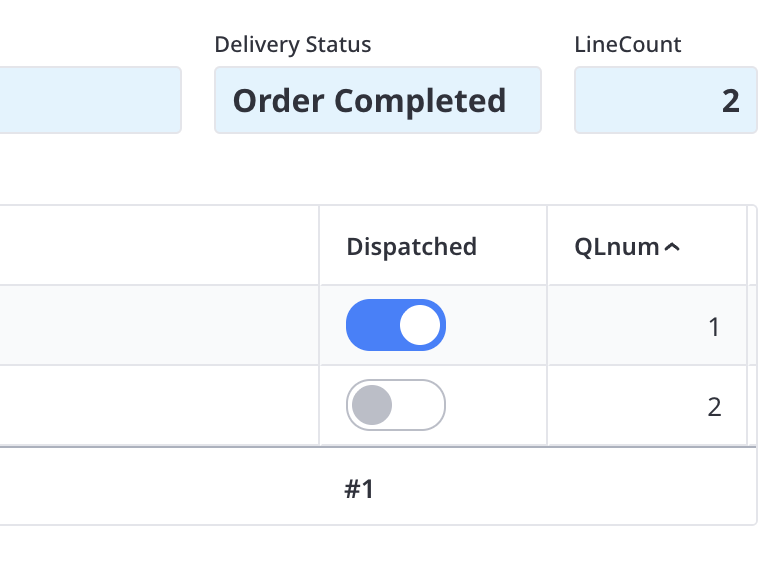
I am having an issue with a script. All appears fine but the status is not updaing and simply defaulting to "Order Complete"
The idea is to count up the true 'dispatched' status of each 'Job Lines' child line so when all true the, 'Delivery status' (formula) reads "Order Comlete" if not true then "Part Delivered"
I get no script error but it appears to accept the first condition regardless of 'line count' formula field count
if cnt(JobLines.Dispatched) = LineCount then
"Order Completed"
else
if cnt(JobLines.Dispatched) < LineCount then
"Part Delivered"
end
end
I have tried the script in various forms but all do not work
any clues ?
7 replies
-
Hi Mel
The two are going to be equal. You need square brackets in the JobLines count, eg
if cnt(JobLines[Dispatched]) = LineCount then
    "Order Completed"
else
    if cnt(JobLines[Dispatched]) < LineCount then
        "Part Delivered"
    end
end
Which can also be written as
if cnt(JobLines[Dispatched]) = LineCount then
    "Order Completed"
else
    "Part Delivered"
end
Regards John
-
Hi John
cheers - all works thank you
I had used both scripty variation and tried other ways but missed the square brackets
so why the square brackets to refernece just the field?. I had referenced joblines.dispatched but why is this ignored? as I do have a formal relationship between Jobdockets (main form) and joblines (childform)
-
Hi John/Fred
Yes of course! - (i am a dummy !) I have always known about yes/no fields having 3 states and do test for this this in many other areas other forms etc. I can conditionally set the yes/no field to a default of no, but visually in this case prefer it to to be in the 0 state. Thus I can ensure this be setting dispatched to null on creation of each line
So just to be clear you are saying that the [ ] brackets around 'Dispatched' in this case force for the condition of yes/no or true / false or 2/1 (ie look for a ciondition other than null or 0
-
said:
So just to be clear you are saying that the [ ] brackets around 'Dispatched' in this case force for the condition of yes/no or true / false or 2/1 (ie look for a ciondition other than null or 0The square brackets are used to filter an array. All did was count the number of JobLines where Dispatched equals true.
JobLines[Dispatched] < the same as > JobLines[Dispatched = true]In Ninox, you can use the short hand of using just the yes/no field name in place of fieldname = true/1/yes.
If you want to check for false you can do:
cnt(JobLines[not Dispatched]) -
Thank you for the help and explanation
Content aside
- 4 mths agoLast active
- 7Replies
- 69Views
-
3
Following