
Manual instead of AI - Create a subtable
In order to connect the data from different tables, you can link them.
Ninox offers ready-made connection types for this purpose.
The 1:n link or the n:1 link.
The subtable is a 1:n link between two tables, which has a special feature compared to a normal 1:n link.
The subtable's record exists as long as the linked record of the parent table exists.
If this is deleted, all records in the subtable linked to this record are automatically deleted.
For a 1:n relationship that is not defined as a subtable, the linked table's data continues if the main table's record is deleted.
Only the link is deleted.
Subtables are often used for tables that are used to create invoices.
The invoice data is stored there and the subtable is then used primarily to assign individual items and calculations of these items to the main invoice.
This is usually an individual accumulation that only appears in this one calculation.
How do you proceed if you want to convert a subtable instead of using the AI to convert a 1:n relationship or basically create a new subtable?
If no corresponding tables already exist, a main table and a future subtable are created.
Then open the main table in builder mode and switch to the field settings in the table settings.
There you create a new field, enter the name for the link (preferably a unique name that already indicates the type of field, for example I use the ending Lnk in the name) and then select 'link fields' -> 'link several data records' as the type.
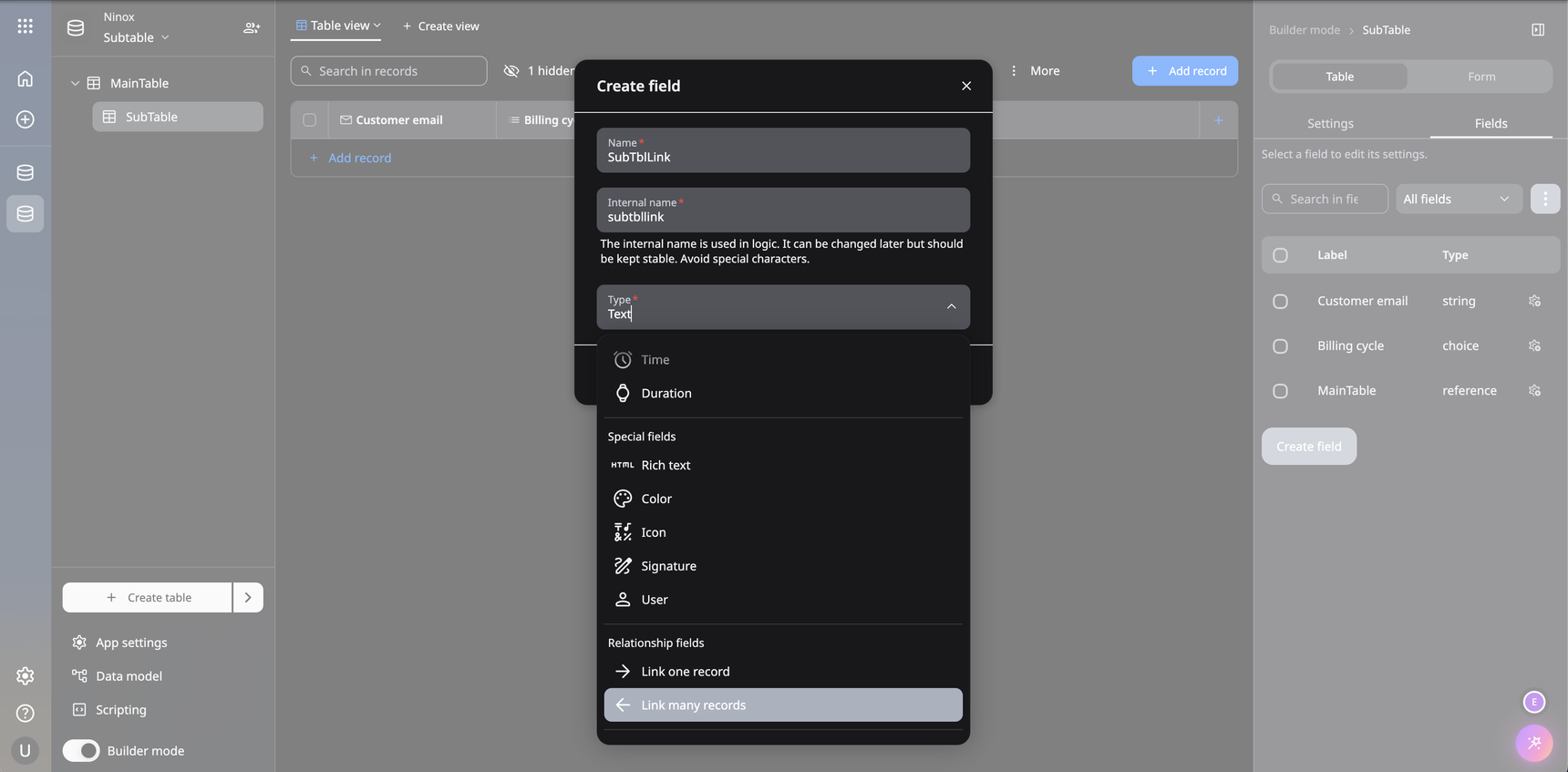
Around this created 1:n link now a 1:n link that should act as a subtable
To convert, you open the future subtable in builder mode and the link you just created in the field overview.
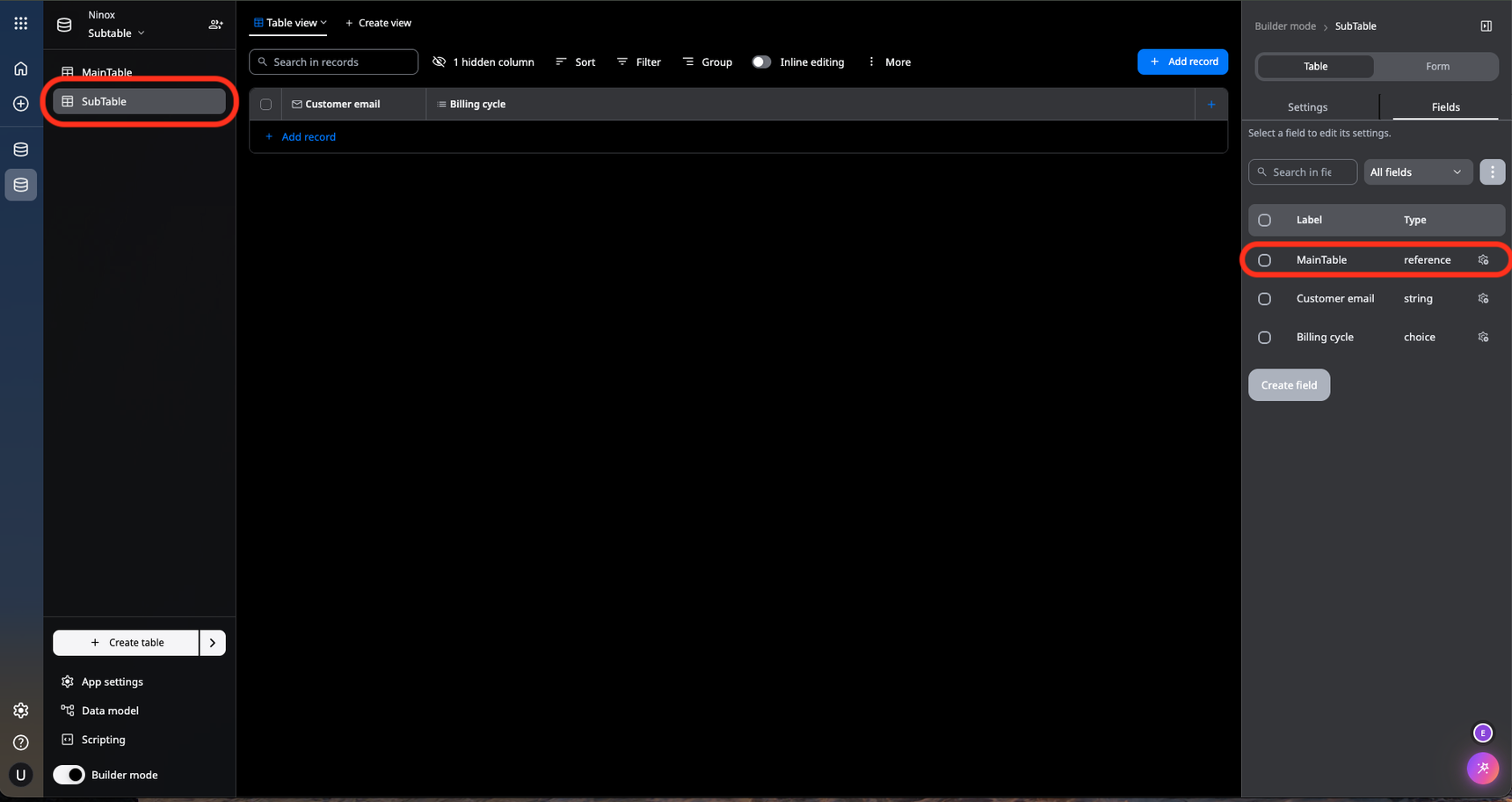
If you scroll down a bit in the settings, you will find the 'Subtable' switch there.
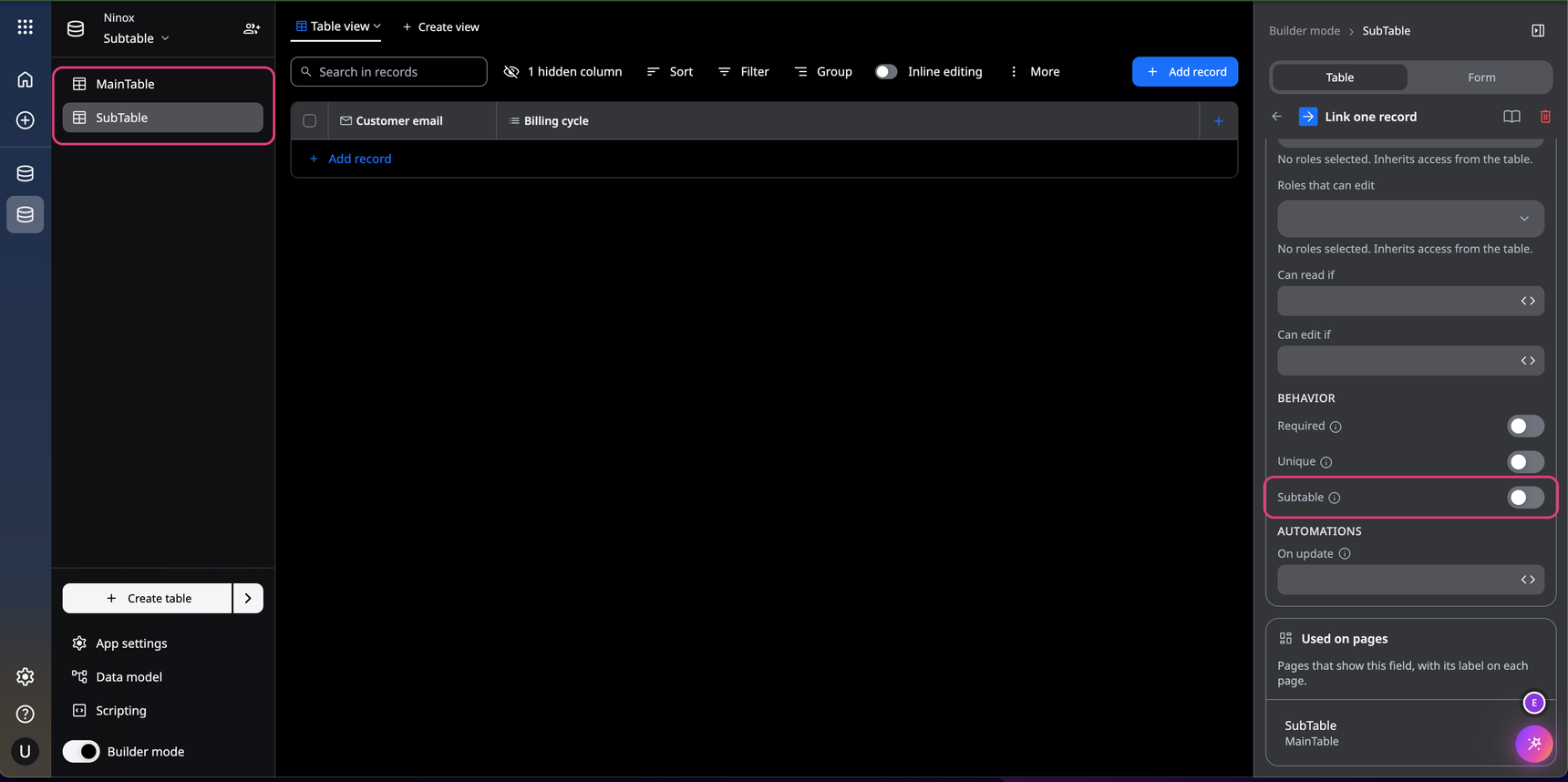
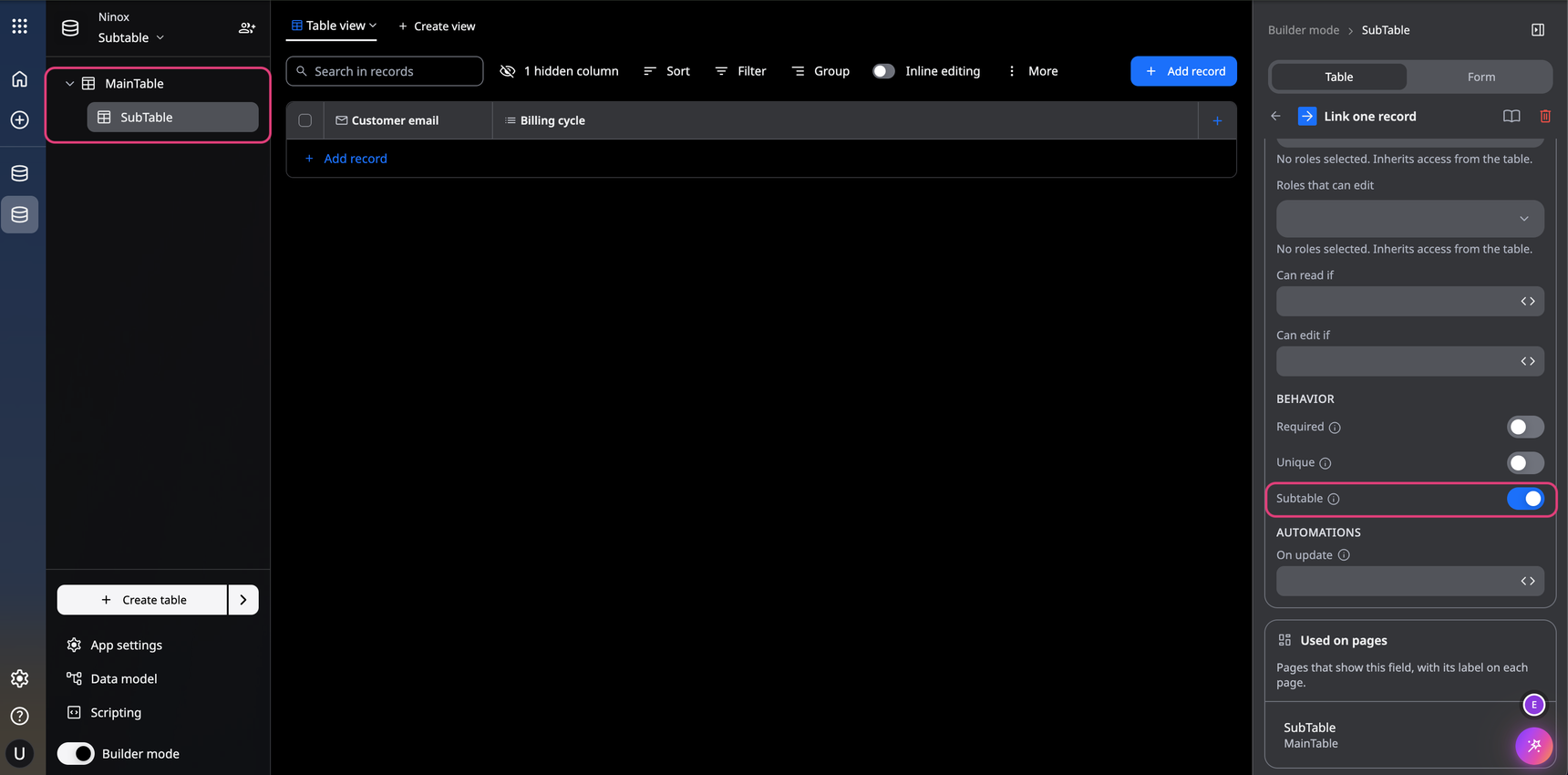
If you activate this, the normal 1:n link becomes a 1:n link that acts as a subtable.
You can see this on the left side of the table overview.
The previous table with the 1:n link to the main table is now slightly indented below the main table.
If it later turns out that additional fields are needed in the subtable, you can create them later in this table.
However, this doesn't work if you go to the subtable via the main table and try to act accordingly in builder mode.
Builder mode in this case affects the schema of the main table and not the schema of the subtable.
The subtable can also be put back into a normal 1:n link afterwards.
In doing so, you reset the switch for the 'Subtable' setting.
However, all links between the recods and the corresponding records in the main table are lost.
Reply
Content aside
- 3 hrs agoLast active
- 2Views
-
1
Following