
Ninox 4: Our priorities for Q4 2026
Ninox 4 continues to evolve, and during Q4 our focus is on expanding what you can build with the platform while closing some of the remaining gaps with Ninox 3.
Some of the capabilities below are already available, while others are still under development. We want to give you an overview of the areas we're focusing on and what they will enable you to do with Ninox 4.
Feature parity: Ninox Scripting
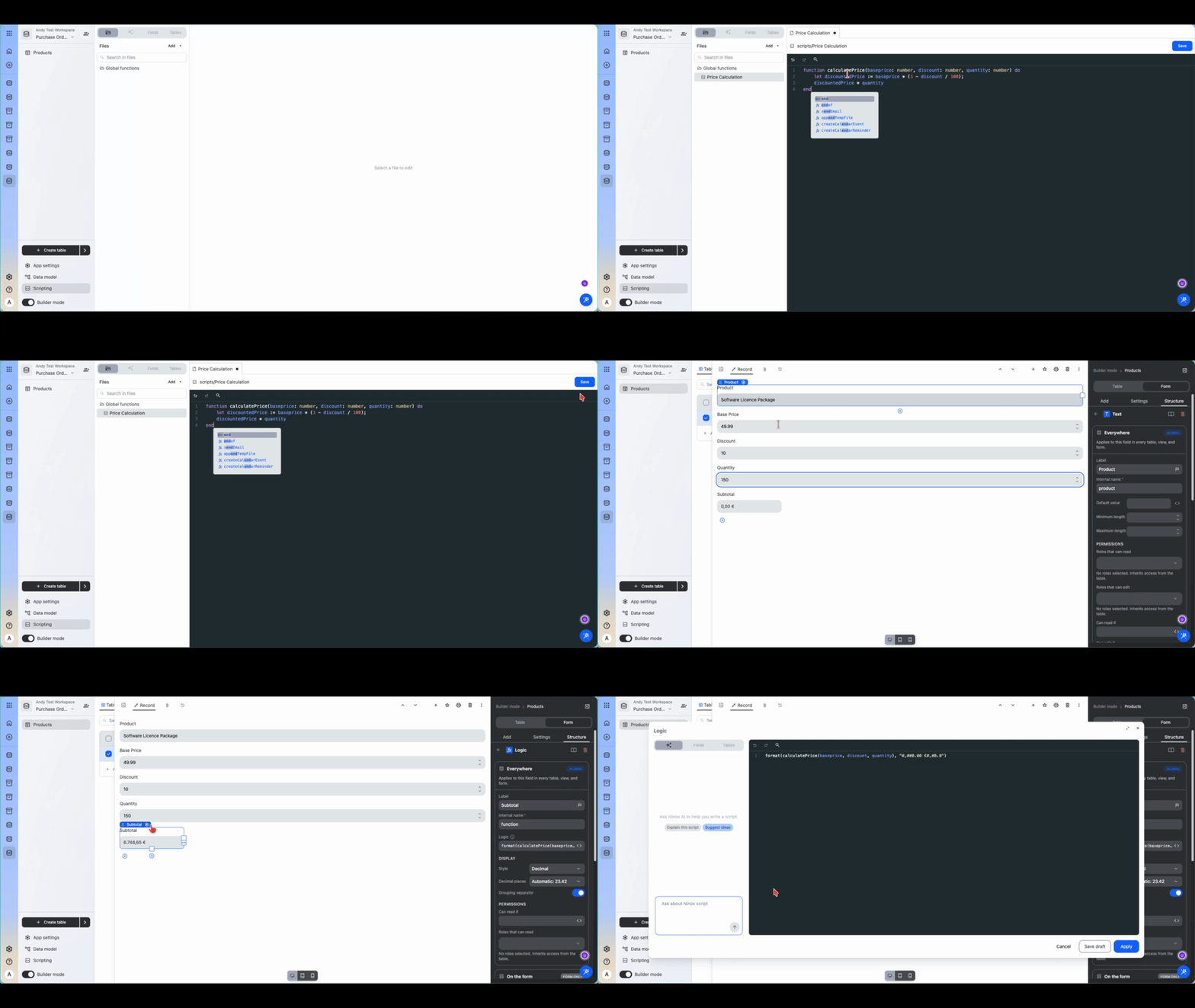
The main priority for Ninox 4 has been maintaining the flexibility of scripting that existing Ninox 3 builders rely on.
The core scripting capabilities are now available in Ninox 4, allowing you to create calculations, actions, triggers and reusable functions using the Ninox scripting language.
This means you can build business logic around your data, automate processes when records are created or changed, create custom actions and centralise logic in global functions.
In Ninox 4, we have already created new functionality that goes beyond parity with Ninox 3. However, scripting parity is still an important step towards making it easier for you to migrate your existing solutions from Ninox 3 to Ninox 4. We're also extending scripting with AI-assisted capabilities, including the ability to work with AI directly from scripts and get assistance with writing and understanding Ninox scripts.
You can learn more about Ninox scripting in our documentation: Introduction to Ninox Script
Connectors and Connections
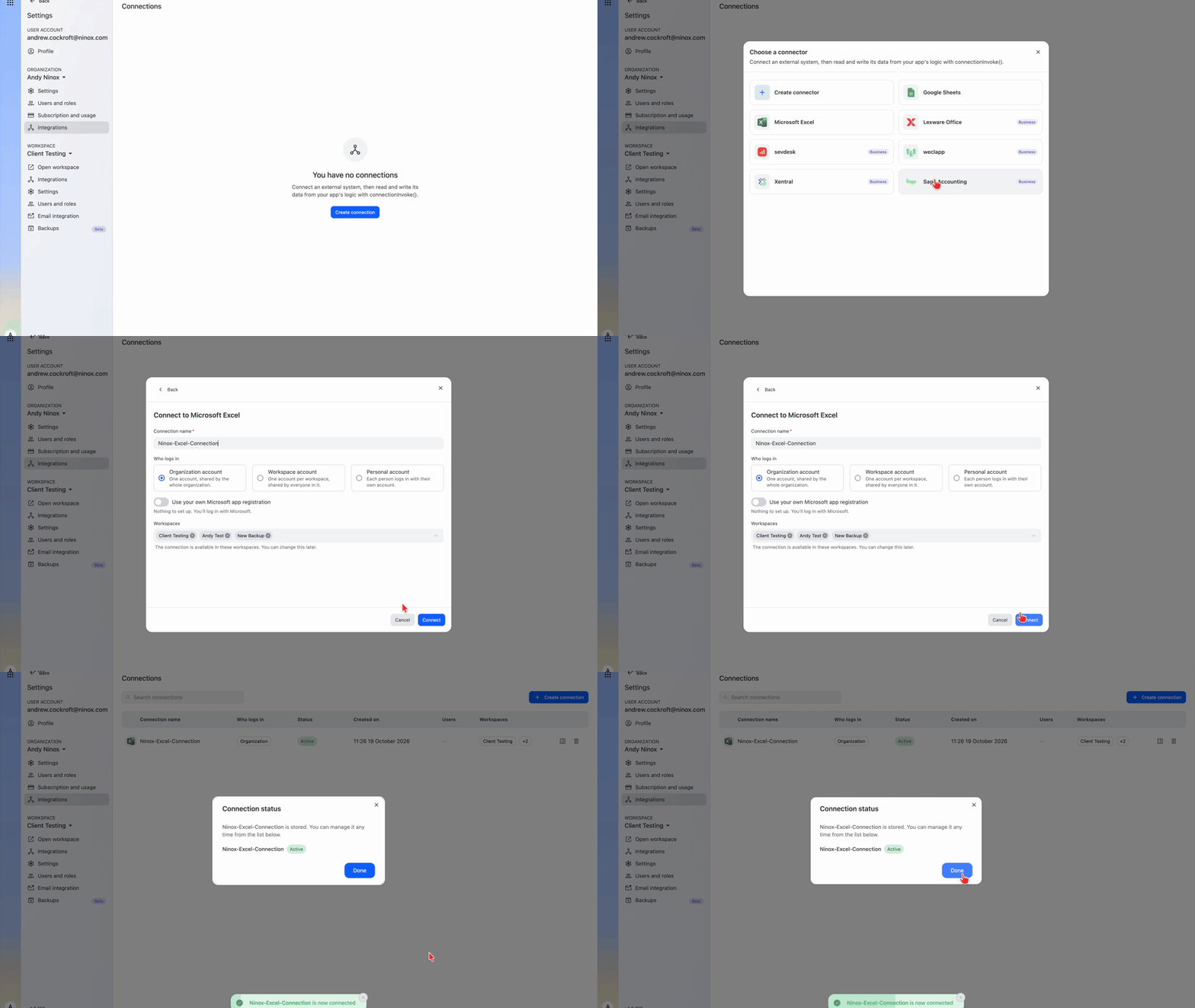
Ninox is often part of a wider business process rather than an isolated system. Connecting Ninox to other services currently often means working directly with APIs and handling authentication and integration logic yourself. Connectors are intended to simplify this process in Ninox 4.
The new connector framework provides a structured way for you to connect Ninox with external services and securely manage the credentials required to access them. This opens the door to integrations with services such as accounting systems, ERP platforms, spreadsheets and financial services.
You can also use connections from Ninox Scripts, making it possible to incorporate external services directly and securely into your own workflows.
Another important part of this work is synced data, allowing you to make information from an external service available directly within Ninox tables. For example, connections to Excel, Google Sheets, Lexware Office, sevDesk, weclapp, Xentral and Sage Accounting are already configured, and you will also be able to connect to SAP, other MS Office Apps in the near future. Custom connectors also enable you to set up your own configuration.
You can learn more about connectors in our documentation: Manage workspace-level connections
Custom Components
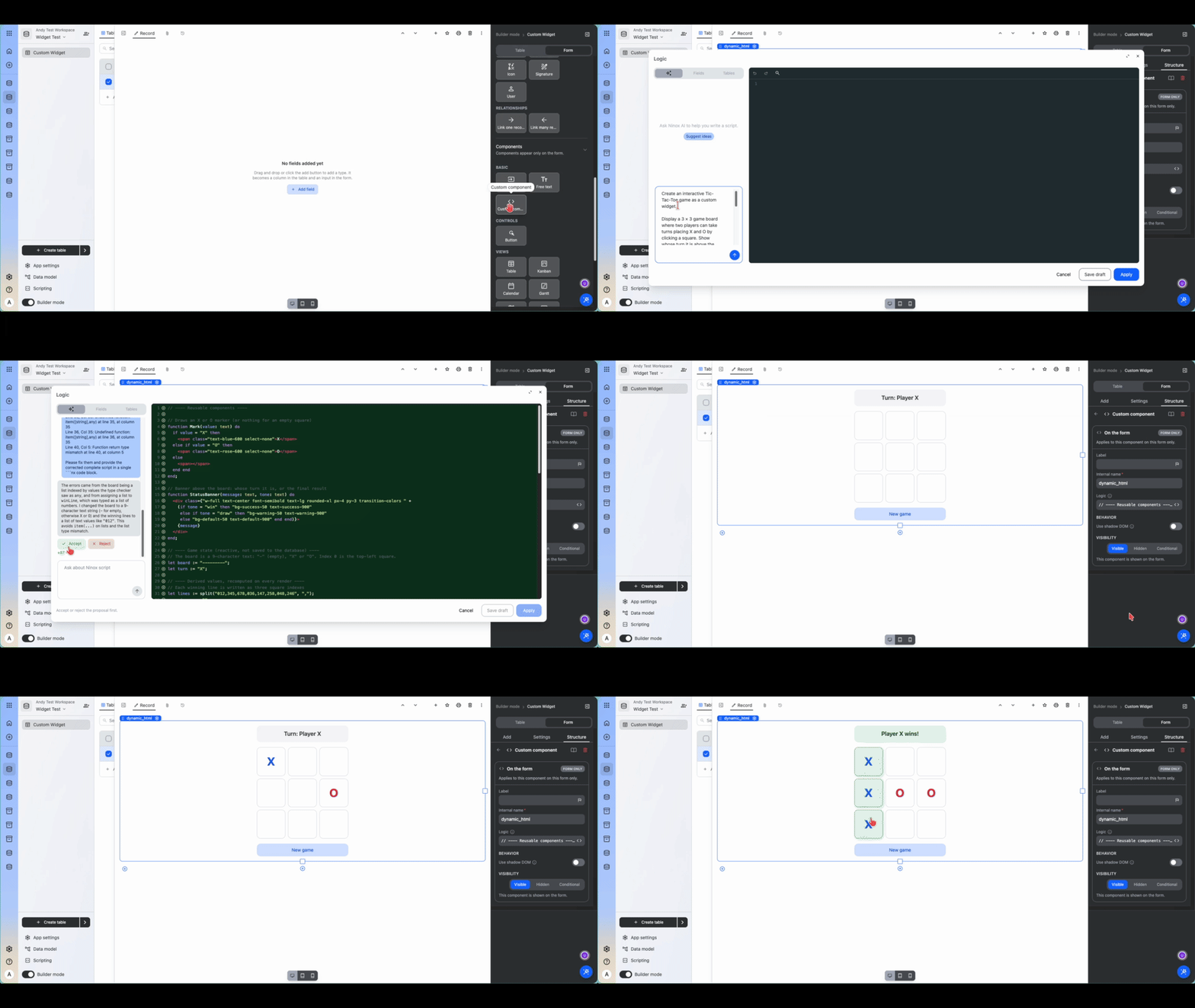
Sometimes you don't need an entirely separate application. You just need a particular part of your Ninox interface to do something that the standard components don't provide. That's where Custom components come in.
Custom components give you a supported way to add specialised interactive components to your Ninox interfaces. This could be a Gantt chart, a progress indicator, a specialised visualisation or another interface designed around your particular workflow. You can even create fully interactive components such as games.
Widgets can interact with the surrounding Ninox record while running in an isolated environment. This gives you considerably more freedom to customise the user interface without relying on techniques such as injecting arbitrary HTML or JavaScript into formula fields.
You can learn more about all custom components in our documentation: Custom components
Enterprise Single Sign-On
If your organisation centrally manages user identities and access, Ninox should fit into that existing environment rather than require a separate authentication process.
Enterprise SSO is therefore one of our current areas of development for Ninox 4. The aim is to enable you to connect Ninox with your organisation’s existing identity and authentication infrastructure.
This will make it easier to manage access to Ninox centrally while aligning authentication with the security policies and processes already established within your organisation.
This will allow your organisation to manage authentication through its existing identity provider.
Bring your own AI model
AI is already integrated into Ninox 4, but you may have specific requirements regarding which providers and models you can or want to use. You may also already have your own agreements with AI providers. Bring Your Own Model is intended to give you more control over this.
Instead of relying exclusively on AI services provided through Ninox, you will be able to connect your own provider credentials and use supported models through your existing provider relationships.
For example, if your organisation already works with providers such as OpenAI or Anthropic, or has specific requirements around cost, model selection or data governance, you can integrate those choices into how you use AI with Ninox.
The goal is to give you the flexibility to fit Ninox into your existing AI strategy rather than requiring you to establish a separate one.
Custom Apps
Custom Apps take you beyond the interfaces provided by the standard Ninox database builder.
The aim is to let you create dedicated web applications that use Ninox for their data and application logic while giving you control over the frontend experience.
For example, you could create customer or supplier portals, application processes, dashboards or other specialised interfaces around your Ninox solution. You can use modern web technologies to create the experience you need while connecting it securely to data and business logic managed in Ninox.
This also creates new possibilities for solutions designed for people who aren't Ninox builders.
Model Context Protocol (MCP)
MCP is a newer area of our work, but an important one as AI assistants and agents become more capable. The Model Context Protocol is an open standard that provides a common way for AI applications to discover and interact with external tools and data sources.
For you, this could mean connecting AI tools to your Ninox solutions without requiring a separate integration for every combination of AI assistant, database and external system.
For example, an AI assistant could understand the structure of your Ninox solution, retrieve relevant information and perform permitted actions as part of a wider workflow. In the other direction, Ninox-based agents could interact with other systems through the same common protocol.
As with the rest of our AI work, permissions and controlled access will be an important part of how these capabilities are made available.
Looking ahead
These priorities reflect where we’re taking Ninox 4: giving you more flexibility to build, customise and connect your solutions, while continuing to provide the capabilities you already rely on in Ninox 3.
Some of these features are already available in beta for testing and further refinement, while others are still under development. We’ll continue to share updates as they progress, and we always welcome feedback on the features available so far.
1 reply
-
I really hope you reconsider the 50,000 record limit per USER on the Pro level. If you don't then I'm not sure what I will do. I can't afford 4 licenses and jumping to 1 business is still a big leap as well. I don't need 5GB of space, just the same level of records per DATABASE as in v3.
If not then I guess I'll have to cancel/leave once v3 is EOL.
Content aside
-
2
Likes
- 4 hrs agoLast active
- 1Replies
- 9Views
-
2
Following