Email configuration
The need for email integration
To allow for the sending of emails Ninox employs the integration of an SMTP service by default. This enables the sending of workspace invitations, password reset messages, account validations and the use of the sendEmail() script function.
Email integration in Enterprise
In the Private Cloud and on-premises installations the email integration can be modified to suit user needs. This setting can be found in the Configuration -> Email Settings section of the Ninox Settings. The Send test email option at the bottom can be used to test whether the current setup is working as intended.
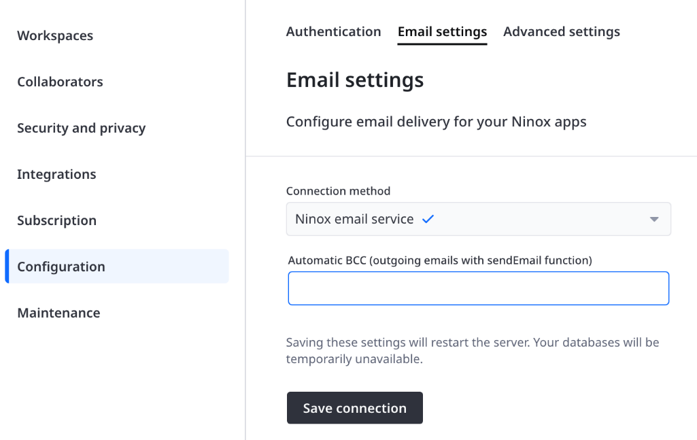
Ninox currently offers the following options when setting up an email integration which can be chosen in Connection method. With release 3.19 OAuth2-based integrations have been made possible along with the already established basic SMTP configuration.
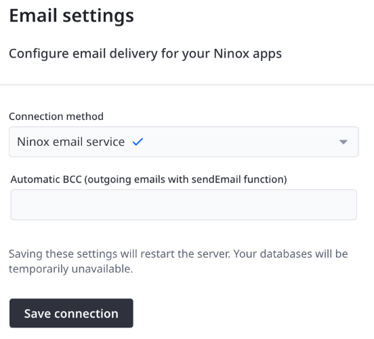
Ninox email service
The default SMTP based option which is already set up when a Private Cloud is first created.
- Automatic BCC (outgoing emails with sendEmail function)
The email address to which any emails triggered via sendEmail() are sent as well. This is an optional feature.
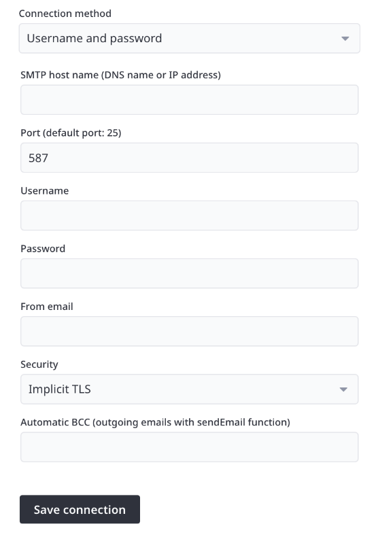
Username and password
The option that allows for the integration of SMTP services that merely require a basic username/password authentication instead of OAuth2.
- SMTP host name (DNS name or IP address)
The address of the host that provides the SMTP service. - Port (default port: 25
The port by which Ninox tries to contact the host. - Username
Usually the email with which the authentication is done with the host. - Password
The password for the authentication. Please note that after inputting a value and saving the configuration this field will appear empty. This is an intended safety feature. - From email
The email address from which automated messages (invitation emails, etc.) are sent. It needs to be an address that is allowed by the host service to send emails through the established authentication. - Automatic BCC (outgoing emails with sendEmail function)
The email address to which any emails triggered via sendEmail() are sent as well. This is an optional feature. - Security
Choice between Implicit TLS and STARTTLS. The former is the default, though some older SMTP services require STARTTLS to properly engage the connection.
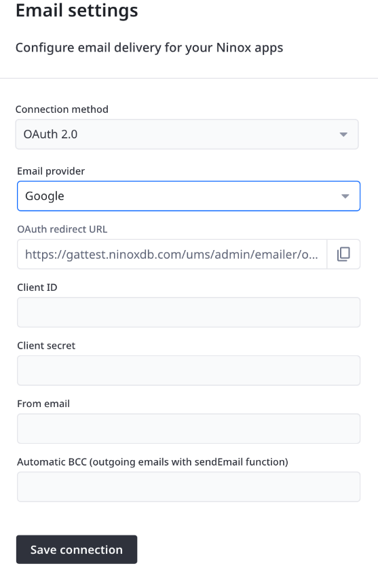
OAuth 2.0
This option enables the integration of email services that require complex authentication. It requires setup on both sides, ergo in Ninox and in the provider’s user interface.
- Email provider
The email service provider. Currently Google and Microsoft 365 are available. - OAuth redirect URL
Not an editable option but an automatically created URL which can be copied from the field and will be required for the setup on the provider’s side. - Client ID
Also called the “tenant”. This will be made available during the setup on the provider’s side. - Client secret
Also available on the provider’s side, used for authentication of the client ID / “tenant”. - From email
The email address from which automated messages (invitation emails, etc.) are sent. It needs to be an address that is allowed by the host service to send emails through the established authentication.
IMPORTANT: When saving this kind of setup, a popup screen by the respective provider will ask for your consent for Ninox to send emails on your behalf via the email entered here.- Popups need to be enabled in your browser settings, otherwise an error will occur.
- If you are not logged into that email account, it will ask you to do so first. This is not optional and requires you to have the credentials to log in with the respective account tied to that address.
- Automatic BCC (outgoing emails with sendEmail function)
The email address to which any emails triggered via sendEmail() are sent as well. This is an optional feature.