
Unique transaction Number Not Triggering from Embedded View
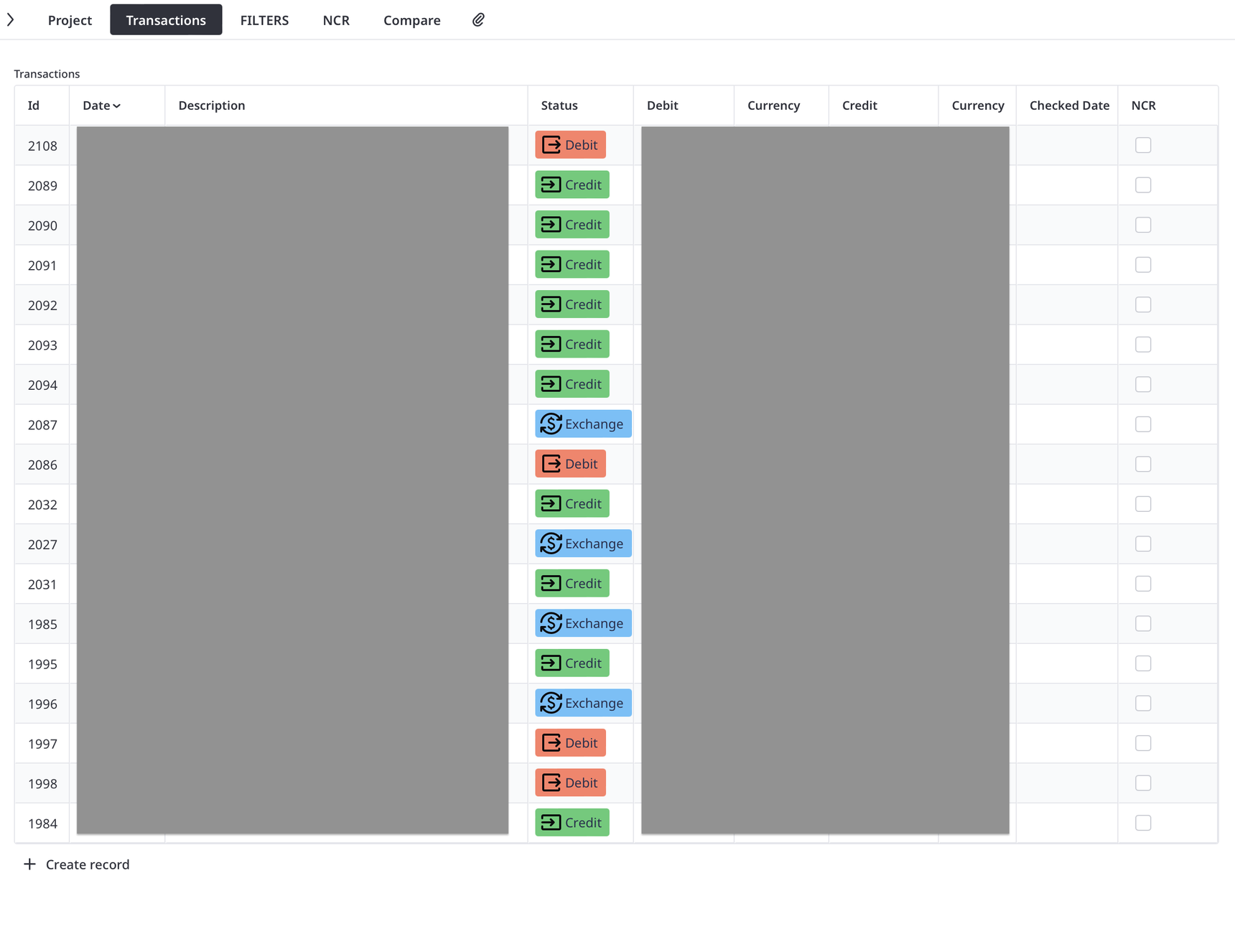
Hello everyone,
I am facing an issue related to generating a unique “Transaction Number” in my database and would appreciate your guidance.
As you see in my “Data Model”, I’m doing accountant for my different projects. each project has its own name, Customer, and Accounts. but all the transactions of all the projects are combined into the "Accounting" table.
I cannot use the database internal id# as a reliable number to refer the transactions, as it gets updated after each "Reorganize". therefore, I need to develop my own "Transaction Number" field which has to have bellow characteristics:
- It must be a unique sequential number (ideally: MAX(Transaction Number) + 1)
- It must remain stable after creation
- It must only be updated when duplicating a transaction (so that duplicates receive a new number)
Issue
This works correctly when I create a new record directly inside the Accounting table.
However, when I create a new transaction from the Project view (embedded/filtered view), the trigger does not execute, and the Transaction Number remains empty.
What I Tried
I also tried implementing a global function:
function maxTransactionNumber() do
let TNmax := max((select Accounting).'Transaction Number');
TNmax
end
But the issue remains the same—the function does not resolve the problem when records are created from the Project view.
Question
How can I ensure that the Transaction Number is correctly generated in all cases, including when records are created from a filtered view inside another table?
Any guidance would be greatly appreciated.
5 replies
-
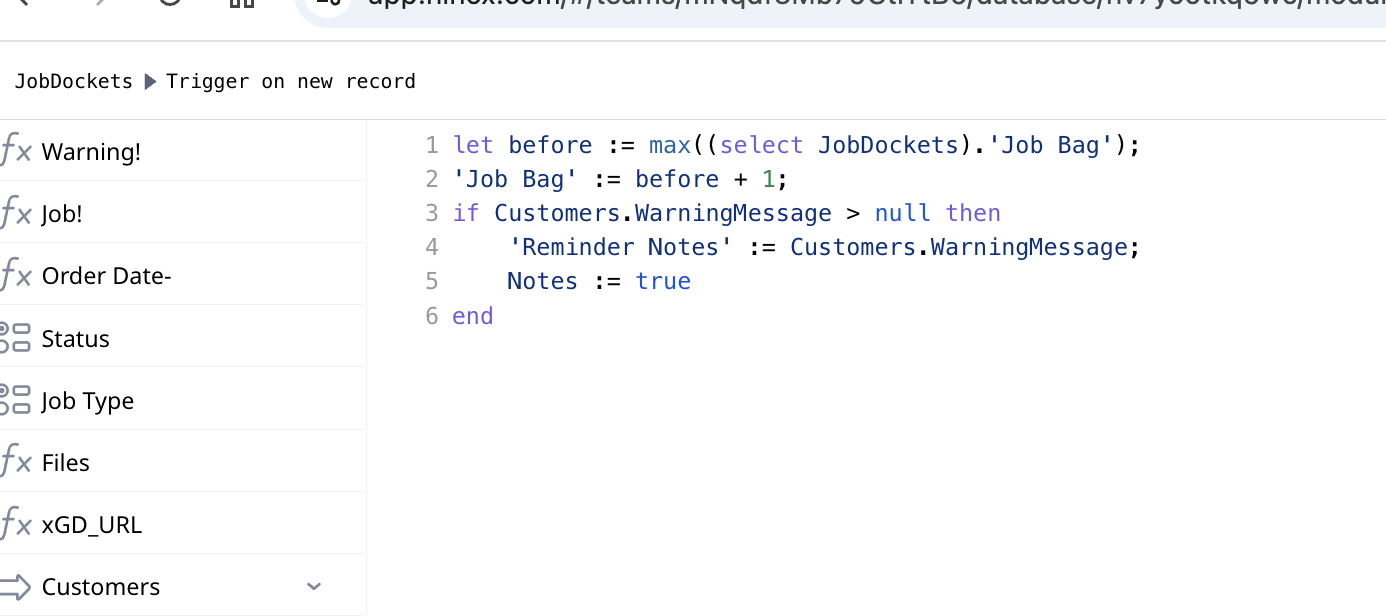
Is the code in a Trigger on new record? I find that works most often.
-
as Fred states - put irt on the trigger on new record
Been working reliably for me for over 4 years and I have over 900k records- mine is on my unique number is on my Job Bag' field.
One area you can foul up is if you use the build in Ninox Duplicate record function, as you will get two transaction numbers the same and then you have to manually edit the field. So instead I use a button with a script to duplicate records and thus auto adjust for the next number.
Also I don't give uses access to the field where the number is generated. I only show formula field pointing to that transaction/job number!
-
As mentions, the other option would be to take over the UI of data entry and your buttons would have the code to make sure data is set properly.
-
Yes, the code is in the "Trigger on new record", whenever i directly create a new record from the triggered table, it generate the new number and assign it. but when i click the new record from the embedded view of that table (1:N) in my project, it do not run the Trigger. Instead, it does run the "Trigger after update". So I had to crate a global function as bellow and run it as both "Trigger on new record" and "Trigger after update":
function runNumbering(r : Accounting) do
    let tn := r.'Transaction No.';
    let cn := count((select Accounting)['Transaction No.' = tn]);
    if cn != 1 or r.'Transaction No.' = null then
        r.('Transaction No.' := maxTransactionNumber() + 1)
    end
in this case, for both new record and duplicated record, with each edit i do on record, it check if it is duplicated or empty, then assign a number to it. and Ye, i do also made it read only. (i also left a "Numbering" button to run the same code + a warning note in case of duplicate number
Content aside
- 5 mths agoLast active
- 5Replies
- 68Views
-
3
Following