
Workspace Orchestration Error when trying to call API
Hi All,
I am just curious if anyone is able to help me understand the API and its usage..
I am using the latest version of Ninox on the public cloud (https://go.ninox.com). I have setup an API key and want to be able to send some updates overnight by inserting records via the API (through make.com). I am calling the endpoints at 'https://go.ninox.com/api/v1'..
However I have noticed that if I am not signed into the web UI, the API calls fail with a 'Web Orchestration Error'. This will continue no matter how many times I retry, the only way to get it working again is to log into the web ui, then it will work again for a short time before stopping again.
I think what is happening is, is that my workspace is going into hibernation/cold and when I try and hit it with an API call its not able to respond in time.
Is there a different base URL I should be using, or is there a way to wake up my workspace automatically?
I am sure I am doing something silly, but any help would be appreciated.
Thanks
_L
3 replies
-
Which version of Ninox are you using? For version 3 the api endpoint is https://api.ninox.com/v1/
-
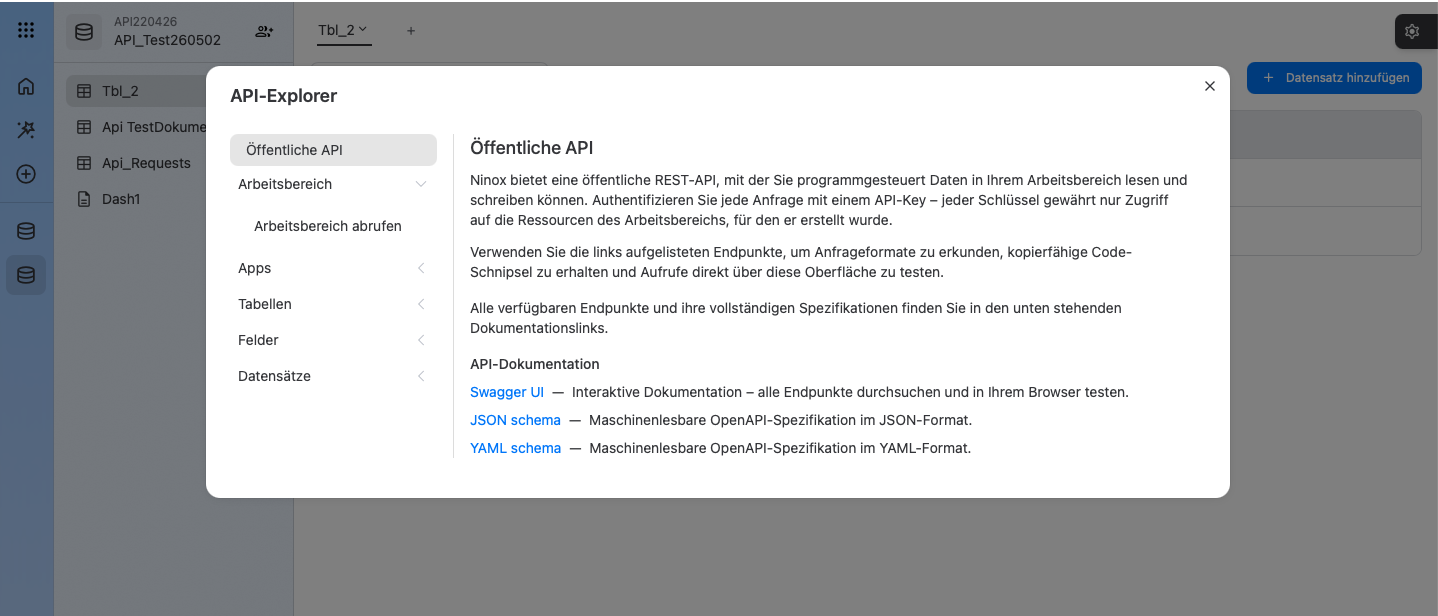
You can use the integrated API test environment to test API functionality in Ninox4.
You can find it within the open modules.
See the attached screenshots.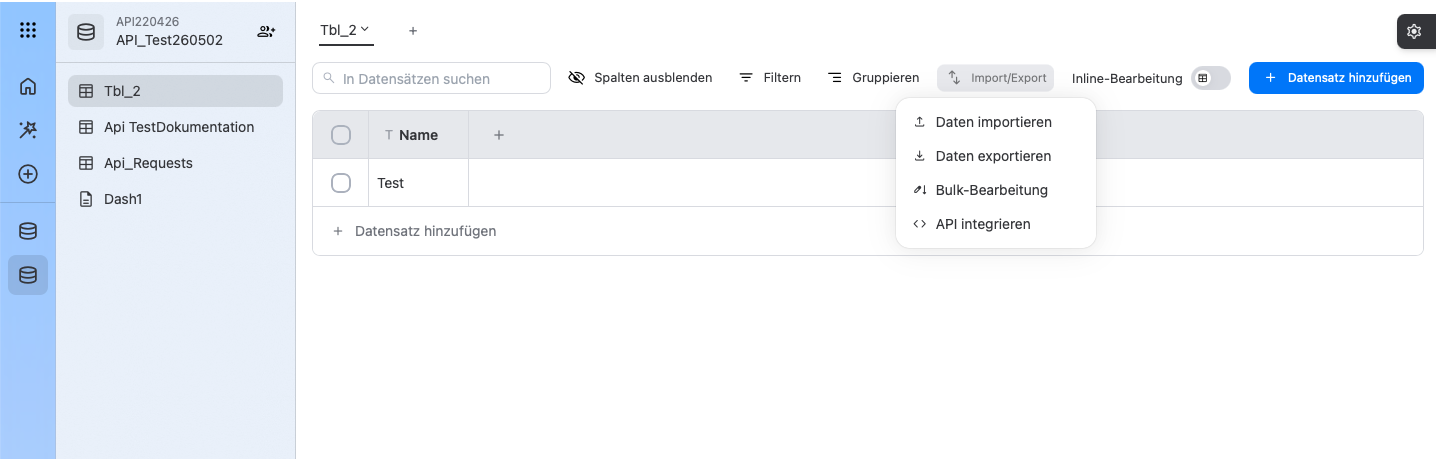
Content aside
- 11 hrs agoLast active
- 3Replies
- 22Views
-
3
Following