3

Ninext: bugs & fixes

I am opening this discussion so that everyone can post here the issues they encounter with the Ninext plugin version starting from version 3.x.

If you are using Ninext version 2.x, please post your message here instead: https://forum.ninox.com/t/p8h78zv/ninext-project

12 replies

null
    • Aron
    • 3 wk ago
    • Reported - view

    1.

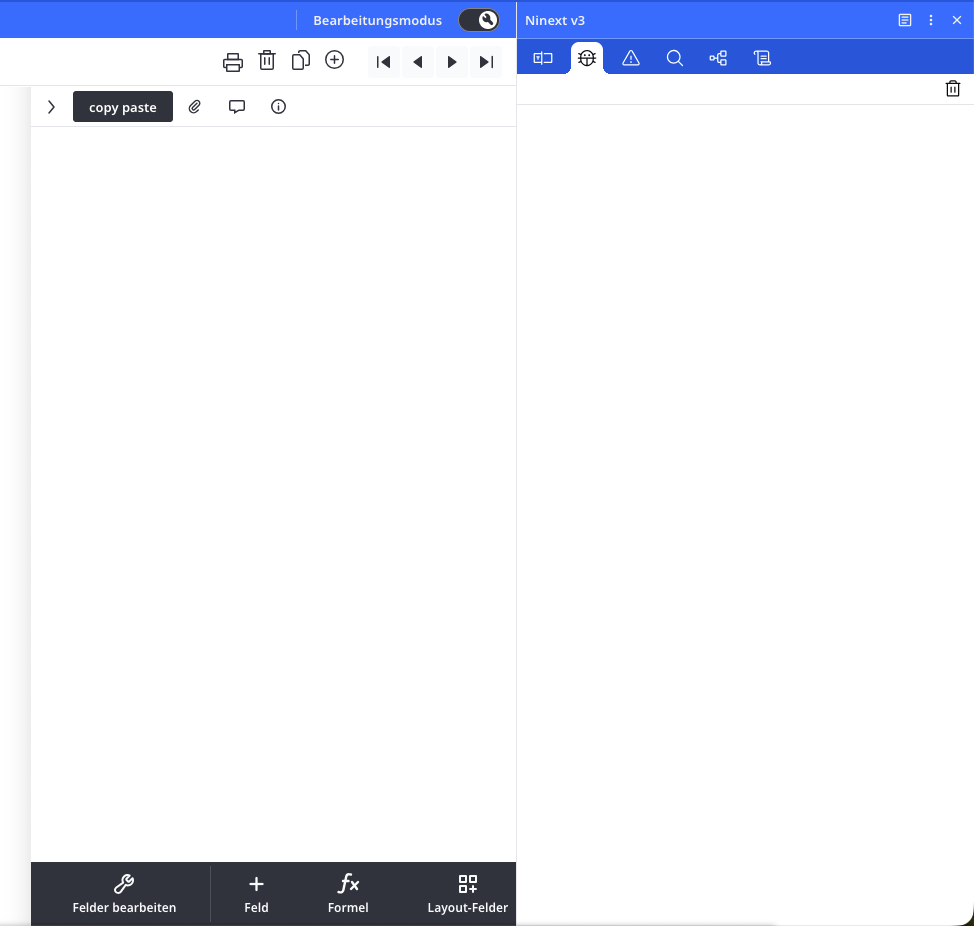
    When the Ninext console is open, it hides the table tools. It would be great if it could remain visible without blocking access to other controls while developing.

    2.

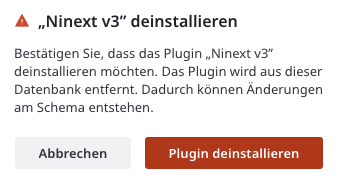
    On uninstalling plugins, what changes in the database schema are expected and which implications might that have? Ninox is showing me a warning, but not telling me, what the actual risk is.
    3.

    I love the copy-paste functionality for fields. 🙏

      • Ninox developper
      • Jacques_TUR
      • 3 wk ago
      • Reported - view


      1. Ninext console hiding table tools

      Yes, this issue is already known by the Ninox team. They are currently working on a fix so that the console can remain open without blocking access to the table tools during development.

      In the meantime, you can install the classic version of Ninext, which does not have this behavior:
      https://docs.ninext.fr/classic-installation-50


      1. Uninstalling plugins and impact on the database schema

      When you uninstall Ninext, the database schema (tables, fields, relations) is not removed or structurally modified. Your data remains intact.

      However, you will lose all features injected by Ninext, including:

      • Badges on files, tabs, and buttons

      • Interception of onclick events on fields and views

      • Modules related to custom events (viewEvent, buttonEvent, etc.)

      • JavaScript calls using the #{ ... }# syntax

      The most critical point concerns these JavaScript calls:
      if your application relies on them for essential logic (calculations, automations, specific interactions), those parts will stop working after uninstallation.

      Additionally, some workspace-related settings will also be lost, such as:

      • The field selected during the last session

      • Filters defined in Code Finder

      • Custom representations created in the Schema tab

      These elements do not affect your data, but they may impact your development workflow and organization.

      The Ninox warning message is therefore preventive: it indicates that a plugin may affect functionality, without specifying exactly what. Before uninstalling, it is recommended to check whether your application uses #{...}# calls, extended events, or important interface customizations.


      1. Field copy-paste functionality

      Thank you 😊
      Yes, this feature really makes life easier. Many of us truly appreciate it!

    • Endo7_GmbH
    • 2 wk ago
    • Reported - view

    Hello Jacques,
    Thank you very much for developing Ninext. I really appreciate the tool since it is provided directly by Ninox. There is one thing I don't understand: What do the badges in the field editor mean and what can I do with them? I just can't figure it out!

      • Ninox developper
      • Jacques_TUR
      • 13 days ago
      • Reported - view

       Thank you for your message and your enthusiasm for Ninext! 😊
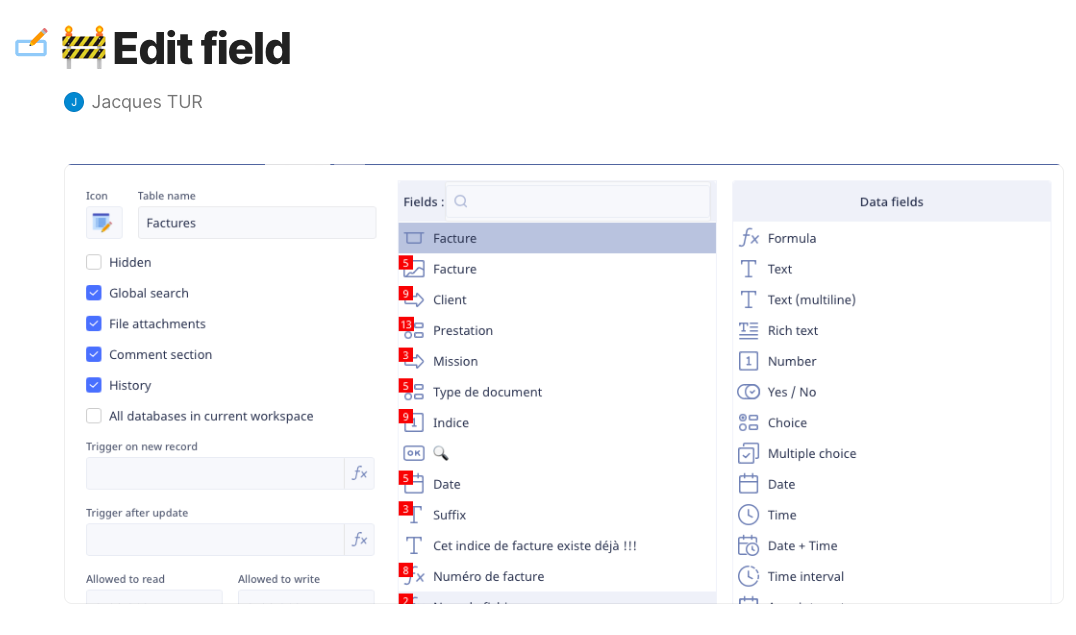
      The badges in the field editor are part of Ninext’s Fields Inspector module. Here’s what they do and how to use them:
      What the badges indicate
      When you open the field editor of a table, small badges appear above the field names. Each badge displays a number representing the total number of dependencies for that field across your database — in other words, how many formulas, triggers, or scripts use it. This is a very useful impact analysis tool before modifying or deleting a field.
      The meaning of the colors
      The colors indicate the level of impact a potential modification would have:
          •    🔴 Red (highest level): the field is used in a formula or functional trigger (onClick, afterUpdate, afterCreate…). Any modification will directly affect the behavior and data of your database.
          •    🟠 Orange: the field is used in an interface trigger (visibility, canWrite, canRead, beforeShow, afterHide…). A modification will only affect interface behavior, not calculations or data.
          •    🟢 Green (lowest level): the field is only used for display purposes. A modification will only impact visual presentation, without touching data or interface behavior.
      What you can do with them
      By clicking on a badge in the field editor, the Ninext panel opens automatically on the Fields & Fx tab, with the corresponding table and field already selected. You then see the complete list of all its dependencies.
      From there, you can go even further: hovering over a result row reveals a “Modify” button. Clicking it opens the source code containing the dependency directly, with the relevant part highlighted — very handy for quickly understanding and addressing the impact of a change.
      You can also use the Fields & Fx tab directly from the Ninext panel by manually selecting a table and a field from the dropdown menus, without going through the field editor.
      You can find the full documentation for this feature here: https://docs.ninext.fr/fields-and-functions-9
      Don’t hesitate if you have any other questions! 🙌

      • Endo7_GmbH
      • 13 days ago
      • Reported - view

       Thank you very much for the detailed explanation! I didn't realise that I had to expand the Ninext window to see the dependencies. A really great and very useful tool, and very well thought out!

    • Ninox developper
    • Jacques_TUR
    • 2 days ago
    • Reported - view

    Ninext version 3.0.2 is now available! 🎉

    Bug fix:

    • Fields & Fx tab did not display when two elements shared the same identifier

    Improvements:

    • Badges are now clickable: a click directly opens the corresponding field in Fields & Fx
    • Version number is displayed in the panel icon bar
    • Better sized dropdown menus in the Ninext panel
    • Stable panel display without unwanted scrollbars
    • Complete isolation from Ninox for better stability

    📋 Update details: https://docs.ninext.fr/update-history-56

    Happy coding with Ninext!

      • Rafael Sanchis
      • Rafael_Sanchis
      • 2 days ago
      • Reported - view


      Hi Jacques

      You will continue to support Ninex to the apps ?

      • szormpas
      • 2 days ago
      • Reported - view

        Hi,

      The Fields & Fx tab still doesn't show up even though the Fields Inspector is enabled.

      • Ninox developper
      • Jacques_TUR
      • 2 days ago
      • Reported - view

      Hi   😊

      Thanks for asking, it's a perfectly legitimate question!

      The Classic version of Ninext — the one that requires a manual installation and unlocking Ninox security settings — won't be seeing any major updates going forward. That said, if you ever run into a blocking bug, don't hesitate to let me know and I'll do my best to sort it out quickly.

      As for the future of Ninext, the Plugin version is now natively integrated into Ninox starting from v3.18, but only on the Web App (Public and Private Cloud) for now. For the native Mac, iPhone and iPad apps, the situation isn't fully clear yet — I'm keeping a close eye on it and will share any news as soon as I know more.

      • Ninox developper
      • Jacques_TUR
      • 2 days ago
      • Reported - view


      It looks like there is a second issue in your database. 😐

      I was able to fix the first bug thanks to a database sent by another user who was experiencing the same problem. Without having your application at hand, debugging is unfortunately very difficult.

      Could you send me a copy of your database with all the data deleted? The records are not needed to identify the bug — only the structure of your application matters.

      Thanks in advance for your help! 🙏

      • szormpas
      • yesterday
      • Reported - view

       Hi,

      I sent you a copy of my database via email.

      I hope you can figure out what's causing the issue.

    • Ninox developper
    • Jacques_TUR
    • yesterday
    • Reported - view

    Ninext version 3.0.3 is now available! 🎉

    New features:

    • Duplicate identifier detection in the Errors tab
    • Compilation error messages display

    Bug fix:

    • Fields & Fx tab did not display correctly with some fields having an empty internal name

    Update details: https://docs.ninext.fr/update-history-56#_luZE0gfh


    A word of explanation

    Some of you may have noticed that bugs already fixed in Ninext Classic (v2.3.x) reappeared in the plugin version (v3.0.x). We apologize for any inconvenience this may have caused.

    The transition to the plugin version is not a simple upgrade: it required a significant rewrite of part of the code to adapt to Ninox's new architecture. Version 3.0 was developed in parallel with version 2.3 fixes, which explains why some corrections had not yet been integrated.

    We are actively working to harmonize both versions. Thank you for your patience, your understanding and your valuable help in identifying these bugs! 🙏

    Happy coding with Ninext!
Content aside

  • 3 Likes
  • yesterdayLast active
  • 12Replies
  • 165Views
  • 7 Following