
Ninext: Calling a Ninox Function from HTML / JavaScript (callNinoxFunction)
Several of you have shown interest in the possibility offered by Ninext to call a Ninox function directly from JavaScript. The documentation is available here:
https://docs.ninext.fr/html-helping-functions-15
I’d like to share a few concrete examples of how this can be used, focusing on more advanced input fields.
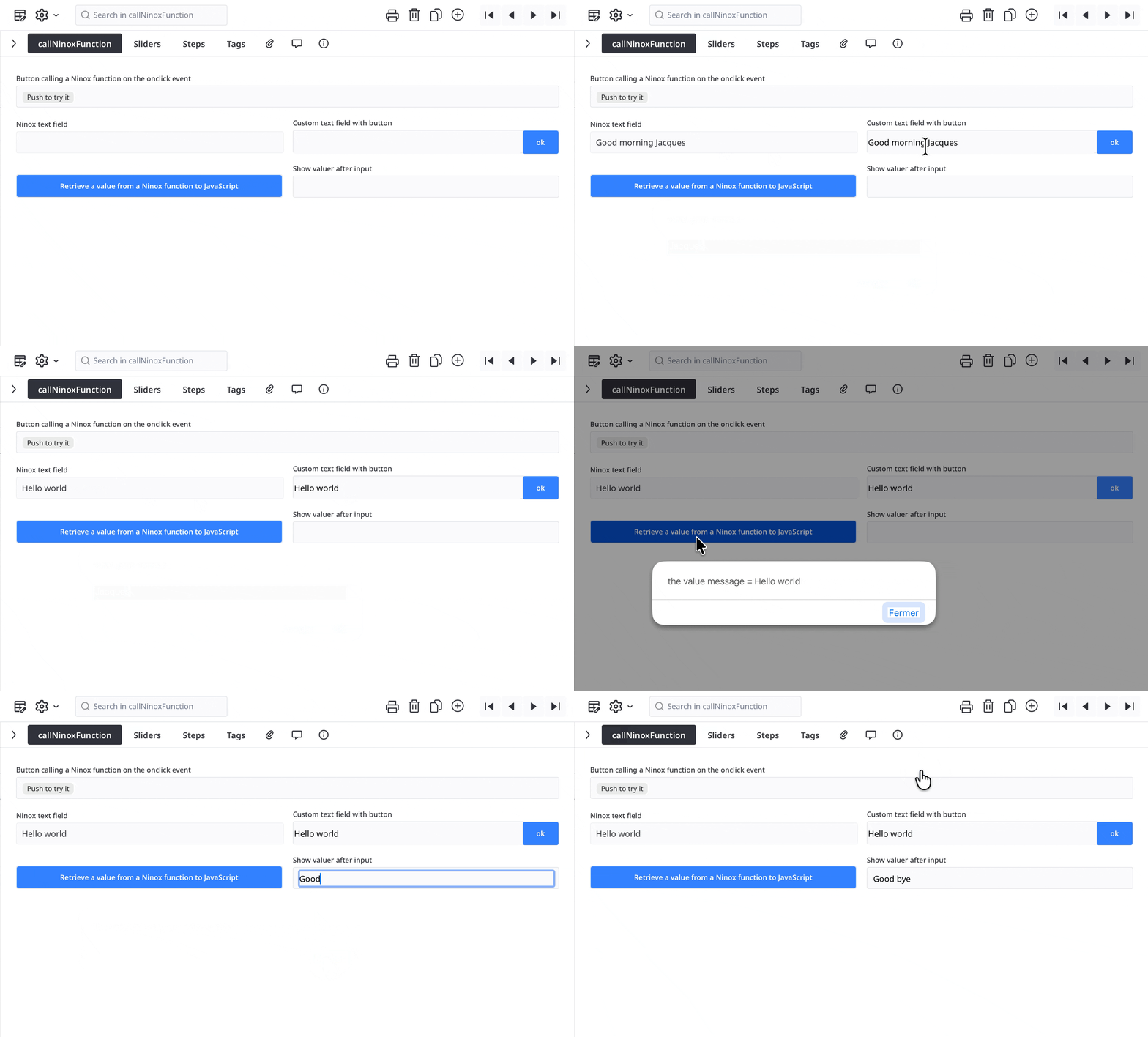
👉 First example: simple code
This example shows a set of simple fields that call a Ninox function, either to pass values as parameters or to retrieve a value returned by Ninox. The code is intentionally simple and explicit, to help you understand how to implement it in your own projects.
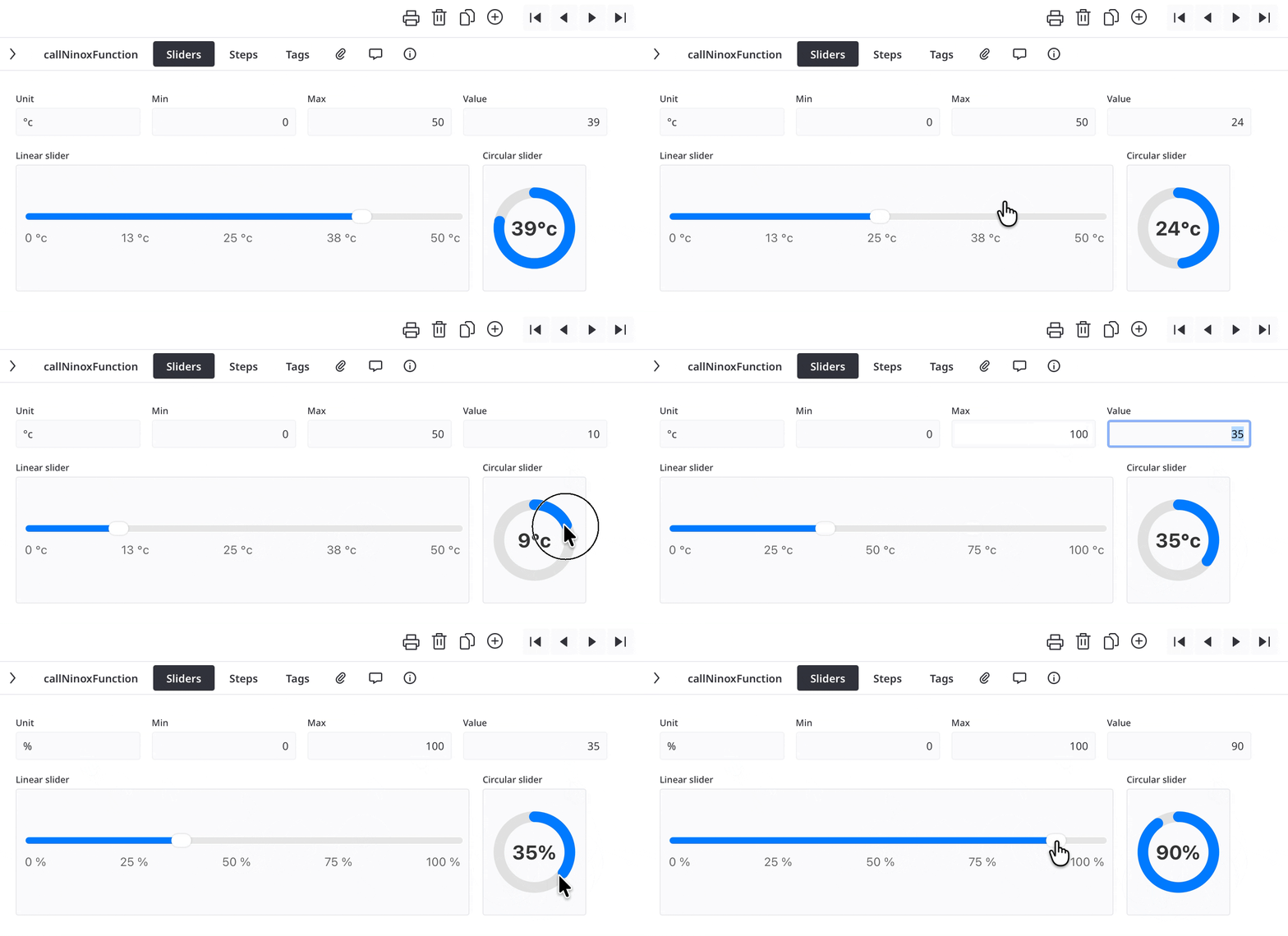
👉 More advanced HTML example: sliders
Each time the Linear slider or Circular slider is modified, the value is immediately sent to Ninox via callNinoxFunction.
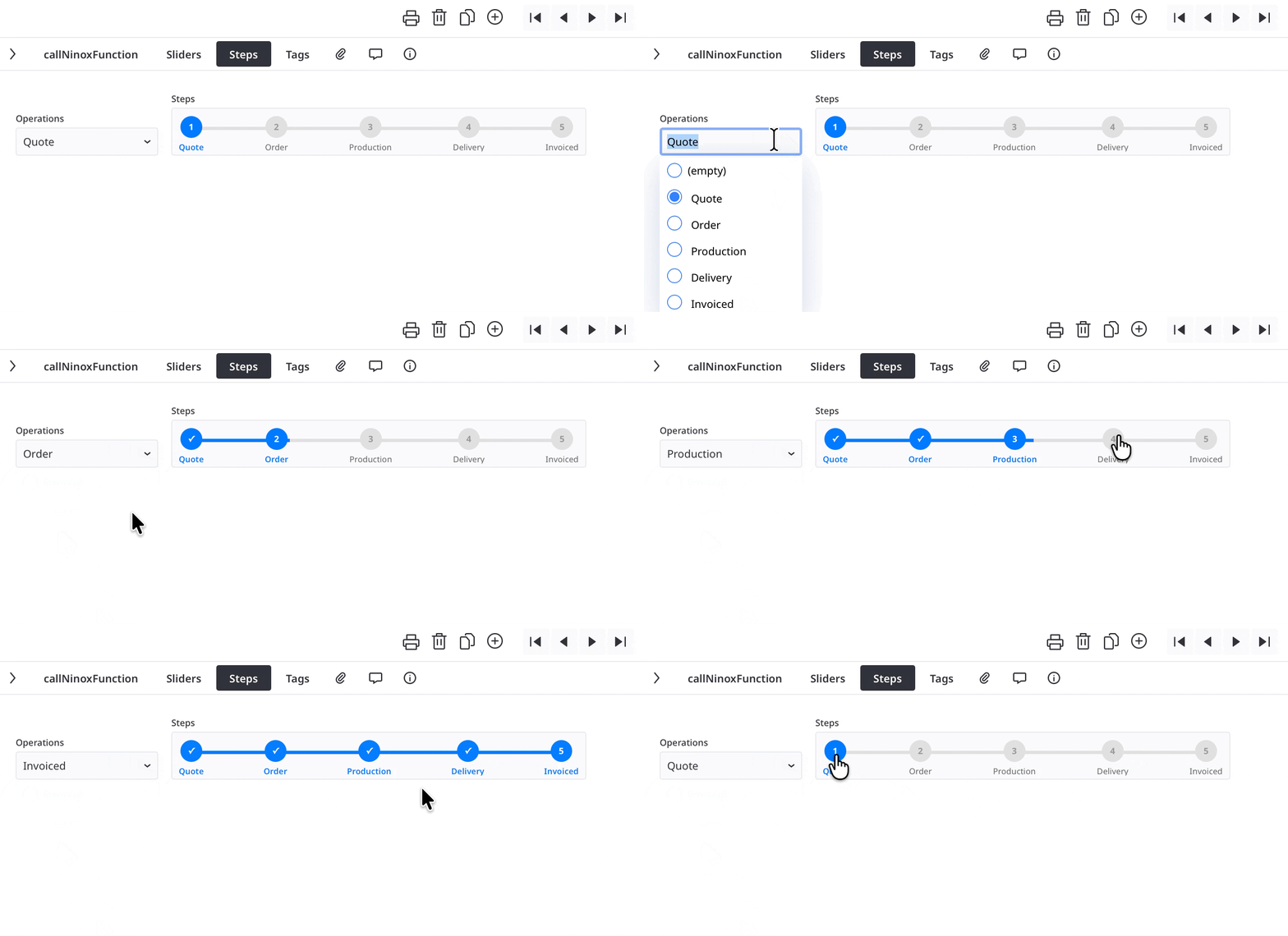
👉 Same principle with a Choice field
The selected value updates the Ninox data in real time, again through a function call.
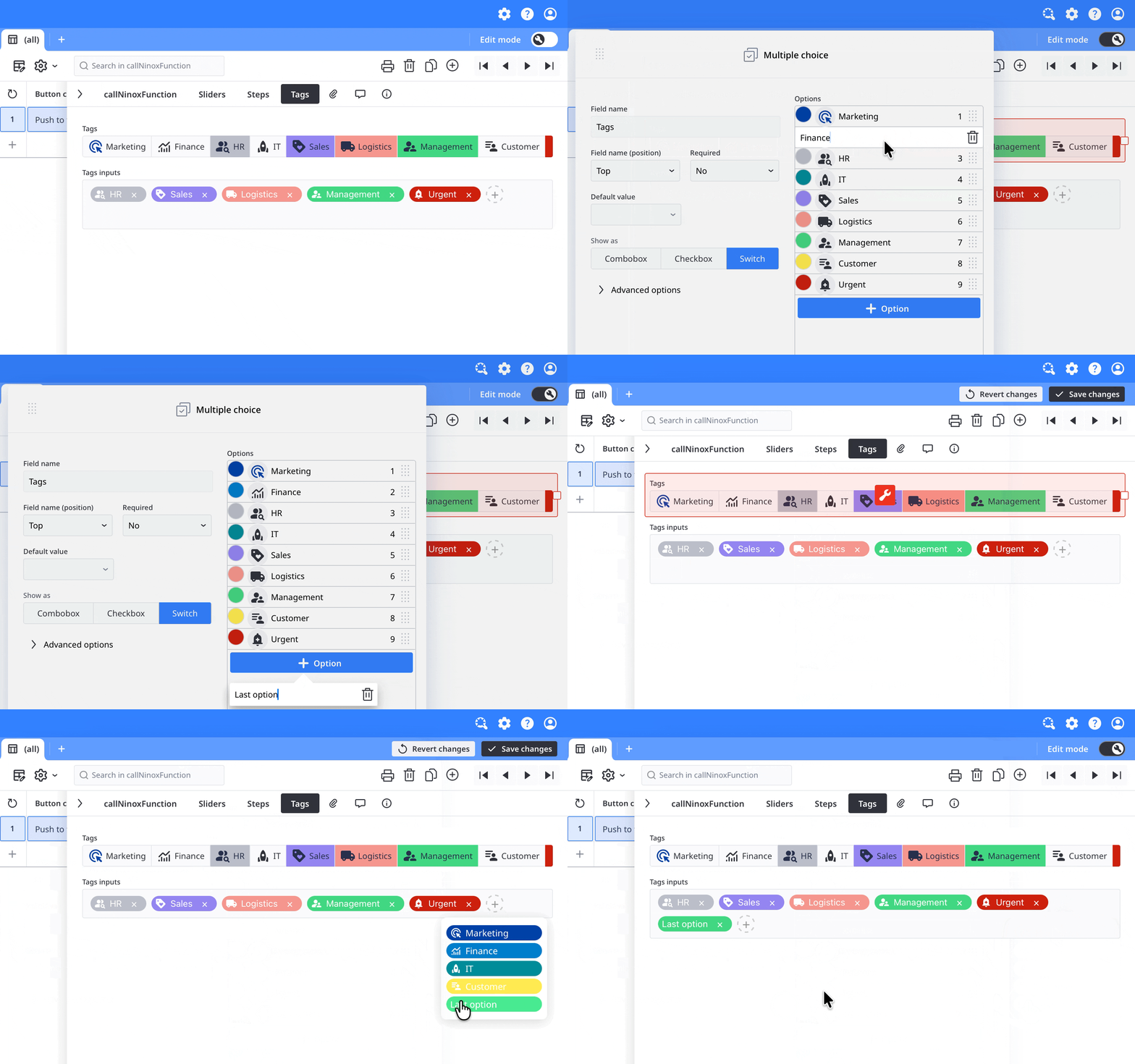
👉 Last example: a Multi-choice field to manage tags
Here, multiple elements can be selected, with a direct update on the Ninox side.
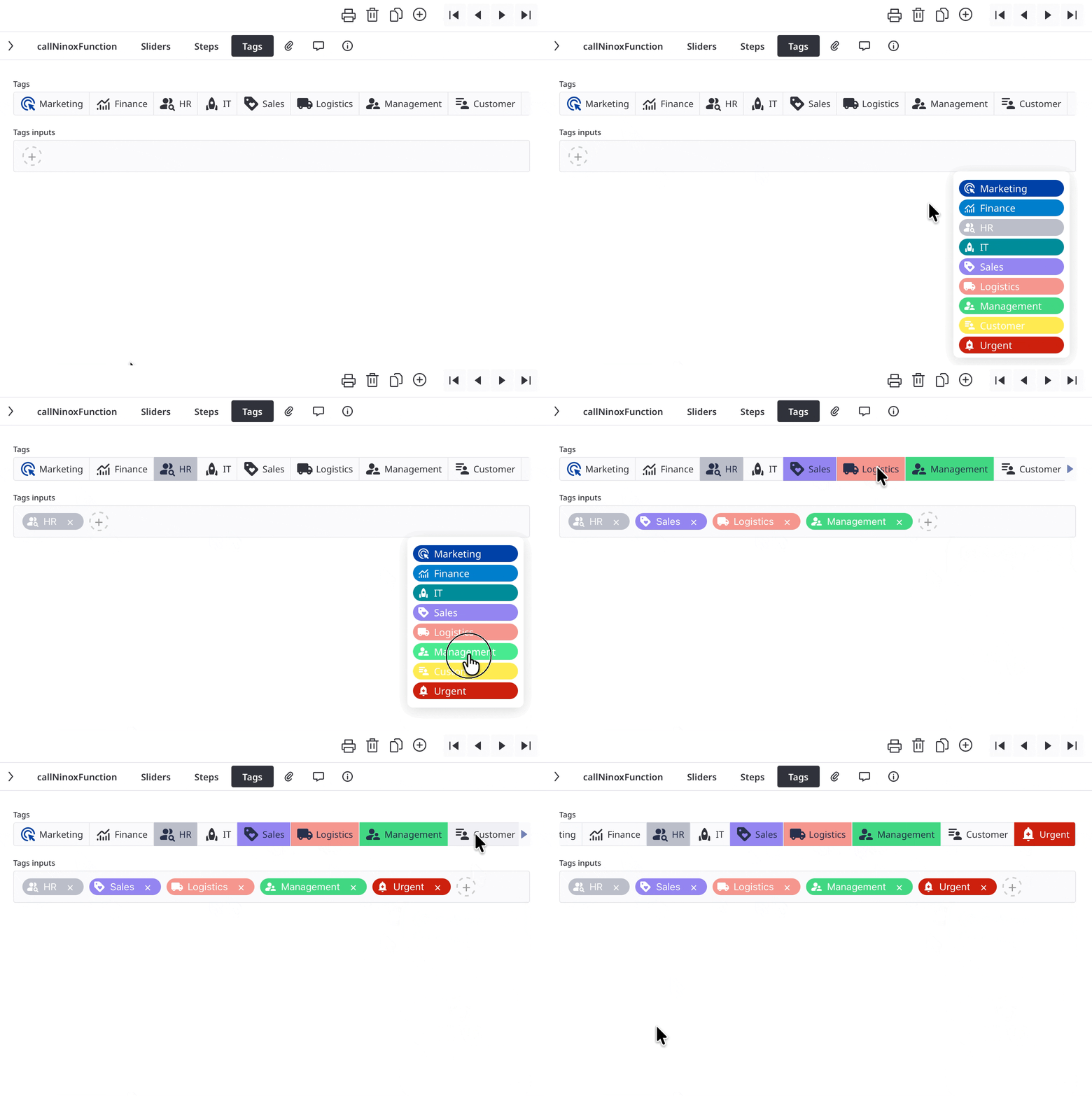
The last two examples share an interesting feature:
they directly use the configuration defined in the Ninox schema to automatically retrieve titles, IDs, colors, and icons. No unnecessary duplication 👍
ℹ️ Note : as you can see, data refresh is triggered by switching from one tab to another, which forces the Ninox formula to be recreated.
👉 All of these examples are available in the downloadable application here:
https://docs.ninext.fr/ninext-app-38
If you have ideas, experiments, or implementations using HTML / CSS / JS with callNinoxFunction, feel free to share them here 😀
5 replies
-
Hi,
I am trying to implement something like the following code:
function createURLs() do
    for i in select Customer do
        shareFile(importFile(i, printAndSaveRecord(i, "Kunde"), "test.pdf"))
    end
end;
html("
  <button id='myButton' onclick='myFunction()'>Push to try it</button>
  <script>
        function myFunction() {
            const urls = ninext.callNinoxFunction(""createURLs"", ""myButton"");
            alert(urls.toString());
            // more code to insert here...
        }
  </script>
")
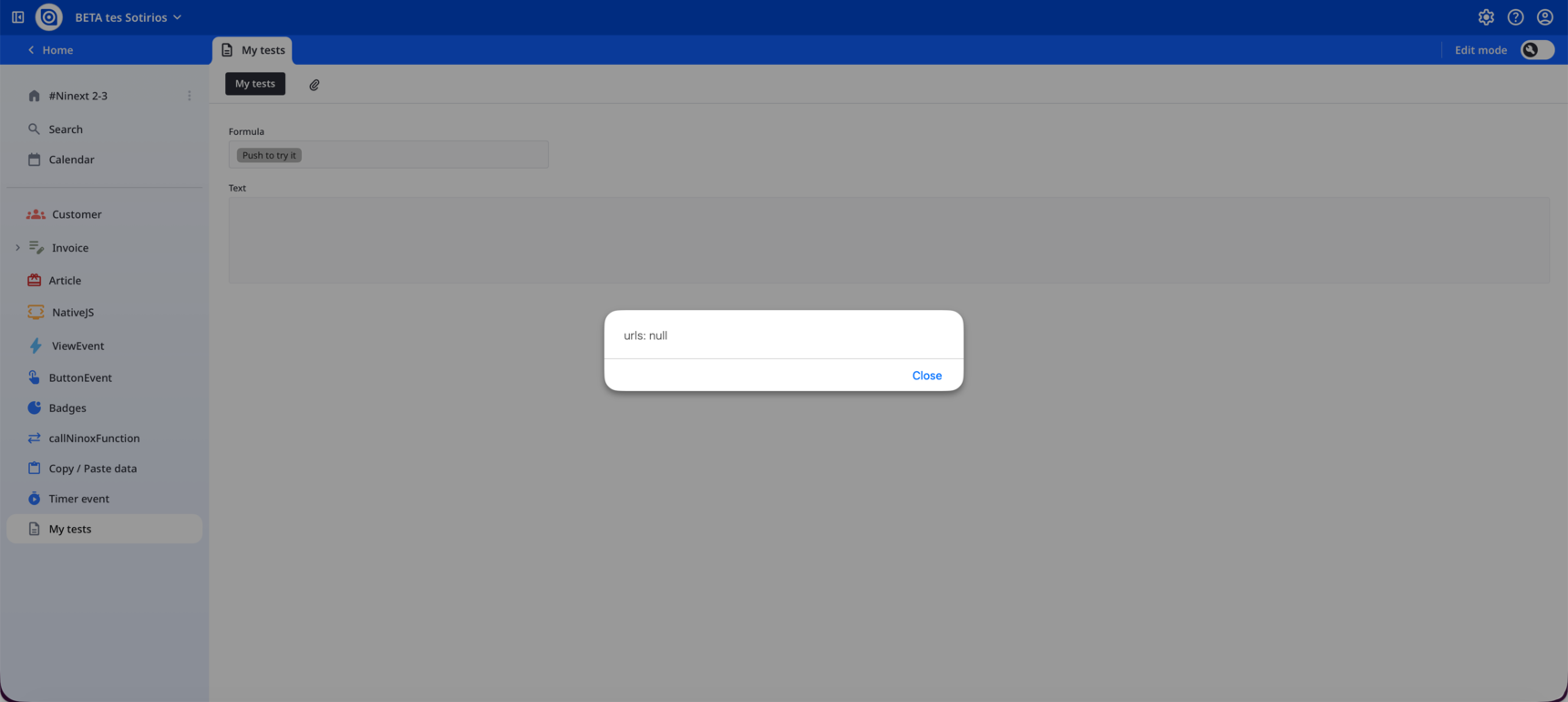
I've got a question: Is there a way for myFunction to wait for the value to be returned by the Ninox function that was called before the rest of the code executes?
Thanks for making Ninext better every day!
-
, thanks for the support on the asynchronous capability!
Now, I can create reports attached to records in my database and print them all in one merged PDF file with just one click!
If anyone wants to check the above functionality, first download the #Ninext 2-3 app and then copy the following code into a formula field:
function createURLs() do
    let urls := for i in select Customer do
            shareFile(importFile(i, printAndSaveRecord(i, "Kunde"), "customer.pdf"))
        end;
    parseJSON(formatJSON(urls[!= null]))
end;
html("<head>
  <style>
    .custom-button {
      color: rgb(86, 110, 177);
      background-color: rgba(255,255,255,0);
      padding: 5px 40px;
      border: 1px solid rgb(86, 110, 177);
      border-radius: 5px;
      cursor: pointer;
      font-size: 14px;
      font-weight: 600;
      transition: all 0.3s ease;
    }
    .custom-button:disabled {
      opacity: 0.6;
      cursor: not-allowed;
    }
  </style>
</head>
<body>
  <button id='merge-pdf-btn' class='custom-button' onclick='ninext.callNinoxFunction(""createURLs"", this, (error, result) => {mergePDFs(result, ""merge-pdf-btn"");});'>Push to print reports</button>
  <script src='https://cdn.jsdelivr.net/npm/pdf-lib@1.17.1/dist/pdf-lib.min.js'></script>
  <script>
    async function mergePDFs(data, buttonId) {
      const button = document.getElementById(buttonId);
      if (!button || !Array.isArray(data)) return;
      const originalText = button.textContent;
      button.disabled = true;
      button.textContent = 'Processing...';
      try {
        const urls = data.filter(url => url?.trim());
        if (!urls.length) {
          alert('There are no reports for these customers!');
          return;
        }
        const pdfDoc = await PDFLib.PDFDocument.create();
        for (let i = 0; i < urls.length; i++) {
          button.textContent = `Processing ${i + 1}/${urls.length}...`;
          const res = await fetch(urls[i]);
          const buffer = await res.arrayBuffer();
          const pdf = await PDFLib.PDFDocument.load(buffer);
          const pages = await pdfDoc.copyPages(pdf, pdf.getPageIndices());
          pages.forEach(p => pdfDoc.addPage(p));
        }
        button.textContent = 'Creating PDF...';
        const blob = new Blob([await pdfDoc.save()], { type: 'application/pdf' });
        const url = URL.createObjectURL(blob);
        window.open(url, '_blank');
        setTimeout(() => URL.revokeObjectURL(url), 2000);
      } catch (error) {
        alert('Error creating PDF. Please try again.');
      } finally {
        button.disabled = false;
        button.textContent = originalText;
      }
    }
  </script>
</body>")
What this does:
- Generates individual PDF reports for each customer using a print layout
- Merges all PDFs into a single document
- Opens the combined PDF in a new tab
- Shows progress during processing
How to adapt it to your database:
- Replace
Customerwith your table name - Replace
"Kunde"with your print layout name - Adjust the filter criteria in the
selectstatement as needed
The magic happens through the pdf-lib js open-source library combined with Ninext's asynchronous function calls. The button shows real-time progress as it processes each record.
Hope this helps others who need bulk PDF operations! 🎉
Content aside
-
2
Likes
- 7 mths agoLast active
- 5Replies
- 146Views
-
2
Following