
2
Ninext Plugin (v3.x) - Best Practices & Recommendations
Important information: Ninext plugin update
Unlike Ninext Classic (v2.x) which updated automatically, the Ninext plugin (v3.x) requires a manual update.
To help you, I have added a page in the documentation that explains:
- How to check the installed version number
- How to find out the available version number
- How to update the plugin
=> Documentation: https://docs.ninext.fr/install-update-57
=> Update history: https://docs.ninext.fr/update-history-56
Feel free to check these pages regularly to make sure you benefit from the latest fixes and improvements!
2 replies
-
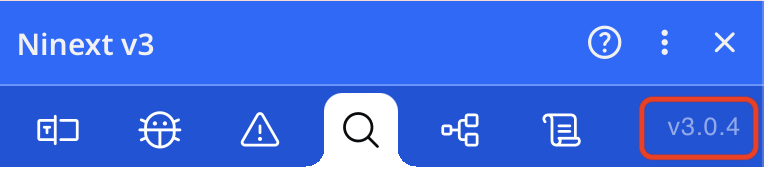
I don't know what to say, but when I checked the version of Ninext that I'm running and it says it is 3.0.4. I did not update the plugin manually as I didn't know I had to before your post.
Content aside
-
2
Likes
- 6 mths agoLast active
- 2Replies
- 112Views
-
2
Following