
Trouble finding a column
Hello Ninox team!
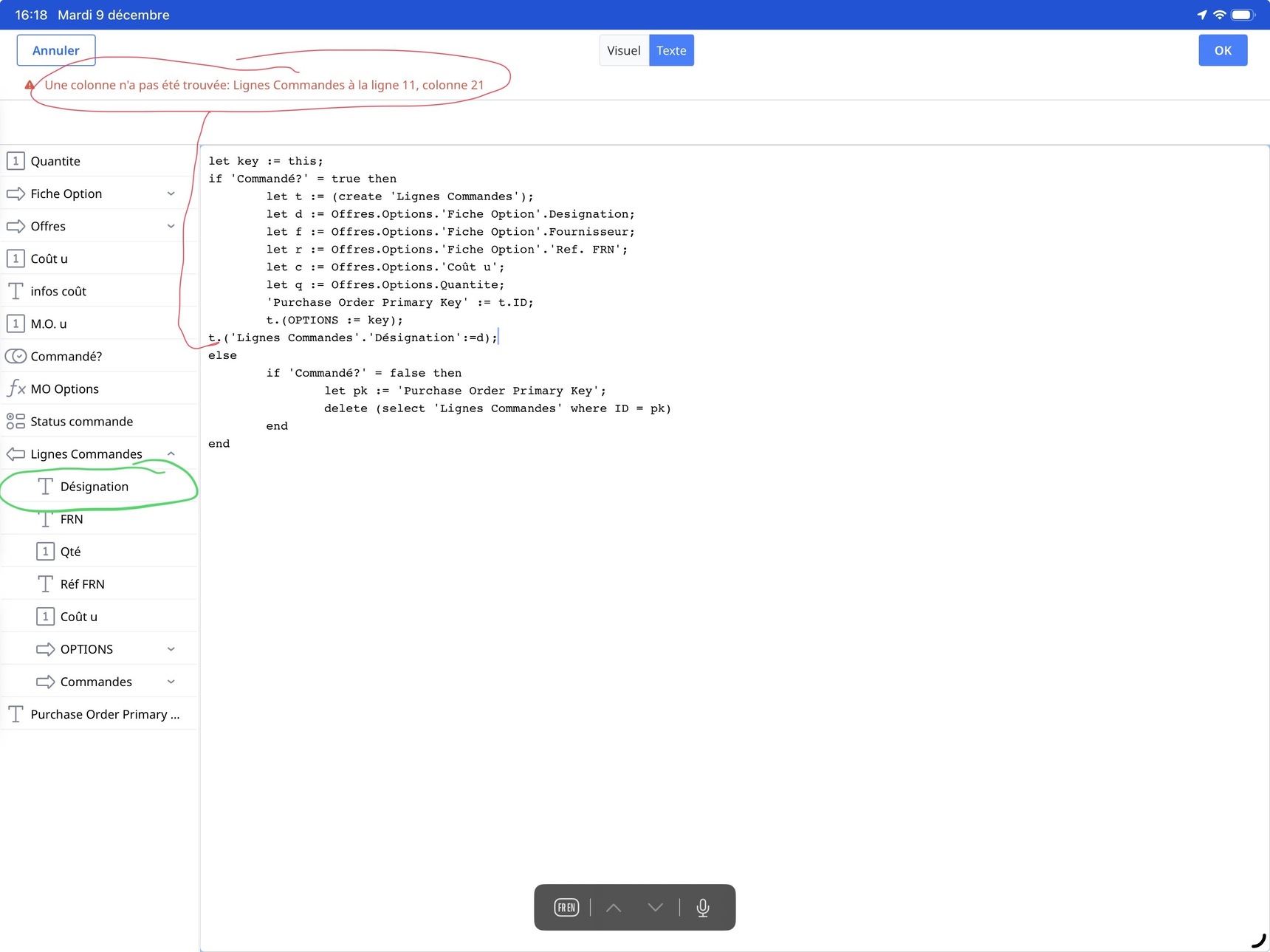
I’m using the script attached, but Ninox tell me he can’t find a column. Ok Ninox but the column appears well in the side bar and in the table…
Could you please guess why?
20 replies
-
Remove the 'Lignes Commandes' in your 11th row:
t.('Désignation' := d)
-
Just looking at your code you can clean it up with some simple changes
1. 'Commande?' = true and 'Commande?' are the same thing
2. You don't then need a second if to test for false.
2. t.ID and t are the same thing
let key := this;
if 'Commande?' then
   let t := (create 'Lignes Commandes');
   let d := Offres.Options.'Fiche Option'.Designation;
   'Purchase Order Primary Key' := t
   t.(OPTIONS := key;
      'Lignes Commandes'.'Designation' := d)
else
   let pk := 'Purchase Order Primary Key';
   delete (select 'Lignes Commandes' where ID = pk)
end
In your select, are you sure you want ID = pk? It looks like you are testing for a primary key in one table equalling a primary key in another.
Regards John
-
Sorry, from your original issue, it should be
let key := this;
if 'Commande?' then
   let t := (create 'Lignes Commandes');
   let d := Offres.Options.'Fiche Option'.Designation;
   'Purchase Order Primary Key' := t
   t.(OPTIONS := key;
      'Designation' := d)
else
   let pk := 'Purchase Order Primary Key';
   delete (select 'Lignes Commandes' where ID = pk)
end
Regards John
-
The reason why you need to remove 'Lignes Commandes' is because you are already in the Lignes Commandes table. You use the variable t. Which is a reference to the create() command a few lines above, which you point to the Lignes Commandes table.
-
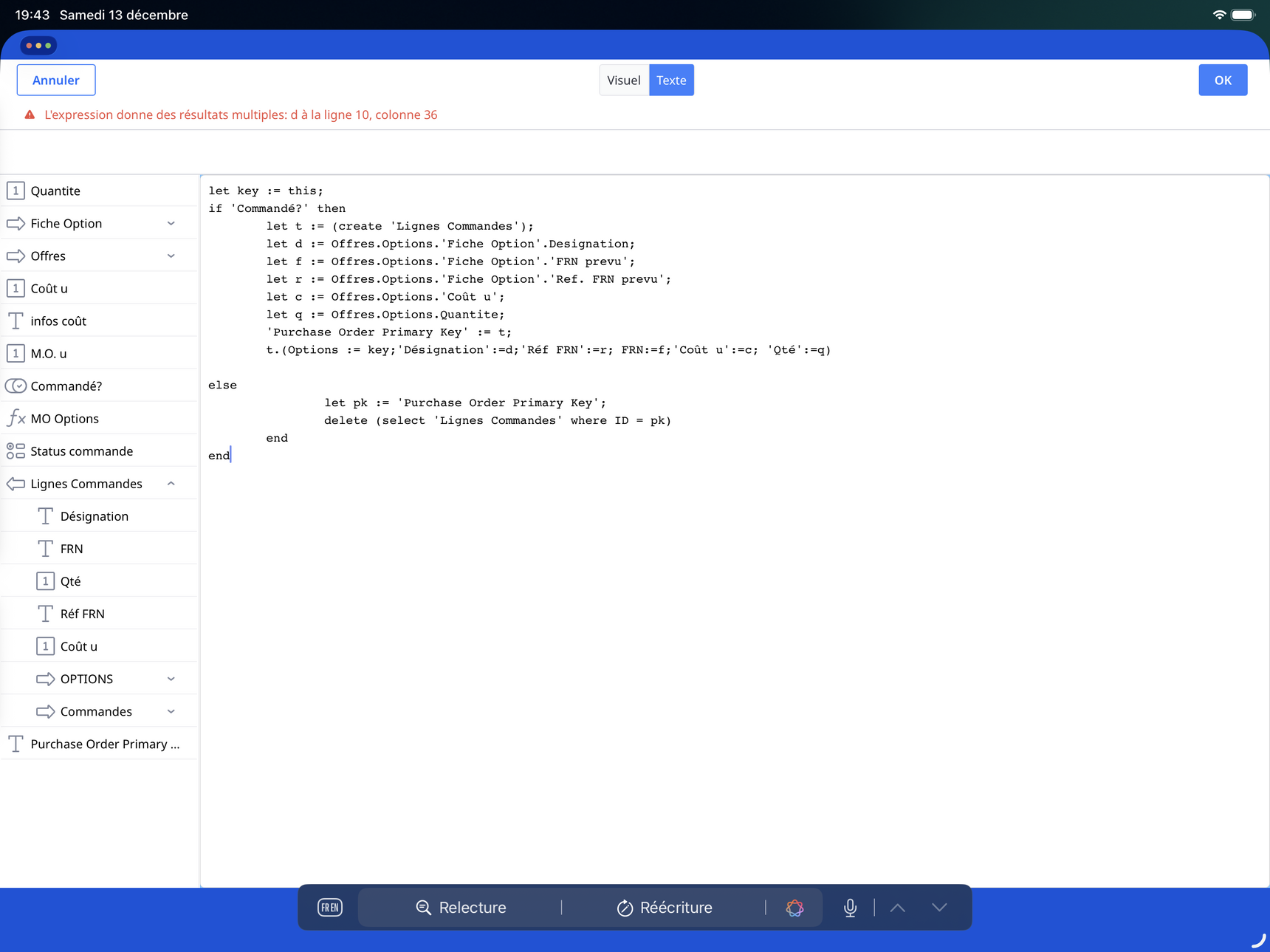
Thanks everybody for your replies. I understand my semantical fault, but when I fix it Ninox tell me: expression return multiple results line 10…
-
There’s an extra end, line 14, that isn’t needed.
-
Hello everybody and thanks for your concern. I understand now the trouble and I think I’m not proceeding the right way with this formula.
What I wanted to do is to select (with a selection button) a record or many and copy it or them in the ‘table ligne commande’ with all its columns so I can gather many ‘ligne commande’ in one order…
-
said:
What I wanted to do is to select (with a selection button) a record or many and copy it or them in the ‘table ligne commande’ with all its columns so I can gather many ‘ligne commande’ in one order…Can you be more specific about what you want. From which table are you getting records from?
-
Ok, let me see if I understand what you want.
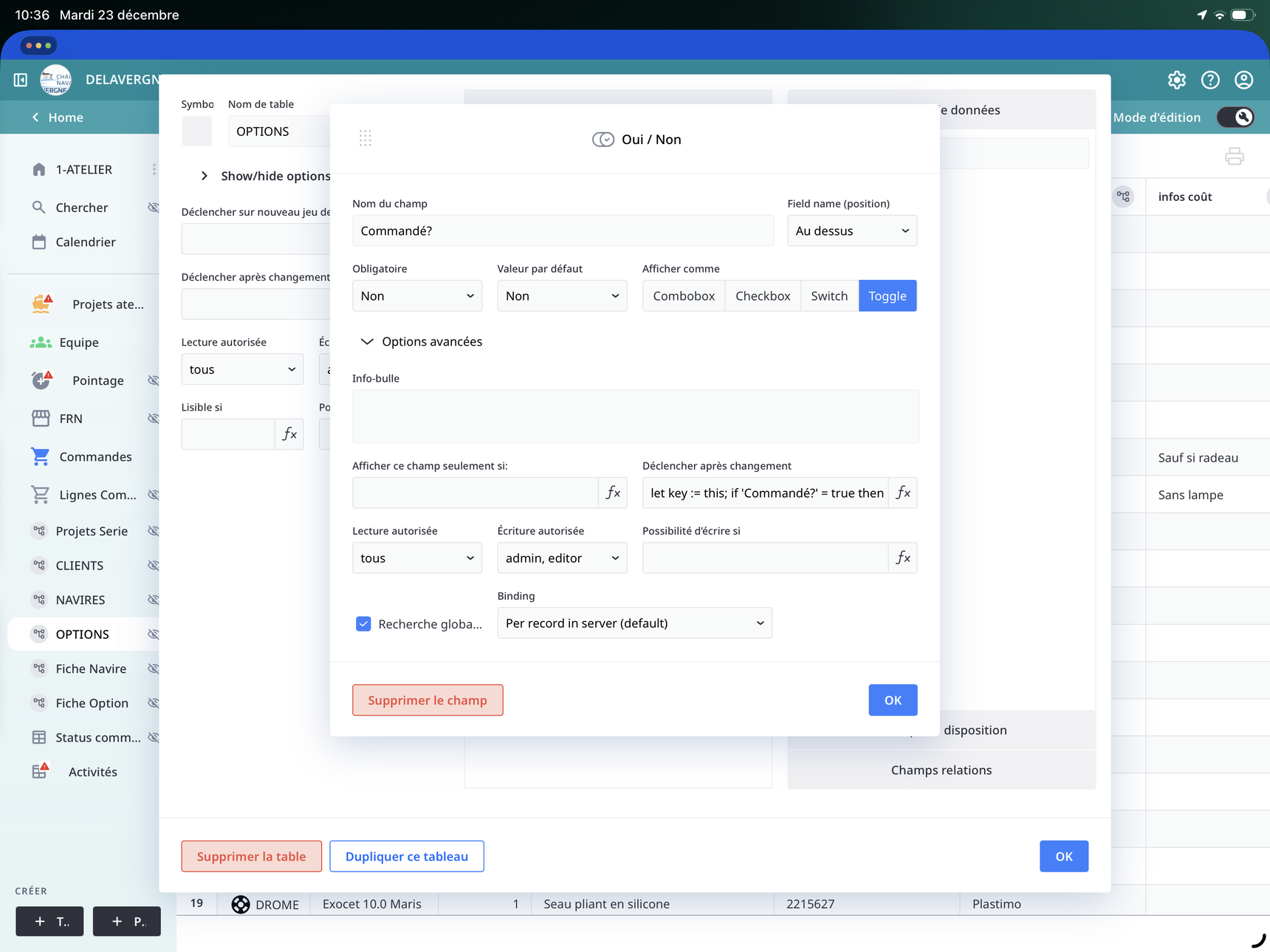
I would like to select those options with a selection button:
What table are you thinking this new dynamic multi choice field would be created in?
Content aside
- Status Answered
- 9 mths agoLast active
- 20Replies
- 187Views
-
4
Following