0

copy table record with child records to another table record also with child records

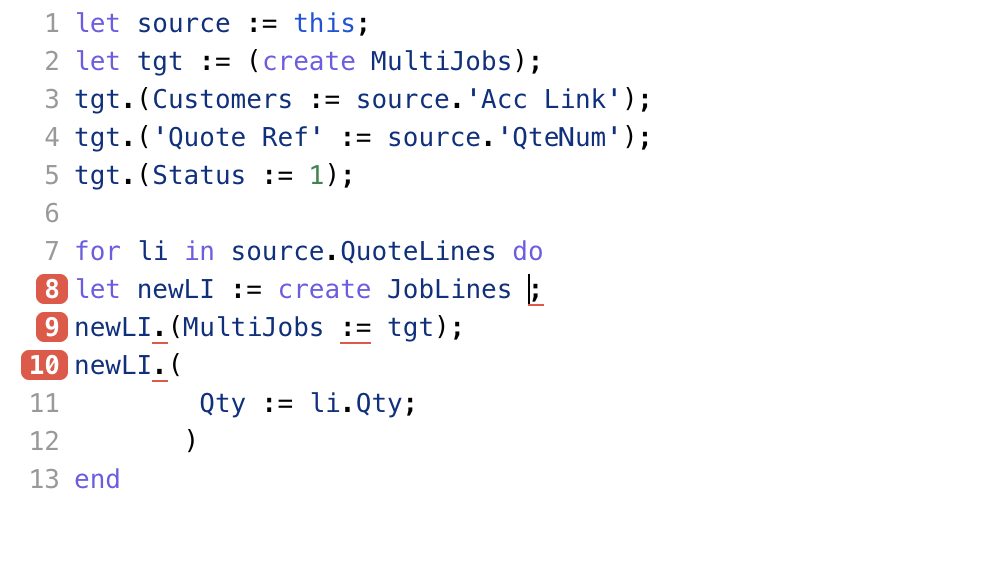
I want top copy a "quote" record that has child lines "quotelines' into a new table record "multiJob"  that will also have the copied records "Joblines".

but I am not quite getting the script right (or ninox is mis behaving)

lines 1 to 5 works as stand alone code as creates the parent record etc.

but adding the copy/create child records tripping me up = and i cant quite see what i am doing wrong

so any pointers would deffo be useful (it is bound to be a silly thing!)
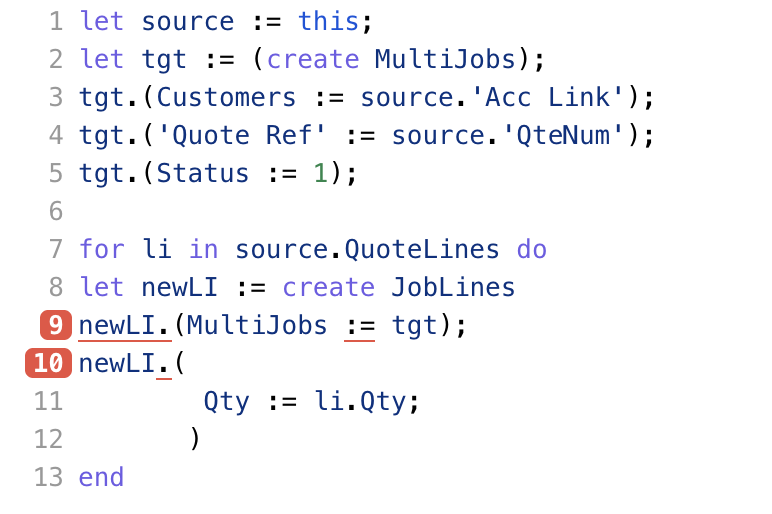
copy from - quote record

Quote (parent) quotelines (child records)

into Jobs record

Multijobs (parent) JobLines(child records)


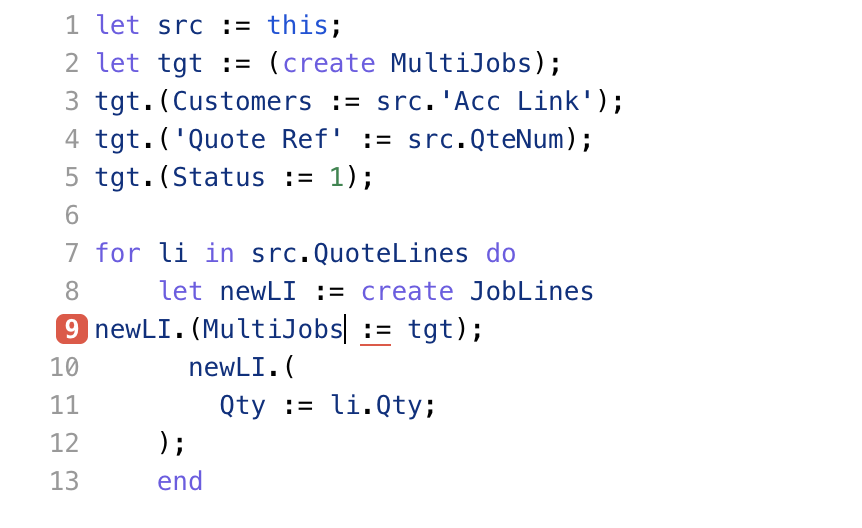
let source := this; copy Quote into 'source' variable
let tgt := (create MultiJobs);  create tgt variable fro parent record
tgt.(Customers := source.'Acc Link'); copy the stored account info in quote relationship into multijobs relasonship field
tgt.('Quote Ref' := source.'QteNum'); copy the quote numnnet into quote ref filed in new record
tgt.(Status := 1); and set status to a new job

for li in source.QuoteLines do loop to copy all sub child records
let newLI := create JobLines create the new sublines
newLI.(MultiJobs := tgt); link new child lines to parent record

write the line field info

newLI.(
        Qty := li.Qty; etc etc forr all fields rerquired to store info from quotes/childlines 

       )
end

24 replies

null
    • John_Halls
    • 3 wk ago
    • Reported - view

    Hi Mel

    Just quickly There’s no semi-colon at the end of line 8

    Regards John

      • Mel_Charles
      • 3 wk ago
      • Reported - view

       Hi John


      yes - I know i removed it to try but with a semi colon on end of line 8 that lines then also flags up a as red error too ?  😩

      • Ninox partner
      • RoSoft_Steven.1
      • 3 wk ago
      • Reported - view

       what is the name of your table JobLines? Maybe you renamed this in the form but you need the tablename...(or vice versa) 

      • Mel_Charles
      • 3 wk ago
      • Reported - view

        ah Yesy I had referenced the view name not the actual child name

      .

    • Fred
    • 3 wk ago
    • Reported - view

    what if you delete 9 - 12 and just see if the create line works.

    can you post a sample db?

      • Mel_Charles
      • 3 wk ago
      • Reported - view

       now done name coorecrtion and if i remove 9-12 it works....

      just left with this one error now?


    • Mel_Charles
    • 3 wk ago
    • Reported - view

    deffo parent Quotes (for the  'this' part) and child table is QuoteLines

    other table is deffo MultiJobs and child is JobLines

    • John_Halls
    • 3 wk ago
    • Reported - view

    I re-created your tables and the code is fine

    let source := this;
    let tgt := (create MultiJobs);
    tgt.(Customers := source.'Acc Link');
    tgt.('Quote Ref' := source.QteNum);
    tgt.(Status := 1);
    for li in source.QuoteLines do
        let newLI := (create JobLines);
        newLI.(MultiJobs := tgt);
        newLI.(Qty := li.Qty)
    end

    Not only that, but it works too

    Regards John

      • Mel_Charles
      • 3 wk ago
      • Reported - view

       Hmmm

      i copied your script and still getting line 8 error.....

      some minor error on my part i nned to track down then...

      need a coffee now as getting brain fade !!! 😀

    • John_Halls
    • 3 wk ago
    • Reported - view

    Multijobs vs MultiJobs ?

      • Mel_Charles
      • 3 wk ago
      • Reported - view

      ?

      • John_Halls
      • 3 wk ago
      • Reported - view

       One has an uppercase J MultiJobs, but in your reply earlier you said 'deffo Multijobs' which is lower case j. Line 2 is the table but line 8 is the reference and if you named the table Multijobs and later changed it to MultiJobs the reference will still be lowercase j.

      Regards John

      • Mel_Charles
      • 3 wk ago
      • Reported - view

      Sorry John that was a typo from in the reply deffo Uppercase J.


       i can't see a miss reference to a lower case - but will take a deeper look in the morning now...

      • John_Halls
      • 3 wk ago
      • Reported - view

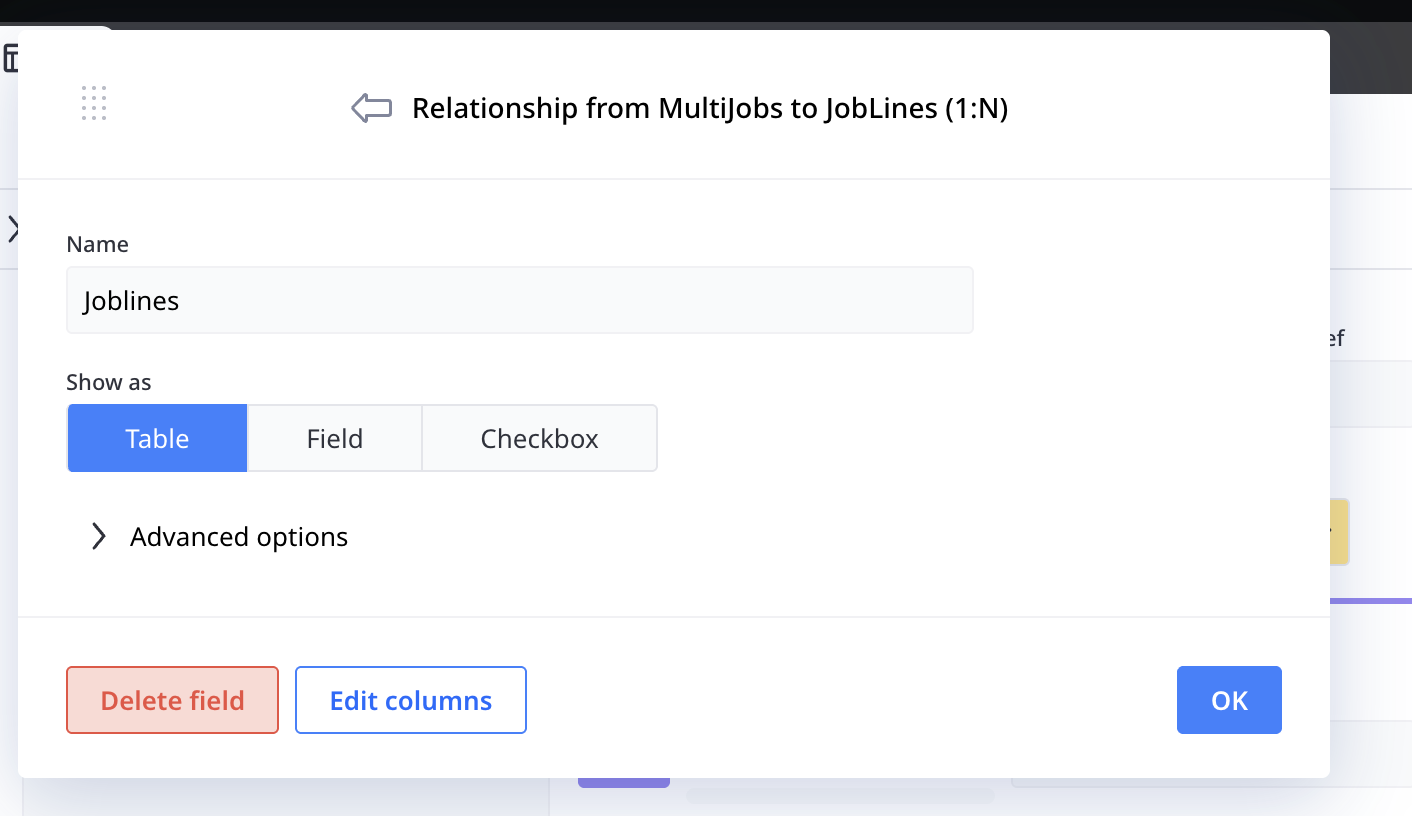
       in your screenshot, your table is JobLines but the reference is Joblines. Have you done the same thing on the other side of the relationship, where the table is called MultiJobs but the reference is called Multjobs?

      • Mel_Charles
      • 3 wk ago
      • Reported - view

       ah saw that ! and fixed that one. can;'t issue on the other ref but still have error - so done a drastically cut down copy DB - striiped out loads so will show some reference errors to tables that will no longer exist. The button is on the quote form called "test copy to multiform" you will need to copy in your script cos i can't save it with an error!

      • Fred
      • 3 wk ago
      • Reported - view

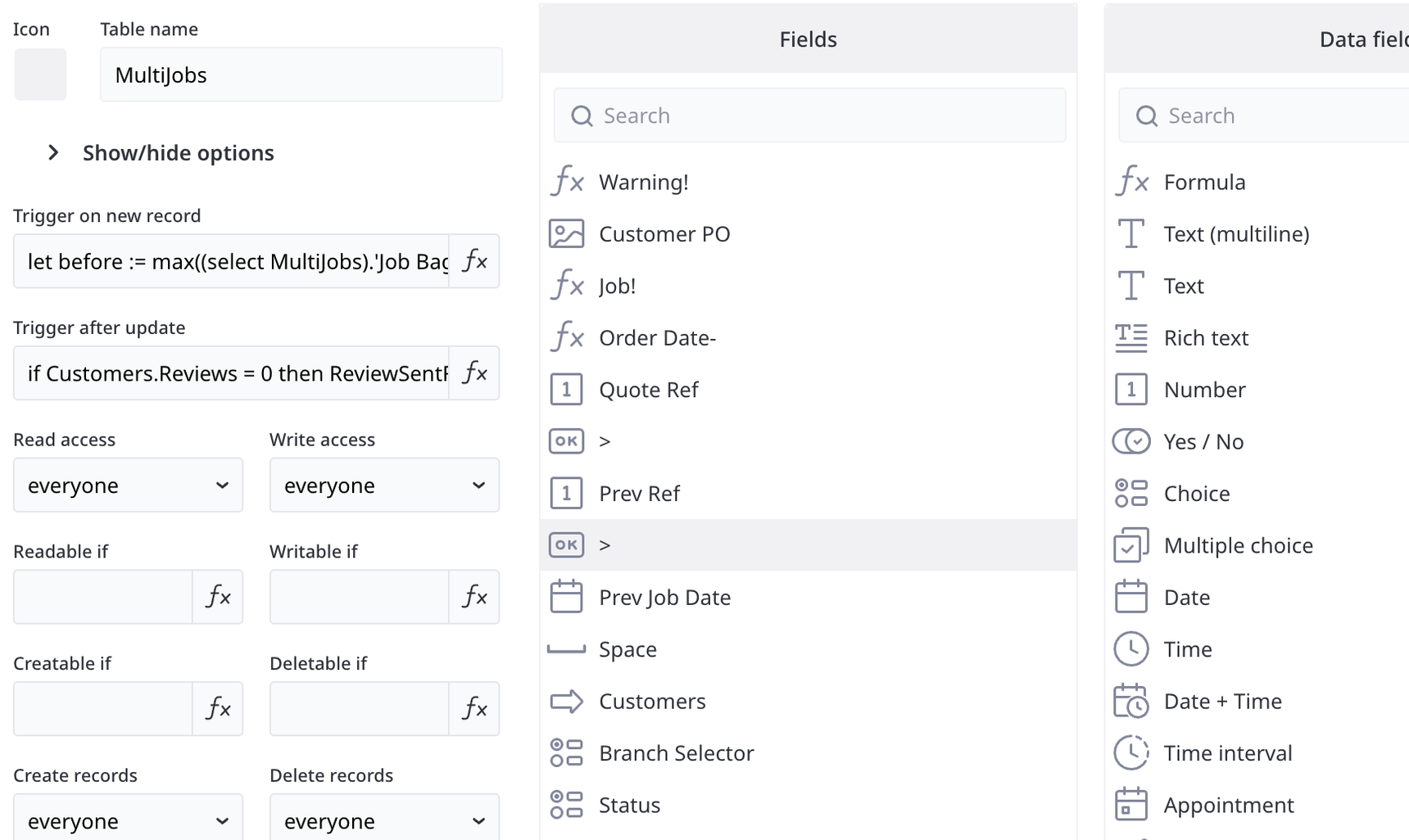
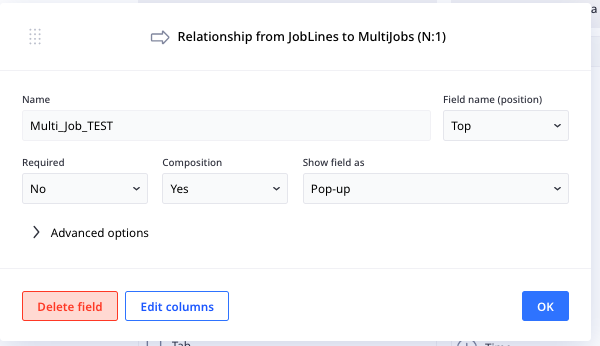
       Look at the reference field name in JobLines to MultiJobs. You need to match the reference field name (line 9) not the table name. Unlike in create(), where you have to match the Table name not the reference field name.

      let source := this;
      let tgt := (create MultiJobs);
      tgt.(Customers:= source.'Acc Link');
      tgt.('Quote Ref' := source.QteNum);
      tgt.(Status := 1);
      for li in QuoteLines do
          let newLI := (create JobLines);
          newLI.(
              Multi_Job_TEST := tgt;
              Qty := li.Qty
          );
      end
      • John_Halls
      • 3 wk ago
      • Reported - view

      Well done Fred. That's the one

       Regards John

    • Mel_Charles
    • 3 wk ago
    • Reported - view

    Hi Fred/John/Stephen

    I woke up this morning to find you have proved a solution.

    Fred copied your script striaght in to button and hey presto it works.

    so THANK YOU BOTH!

    However I want to understand exactly where i had gone wrong here ( as was not sure where have i got Mutli-Job-Test? named. so

    cup of coffee and a crwal thriugh and found it.

    in earlier testing i must of called it this  and snice renaned the table but forgot to do this
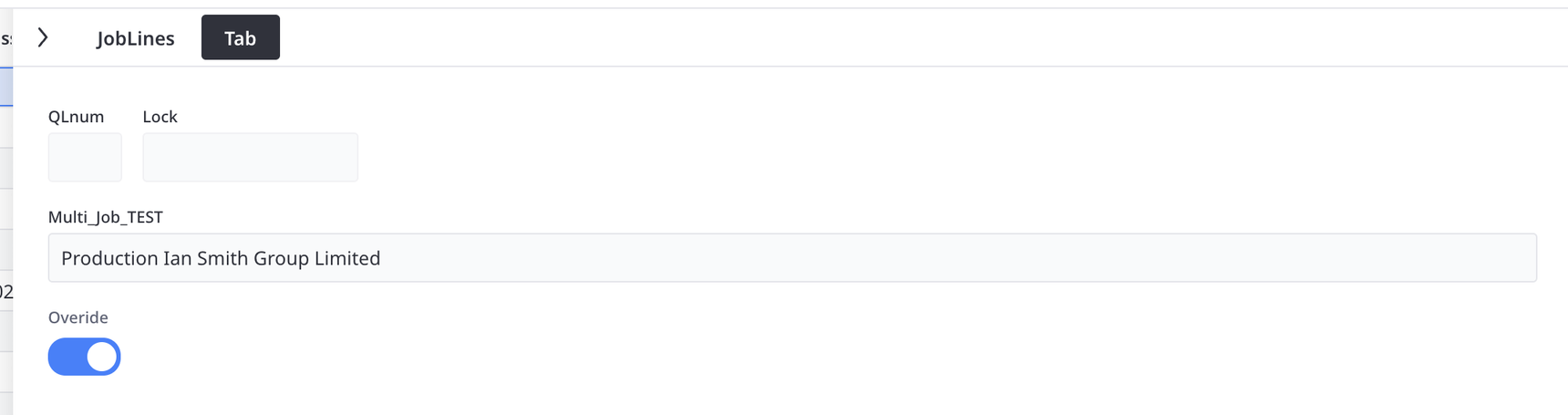
     so firstly - i got confused between talking about this and view names! - Yes - feel very stupid now!

    secondly - i need to learn to step back and check and recheck again!

    if i was a tenth as good as you good then i guess i would be very good indeed!.

    I am going the leab[ve this thread open as i have another tsck durectly connect to this one. in so far as i want to be able to select just some of the child lines to copy over! (Wow!). I have a basic idea of how this can be done using a yes/no tick box on each sub line and the line(s) of script i nned to amend. but i will have a go and post it back here in a few days

    So don't rush to tell me the asnwer until it get stuck ! (which i bound be do ha ha )

    😄

    • Mel_Charles
    • yesterday
    • Reported - view

    So following on from above tests.

    I have build my multijob forms proper now

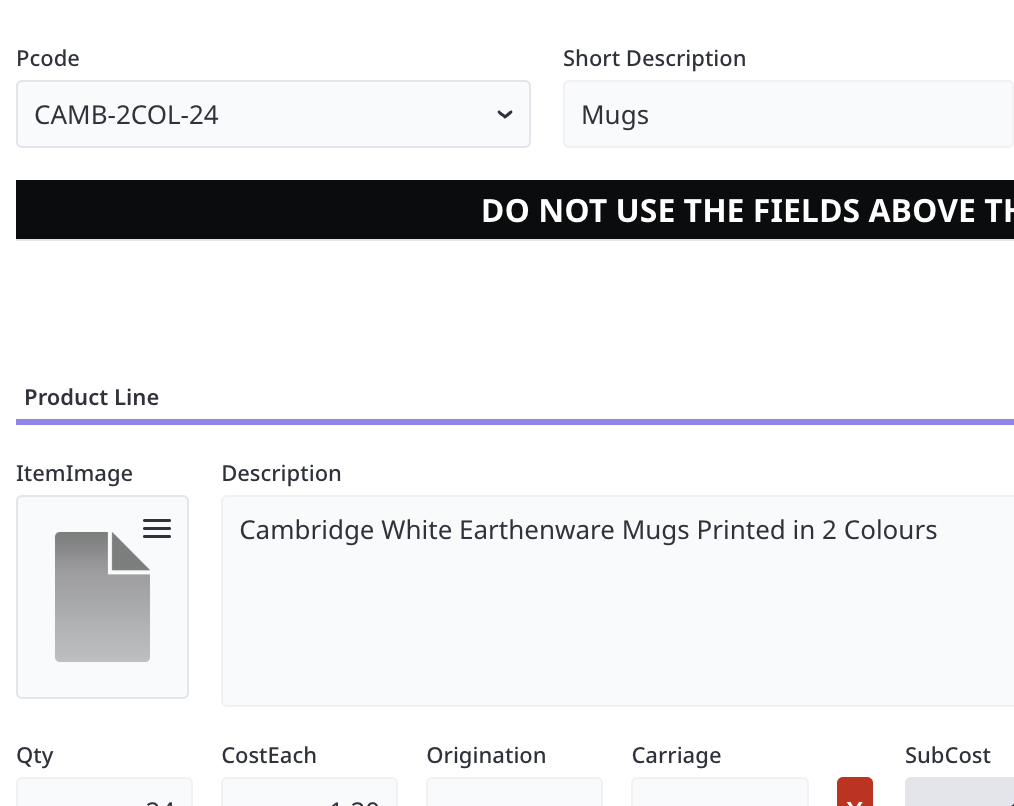
    I am having an issue with the coping of the product image from the products file to the child table records tho. the ItemImage field does populate but not correctly. all the other info does indeed copy over perfectly fine.

    Line 8 in script ( i get no error) but it simply does not work

    i have tried flushing ItemImage to null first but that don't work

    I am guessing that it is only picking up a number for the image - thus i might need to ref that line 8 as an image but can't get syntax to work also I don't want to point to the product image via a formula as on occasion  i will want to replace the copied image with another image variation.

    script in combo filed (PCode) in QuoteLines child table

    if Pcode then
        'Short Description' := record(Products,number(Pcode)).text(Category);
        Qty := record(Products,number(Pcode)).Qty;
        Description := record(Products,number(Pcode)).Description;
        CostEach := record(Products,number(Pcode)).Cost;
        SellEach := record(Products,number(Pcode)).Sell;
        Supplier := record(Products,number(Pcode)).Supplier;
        ItemImage := record(Products,number(Pcode)).ItemImage;
        Mkup := (SellEach - SubCost) / SubCost * 100;
        SellFlag := false
    else
        'Short Description' := null;
        Qty := 1;
        Description := null;
        CostEach := null;
        SellEach := null;
        Supplier := null
    end


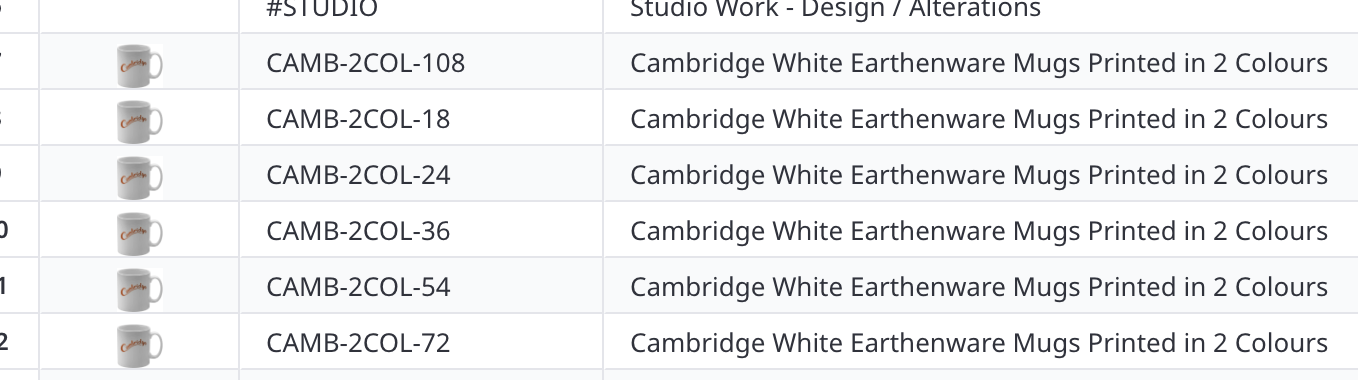
    sample of "products" table

    Child table (QuoteLines)
    any ideas?

      • Fred
      • yesterday
      • Reported - view

       Oh, man. You have brought up a can of worms. 😄

      If you do a search of copying images, you will see that it is big question. The answer is sadly it is not as easy as saying the image field equals another image field.

      Your code would have to look something like:

      let productRec := record(Products,number(Pcode))
      let vFileName := item(split(productRec, "/"), 1);
      let vShare := shareFile(productRec.Image);
      ItemImage := importFile(this, vShare, vFileName);
      unshareFile(vTable, "vFileName")

      Line 1: puts the product record into a variable

      Line 2: gets the filename of the image

      Line 3: creates a sharefile url of the image

      Line 4: now we can import the shared file into the image field

      Line 5: do some proper cleanup and unshare the file

      Be aware that in line 4 the 'this' might have to change if you are inside a loop.

      • John_Halls
      • yesterday
      • Reported - view

       Hi    this is just what I was alluding to with my post a couple of days ago. Took me ages to get the syntax right for shareFile and then use the result in importFile. I’m sure you will get there. Good luck!

    • Mel_Charles
    • yesterday
    • Reported - view

    Jeez Fred / John - Ninox don't make it easy do they?.

    Not being a boffin like you guys (strictly in the amateur camp) I learn enough coding to do what I need  to do. ie run my business. However, I have bumbled along for years and certainly learned quite a lot of stuff. But I confess, I struggle to grasp elements where they are quite a step up from what I need to do.

    Fred the script runs on the trigger on a dynamic combo box selection- so no looping should occur.

    Will it be just as bad if i try and simply reference the original image from a formula instead?

    John - Thanks for the heads up - will also go and look at your post re same subject...

    Guess if i get stuck then as Arnie states. "I'll be back"

      • Fred
      • yesterday
      • Reported - view

       I'm also an amateur. I don't use Ninox for my business just for my hobby.

      The only issue about referencing the original, especially for quotes, is that you want the quote data to be static. In case the item updates in the future you don't want the quote to reference a picture that is wrong.

      I know it seems clumsy, but I think it is the better to copy the image so have a record of what you quoted the customer.

    • Mel_Charles
    • yesterday
    • Reported - view

    to be honest I was kind hoping i could do it like this -  but i guess not ha ha


    let prod := first(select Product where Pcode = this.Pcode);
    if prod then
    ItemImage := prod.item
    else
    ItemImage := null
    end
Content aside

  • yesterdayLast active
  • 24Replies
  • 47Views
  • 4 Following