
Ninox Scheduler powered by FullCalendar and Ninext
Hello everyone,
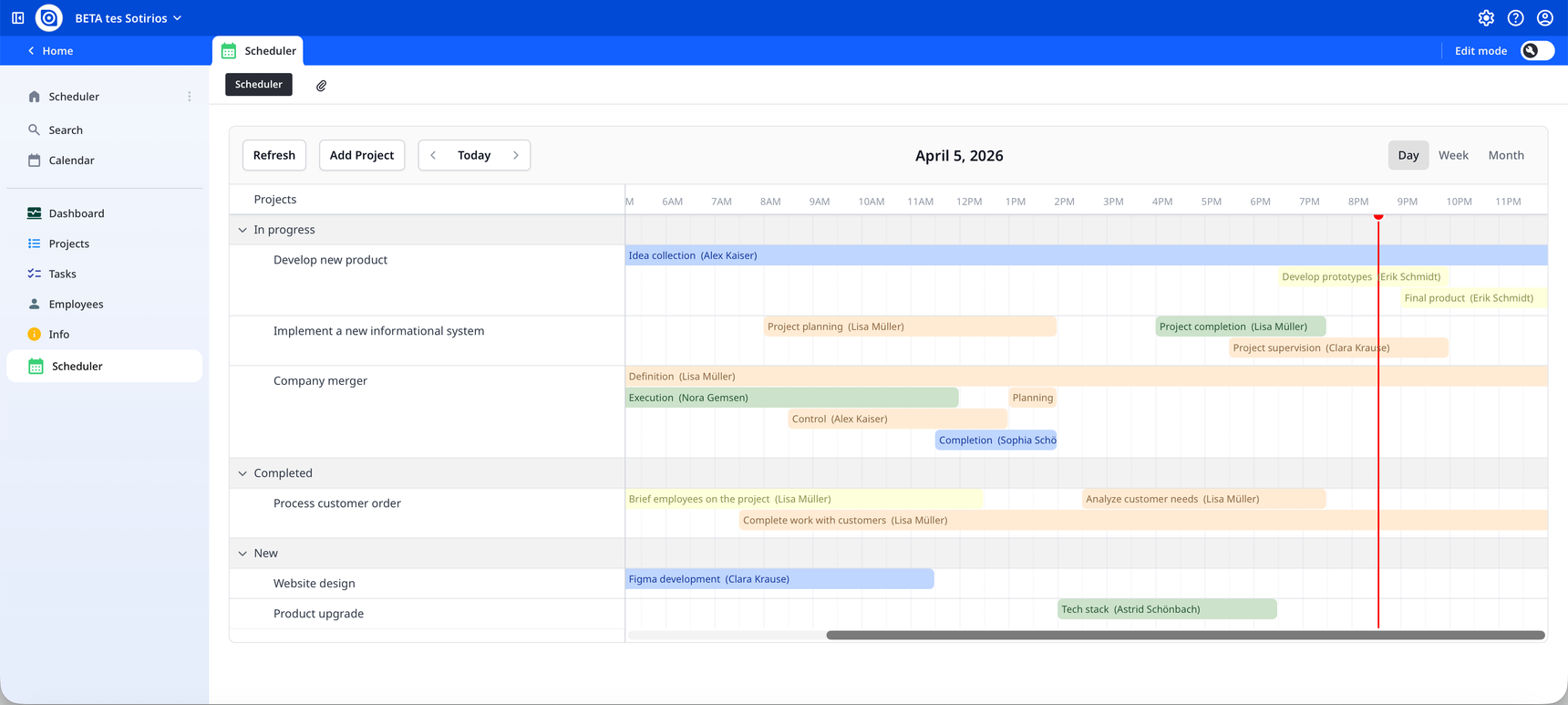
Since several members have expressed interest in this type of implementation over the past months, I am happy to share a timeline resource scheduler built on the FullCalendar library and the Ninext plugin.
The starting point is the standard Ninox Tasks template, which I modified slightly to add a dedicated "Scheduler" page. From the calendar view, you can:
- Open an existing task directly
- Add a new project
- Select a time interval to create a new task for a specific project
Use the Refresh button to reflect any changes on the calendar. The implementation is quite efficient, as the calendar fetches only the tasks within the currently visible date range.
FullCalendar offers extensive customisation options — you can explore the full property reference at https://v7.fullcalendar.io. According to the documentation, the library can be used free of charge for evaluation purposes, with no time limit.
One limitation I have encountered in a multi-user database context: the calendar does not automatically refresh when table data changes are made by other users. would there be any way to address this through Ninext? I would be very grateful for your thoughts.
All the best,
Sotirios
6 replies
-
Great work Sotirios! 🎉
To have the calendar refresh automatically on every data change, here is the full reasoning and the steps to follow.
Why doesn't the calendar refresh automatically?
Ninox does re-evaluate the formula containing the calendar every time a referenced piece of data is modified. The problem is that the HTML content generated by the formula doesn't change — and that is precisely what Ninox uses to decide whether it needs to recreate the element on screen.
One could force that change by making the HTML dynamic, but that would recreate the calendar entirely on every modification: the selected view (day / week / month), the displayed date, and all user settings would be reset each time. That makes for a poor user experience.
What we want is to refresh only the data of the calendar, without recreating its interface. That is exactly what the Refresh button already in the toolbar does:
calendar.refetchResources();
calendar.refetchEvents();
Step 1 — Make the
calendarobject accessible from outsideThese two instructions run from inside the
<script>that creates the calendar. To be able to call them from outside — that is, from the code Ninox runs each time it re-evaluates the formula — we need to keep a reference to thecalendarobject.The best approach is to attach it directly to the HTML element that contains the calendar (
calendarEl). We therefore add this line right aftercalendar.render():calendar.render(); calendarEl.calendar = calendar; // ← newThe
calendarobject is now accessible from any code that can retrieve thecalendarElelement from the DOM.
Step 2 — Add the refresh code at the top of the formula
The following JavaScript block is placed at the very beginning of the Ninox formula, using Ninext's
#{ ... }#syntax. This code runs every time the formula is re-evaluated — that is, on every data change in the referenced tables (hereProjectsandTasks).It looks up the
calendarElelement in the DOM, checks whether a calendar is attached to it, and if so, triggers the refresh:#{ var calendarEl = document.getElementById('calendar'); if (calendarEl?.calendar) { calendarEl.calendar.refetchResources(); calendarEl.calendar.refetchEvents(); } }#;If the calendar hasn't been created yet (first load),
calendarEl?.calendarwill beundefinedand the block will do nothing — which is exactly the expected behaviour.
Complete formula
#{ var calendarEl = document.getElementById('calendar'); if (calendarEl?.calendar) { calendarEl.calendar.refetchResources(); calendarEl.calendar.refetchEvents(); } }#; function getProjects() do let _projects := (select Projects).{ id: number(Id), title: Projects, groupId: text(Status) }; _projects end; function getTasks(startView : number,endView : number) do let _tasks := (select Tasks where Start <= date(endView) and End >= date(startView)).{ id: number(Id), title: Designation + " (" + Assignee.Name + ")", resourceId: Project, start: format(Start, "YYYY-MM-DDTHH:mm"), end: format(End, "YYYY-MM-DDTHH:mm"), color: switch number(Status) do case 1: "yellow" case 2: "blue" case 3: "green" case 4: "orange" case 5: "red" end }; _tasks end; function addProject() do popupRecord(create Projects) end; function addTask(startTime : number,endTime : number,projectId : text) do let newTask := (create Tasks); newTask.( Start := startTime; End := endTime; Project := number(projectId) ); popupRecord(newTask) end; function openTask(id : text) do popupRecord(record(Tasks,number(id))) end; let style1 := --- <style> { text(http("GET", "https://cdn.jsdelivr.net/npm/fullcalendar@7.0.0-beta.8/skeleton.css").result) } </style> ---; let style2 := --- <style> { text(http("GET", "https://cdn.jsdelivr.net/npm/fullcalendar@7.0.0-beta.8/themes/breezy/theme.css").result) } </style> ---; let style3 := --- <style> { text(http("GET", "https://cdn.jsdelivr.net/npm/fullcalendar@7.0.0-beta.8/themes/breezy/palettes/indigo.css").result) } </style> ---; let script1 := --- <script> { text(http("GET", "https://cdn.jsdelivr.net/npm/fullcalendar@7.0.0-beta.8/all.global.js").result) } </script> ---; let script2 := --- <script> { text(http("GET", "https://cdn.jsdelivr.net/npm/fullcalendar@7.0.0-beta.8/themes/breezy/global.js").result) } </script> ---; let script3 := --- <script> { text(http("GET", "https://cdn.jsdelivr.net/npm/fullcalendar-scheduler@7.0.0-beta.8/all.global.js").result) } </script> ---; html(style1 + style2 + style3 + script1 + script2 + script3 + "<body> <div id='calendar'></div> <script> var calendarEl = document.getElementById('calendar'); var calendar = new FullCalendar.Calendar(calendarEl, { schedulerLicenseKey: 'CC-Attribution-NonCommercial-NoDerivatives', timeZone: 'local', height: 'auto', nowIndicator: true, initialView: 'resourceTimelineDay', borderless: false, colorScheme: 'light', buttons: { refresh: { text: 'Refresh', click() { calendar.refetchResources(); calendar.refetchEvents(); } }, addProject: { text: 'Add Project', click() { ninext.callNinoxFunction('addProject', 'calendar'); } } }, headerToolbar: { left: 'refresh addProject prev,today,next', center: 'title', right: 'resourceTimelineDay,resourceTimelineWeek,resourceTimelineMonth', }, editable: true, selectable: true, select: function (info) { ninext.callNinoxFunction('addTask', 'calendar', info.start.valueOf(), info.end.valueOf(), info.resource.id); }, eventClick: function (info) { ninext.callNinoxFunction('openTask', 'calendar', info.event.id); }, resourceColumnHeaderContent: 'Projects', resourceGroupField: 'groupId', resources: function (fetchInfo, successCallback, failureCallback) { ninext.callNinoxFunction('getProjects', 'calendar', function (error, result) { if (error) { failureCallback(error); } else { successCallback(result); } }); }, events: function (fetchInfo, successCallback, failureCallback) { ninext.callNinoxFunction('getTasks', 'calendar', fetchInfo.start.valueOf(), fetchInfo.end.valueOf(), function (error, result) { if (error) { failureCallback(error); } else { successCallback(result); } }); } }); calendar.render(); calendarEl.calendar = calendar; // <- new </script> </body> ") -
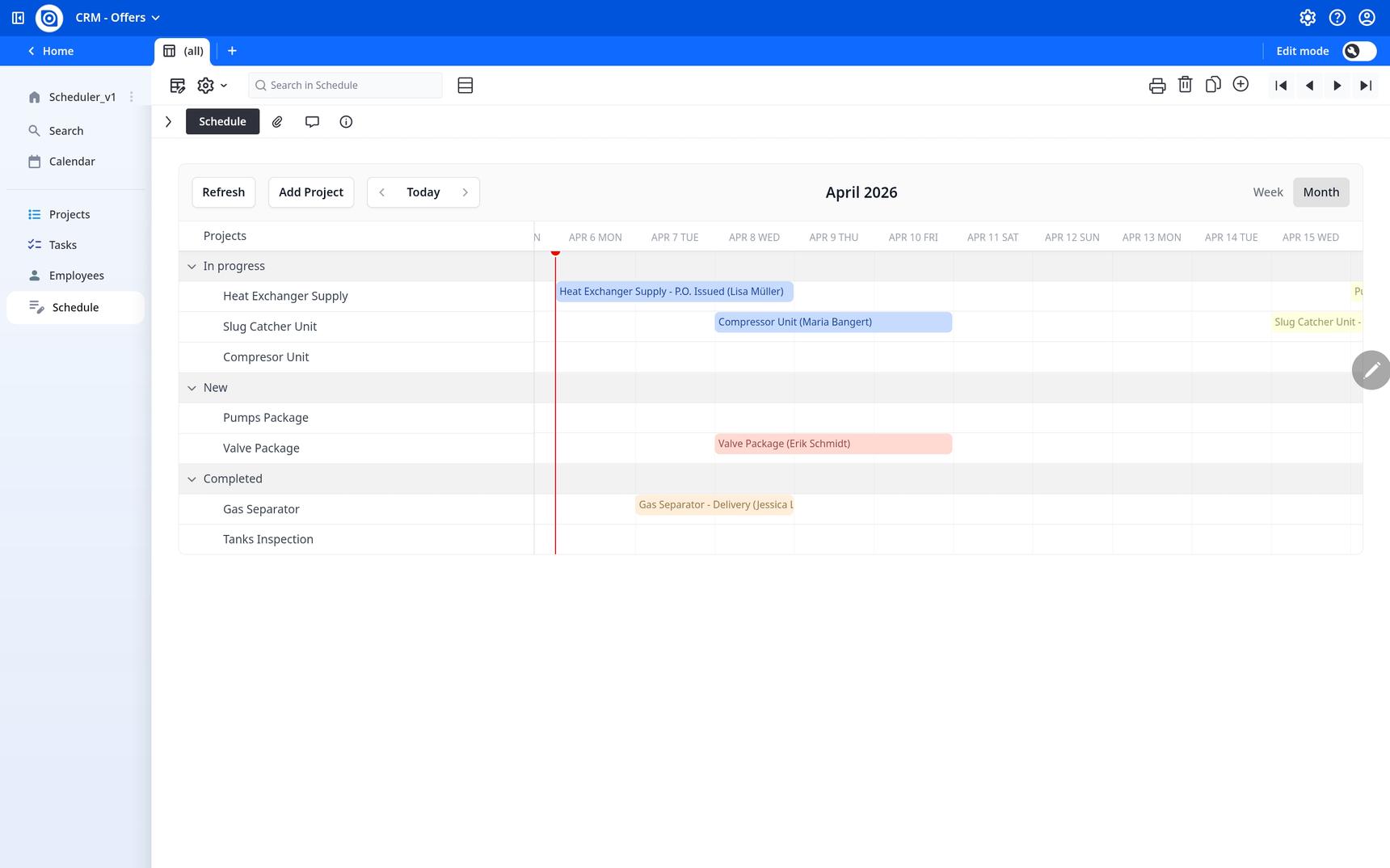
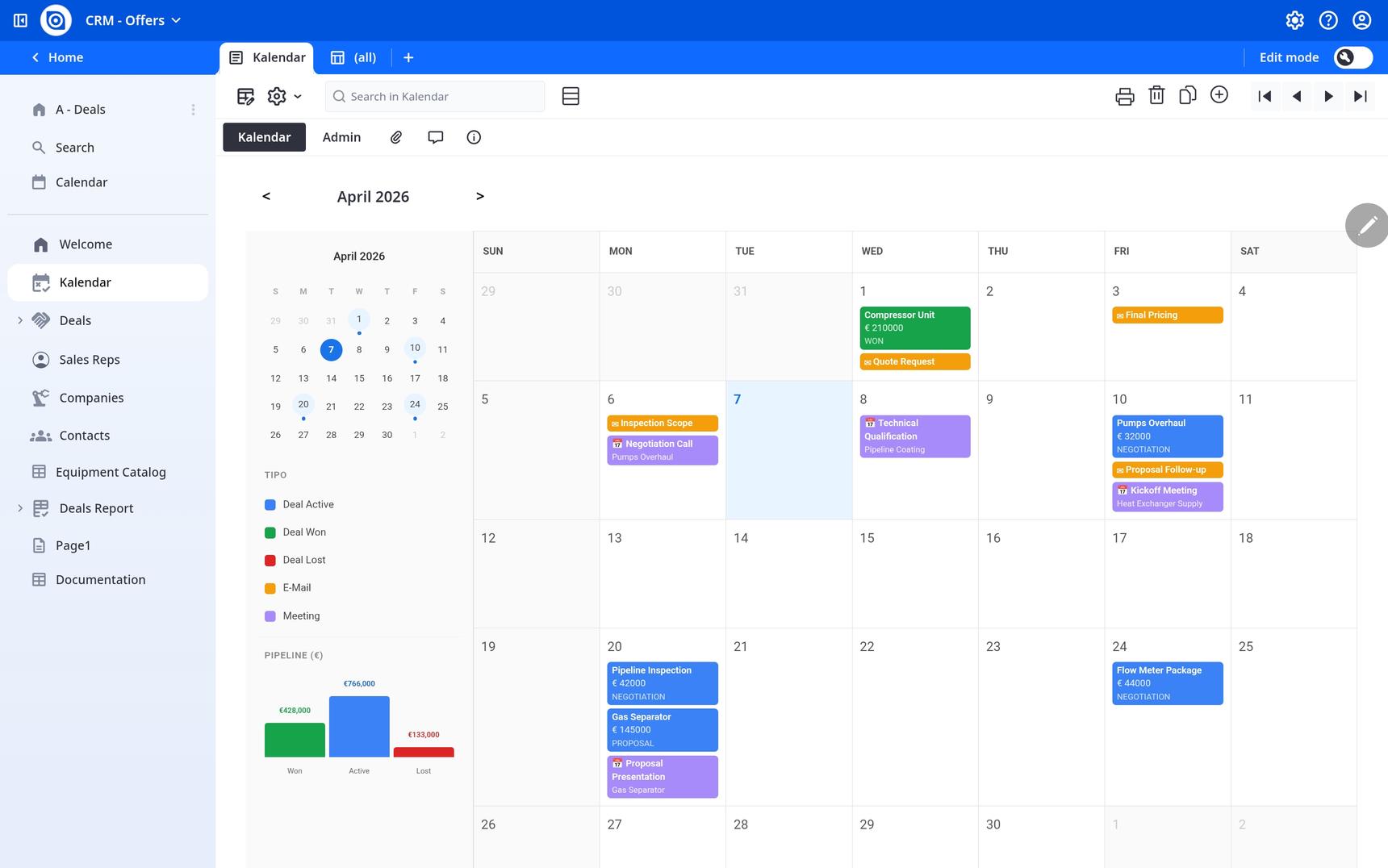
I've switched to week and month with a few examples, it works, but it could be improved,
I'm using Ninex as the app
Content aside
-
5
Likes
- 6 mths agoLast active
- 6Replies
- 188Views
-
3
Following