
0

Sorting for a View Element

I have a relation field with multiple records in it and I display it via a view element. Now I want to have some dynamic sorting by name, or by a number, but with the sorting I dont have some luck. Here is the code without the sorting and prepared for it.

let ActiveRecords := (select 'Line-up' where Zeitaufzeichnung.'Aufzeichnungen Meldung' like "recordings");
let ActiveRecordsbyName := ActiveRecords.Name;
let ActiveRecordsbyAmount := ActiveRecords.'Erarbeiteter Wert';
let AZ := ActiveRecords;
let ZA := ActiveRecords;
let Amount_UP := ActiveRecords;
let Amount_DOWN := ActiveRecords;
let WorkingInIt := ActiveRecords;
switch 'Sortierung Produktion' do
case 1:
    AZ
case 2:
    ZA
case 3:
    Amount_UP
case 4:
    Amount_DOWN
default:
    WorkingInIt
end

19 replies

null
    • John_Halls
    • yesterday
    • Reported - view

    Hi  

    I am fairly certain that the sort order is defined in the view (where you say which columns to show and you are able to sort one of them ascending or descending, not in the script that creates it.

    Regards John

      • Michael_Blechinger.1
      • yesterday
      • Reported - view

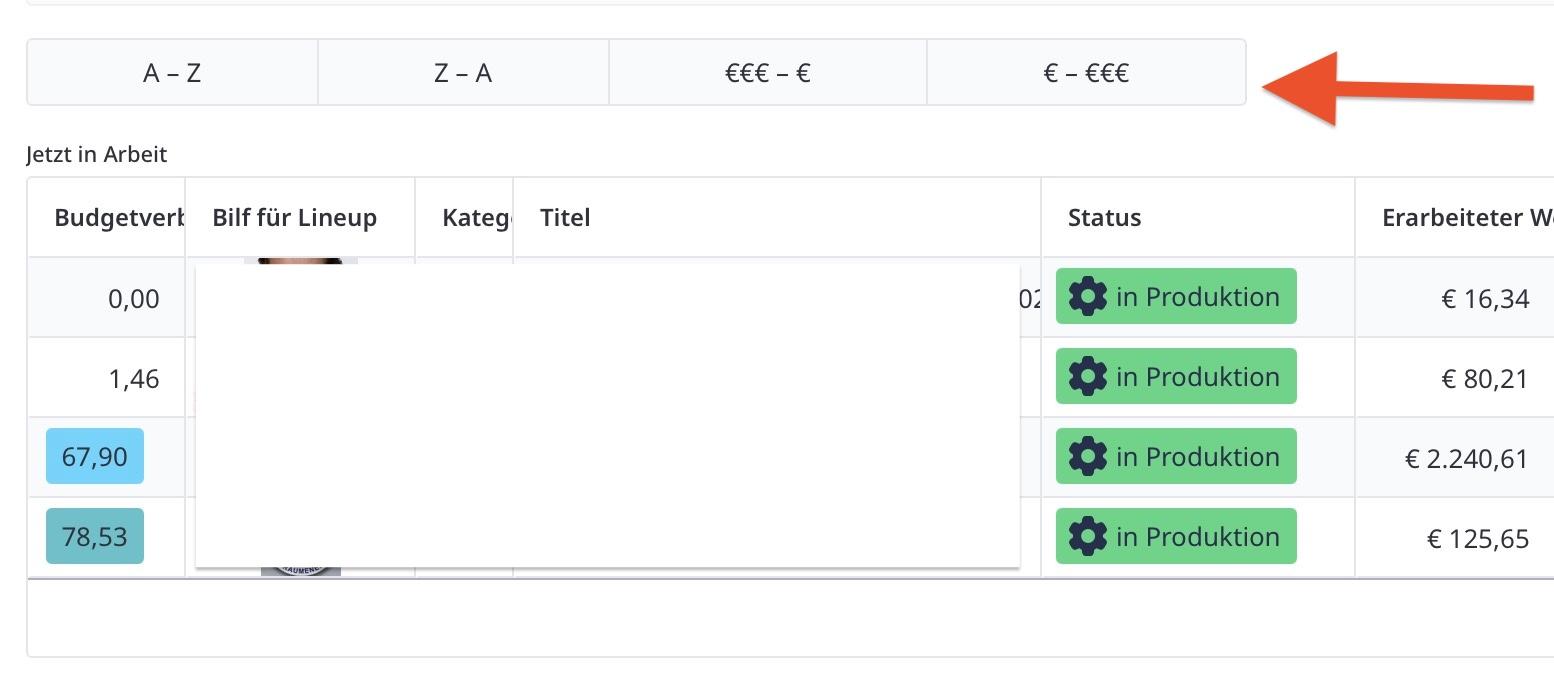
       I was thinking maybe its possible to make the sorting also dynamic, like you see here on the screenshot, how I intended it to get working.

      otherwise, I need to create 4 different views to have this sorting I need. But it's much more effort to get it done, than coding it. 

    • John_Halls
    • yesterday
    • Reported - view

     If it were me, I'd go with creating 4 views. You have done so much prep work anyway.

      • Michael_Blechinger.1
      • yesterday
      • Reported - view

       okay, so I will do that. With Ninext 3 it's a fun to duplicate now everything. I forgot about this nice extension. :-)

    • John_Halls
    • yesterday
    • Reported - view

    Of course, good luck!

    • Fred
    • yesterday
    • Reported - view

    Jacques has some good tips on ordering.

    So you could do something like:

    let ActiveRecords := (select 'Line-up' where Zeitaufzeichnung.'Aufzeichnungen Meldung' like "recordings");
    switch 'Sortierung Produktion' do
    case 1:
        ActiveRecords order by upper(Name)
    case 2:
        you will have to decide if you want to implement the global function
    case 3:
        ActiveRecords order by 'Erarbeiteter Wert'
    case 4:
        ActiveRecords order by -'Erarbeiteter Wert'
    default:
        ActiveRecords
    end
      • John_Halls
      • yesterday
      • Reported - view

      Hi Fred. I don't think the view takes into account how the records are sorted by the select. Let me know if that's incorrect.

      Regards John

      • Fred
      • 21 hrs ago
      • Reported - view

       You are correct. Sorry for spreading misinformation. 😢

    • Ninox partner
    • RoSoft_Steven.1
    • 20 hrs ago
    • Reported - view

    On the other hand, you could still use Fred's method if you replace the view with an HTML table in a formula field. Which is in my opinion much nicer than a regular view element...

      • John_Halls
      • 9 hrs ago
      • Reported - view

        Can you add links to these HTML tables that will go to a record? I've made cross-tabulation tables in HTML before but not had need to interact with them.

      Regards John

      • Ninox partner
      • RoSoft_Steven.1
      • 9 hrs ago
      • Reported - view


      Yes John, with the ui.popupRecord , you can popup the record...

      • Rafael Sanchis
      • Rafael_Sanchis
      • 6 hrs ago
      • Reported - view


      Something like that ? 

      • Michael_Blechinger.1
      • 5 hrs ago
      • Reported - view

       the way you did the UI is very impressive and lightweight. Can you give me some hints, how to do it like that? We can write separately from this forum.

      • Michael_Blechinger.1
      • 5 hrs ago
      • Reported - view

       Is there a instruction how to do it like you said?

      • Rafael Sanchis
      • Rafael_Sanchis
      • 5 hrs ago
      • Reported - view


      Why ui.popupRecord() works differently depending on context

      In a Table Page (form):

      onclick='ui.popupRecord("RECORD_ID")'

      ✅ Works because Ninox automatically knows which table you're working in (implicit context)

      In a Dashboard or Page without table context:

      onclick='ui.popupRecord("RECORD_ID")'

      ❌ Does NOT work because there's no defined table context

      onclick='ui.popupRecord("Table_Name", "RECORD_ID")'

      ✅ Works because you explicitly specify which table and which record to open

      General Rule:

      With table context → You only need the record ID

      Without table context → You need to specify TABLE + record ID

    • Ninox partner
    • RoSoft_Steven.1
    • 1 hr ago
    • Reported - view

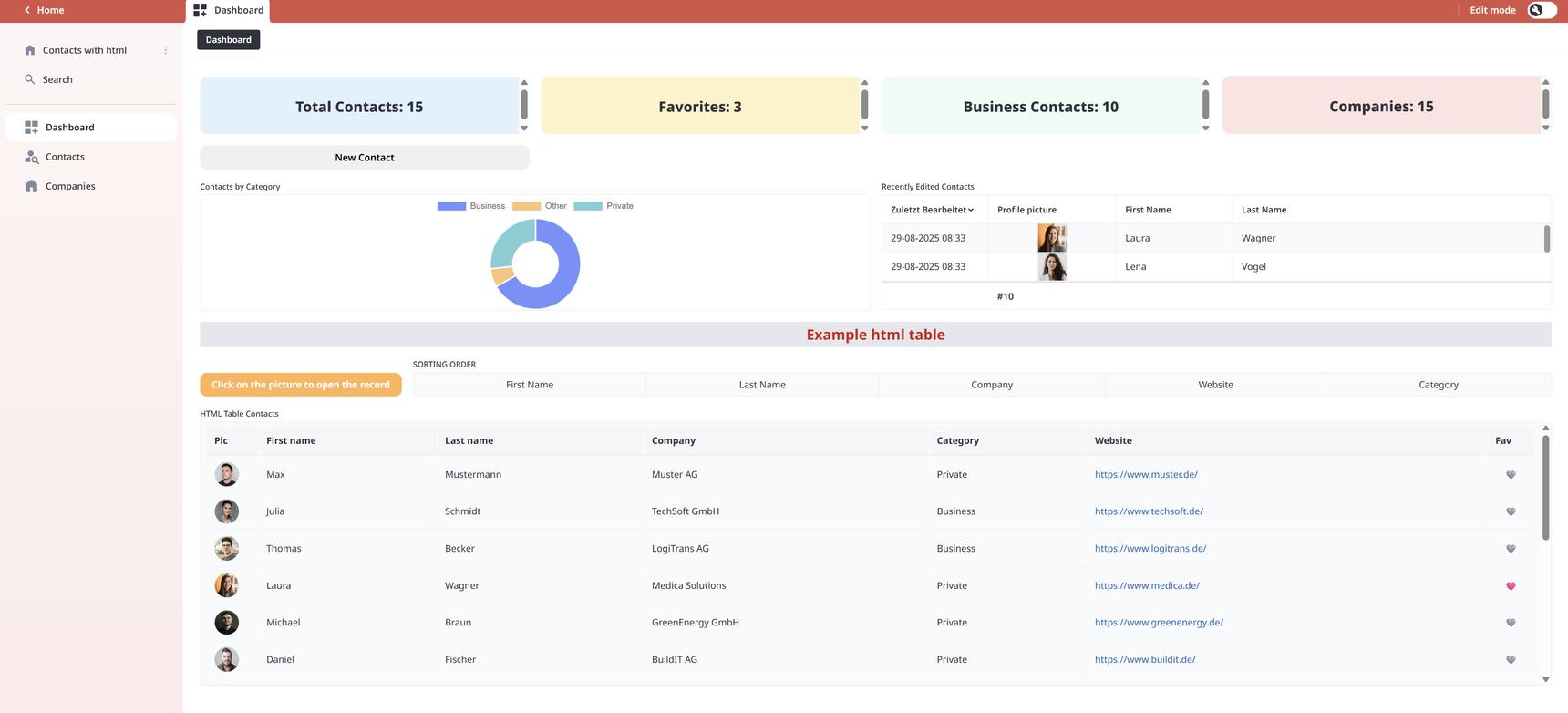
    I included an example database based on the Contacts template. If you look in the dashboard, you'll see the html-table.

     I also find it strange I cannot sort using the switch function so I had to use the if then loop... (see attachment) maybe you have any ideas?

     A click on the Contacts picture opens the record
      • Fred
      • 1 hr ago
      • Reported - view

       This worked for me:

      let list := switch n do
          case 1:
              (me order by firstname)
          case 2:
              (me order by lastname)
          case 3:
              (me order by company)
          case 4:
              (me order by website)
          case 5:
              (me order by category)
          default:
              me
          end;
      

      See the video.

      • Ninox partner
      • RoSoft_Steven.1
      • 1 hr ago
      • Reported - view

       Aha, this is of course a lot neater! thanks !

      I hadn't used the parentheses

    • Fred
    • 1 hr ago
    • Reported - view

     check out  great Dashboard Template for what you can do with HTML and Ninox. 
Content aside

  • 1 hr agoLast active
  • 19Replies
  • 44Views
  • 5 Following