
printing multi record reports?
I have 900 contacts in my Contacts table (this is Ninox online, BTW), each denoting a member of our non-profit. We have committees, each of which is ID'd by a yes/no fields in the Contact record. So a contact may be a member of 0-4 committees. I have created a dashboard with a View (table) for each of these committees, with a formula for each so the table lists its members. That's all working fine, but I can't figure out how to print a report for each committee, showing all of its members. I keep reading that printing is by record.
I also tried this by creating views across my Contacts table that shows the same thing, but I can't get that entire list of (for example) 10 contacts to print as a report, only as individual records.
I've searched the documentation and Nioxus videos and even used AI. Am I just unable to print a report like this with Ninox, or am I missing something?
13 replies
-
Hi Dave
Ninox can't print lists from a view. If you use a script in a button to loop through the records in the view you can update a reference to the record you will be able to print that as your member list. My recommendation would be to create the report from the committee table showing its members as that already has the relationship in place.
Regards John
-
Since you are using the cloud version (guessing public), you have access to dynamic printing. With dynamic printing and JSON, you can print almost anything you want from anywhere you want. As long as you are not using a Page. 😉
You can check out this post to see what you can do with dynamic printing.
To make that page in the post, I am in a parent table only so I can access the necessary data to create the JSON that Carbone uses to create the table. The code looks something like:
{
    leagueNum: League,
    league: League.FullName,
    season: Year,
    success: "#ffc505",
    normal: "#000000",
    mlsjGreen: "#85FF00",
    teams: for loop1 in ActiveTeams do
        let recs := loop1.TeamEventSummary;
        {
            teamName: loop1.displayName,
            totals: sum(recs.Points),
            standing: last(recs[Location.'Start Date' < today()].CurrentStanding),
            e1P: first(recs['Event Order' = 1].Points),
            e1tPl: first(recs['Event Order' = 1].Placing),
            e1FR: first(recs['Event Order' = 1].FTPnts),
            e1tmPnt: first(recs['Event Order' = 1].TeamPnts) + first(recs['Event Order' = 1].FTPnts),
            e1qPl: first(recs['Event Order' = 1].IndividualRoundSum[Round = "Q"].Placing),
            e1qPnt: first(recs['Event Order' = 1].IndividualRoundSum[Round = "Q"].Points),
            e1gpPl: first(recs['Event Order' = 1].IndividualRoundSum[Round = "GP"].Placing),
            e1gpPnt: first(recs['Event Order' = 1].IndividualRoundSum[Round = "GP"].Points),
etc....
}
I am in the parent record called Seasons. This parent record has no local data on the teams for the season only through links, so I'm creating a new "table" of records that is based around my teams at line 8.
Also with dynamic printing you can create a button that creates the pdf, then saves it to another table for storage.
It does mean learning yet another coding system, but if printing is important then I think it is worth while.
-
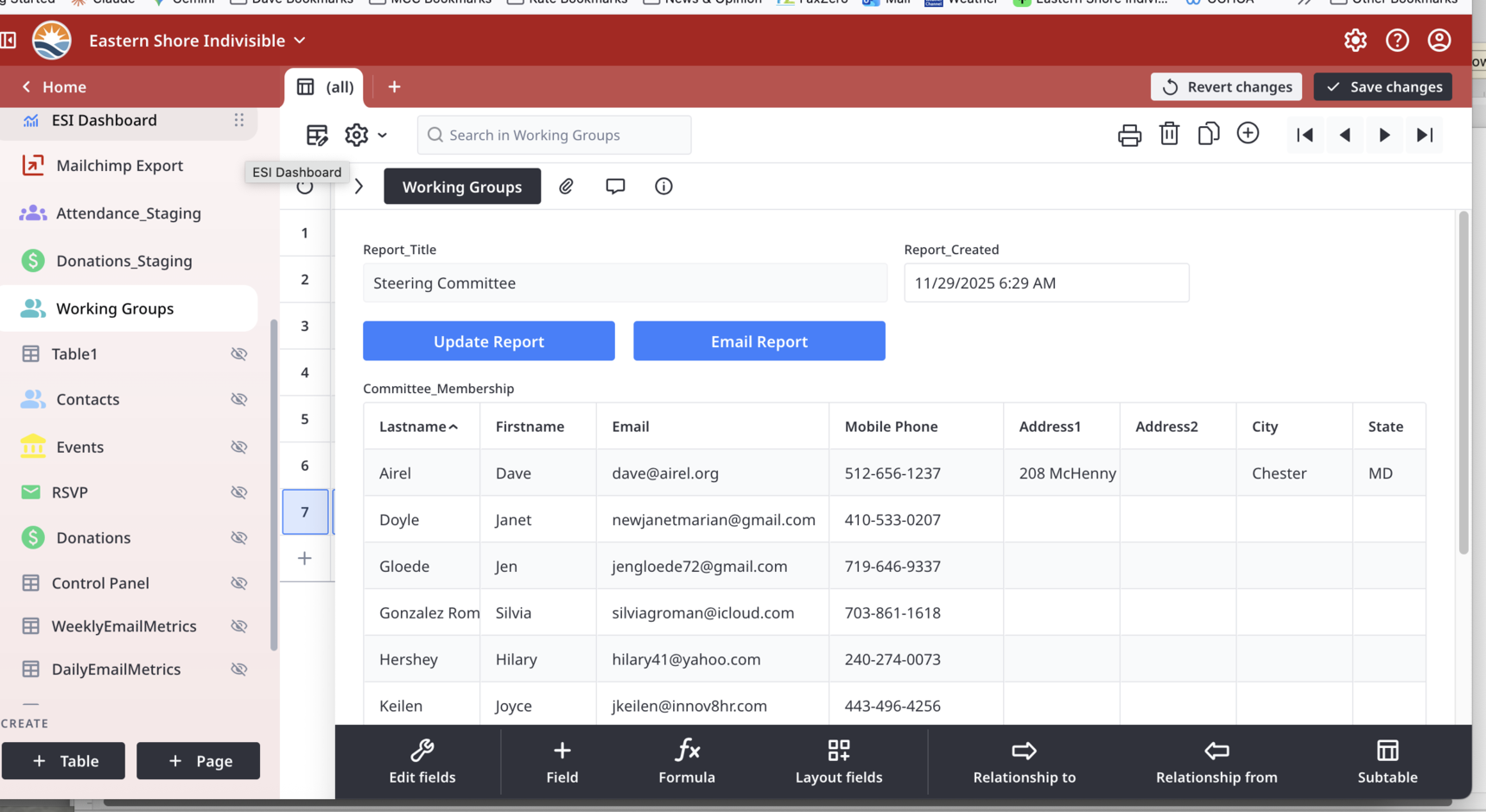
FYI I have it working after and 's suggestions. Here's the thumbnail of what I did.
In Contacts I added 7 yes/no (checkbox) fields, one for each committee.
In my Working Group table, I created one record per committee with a simple text label field to identify if.
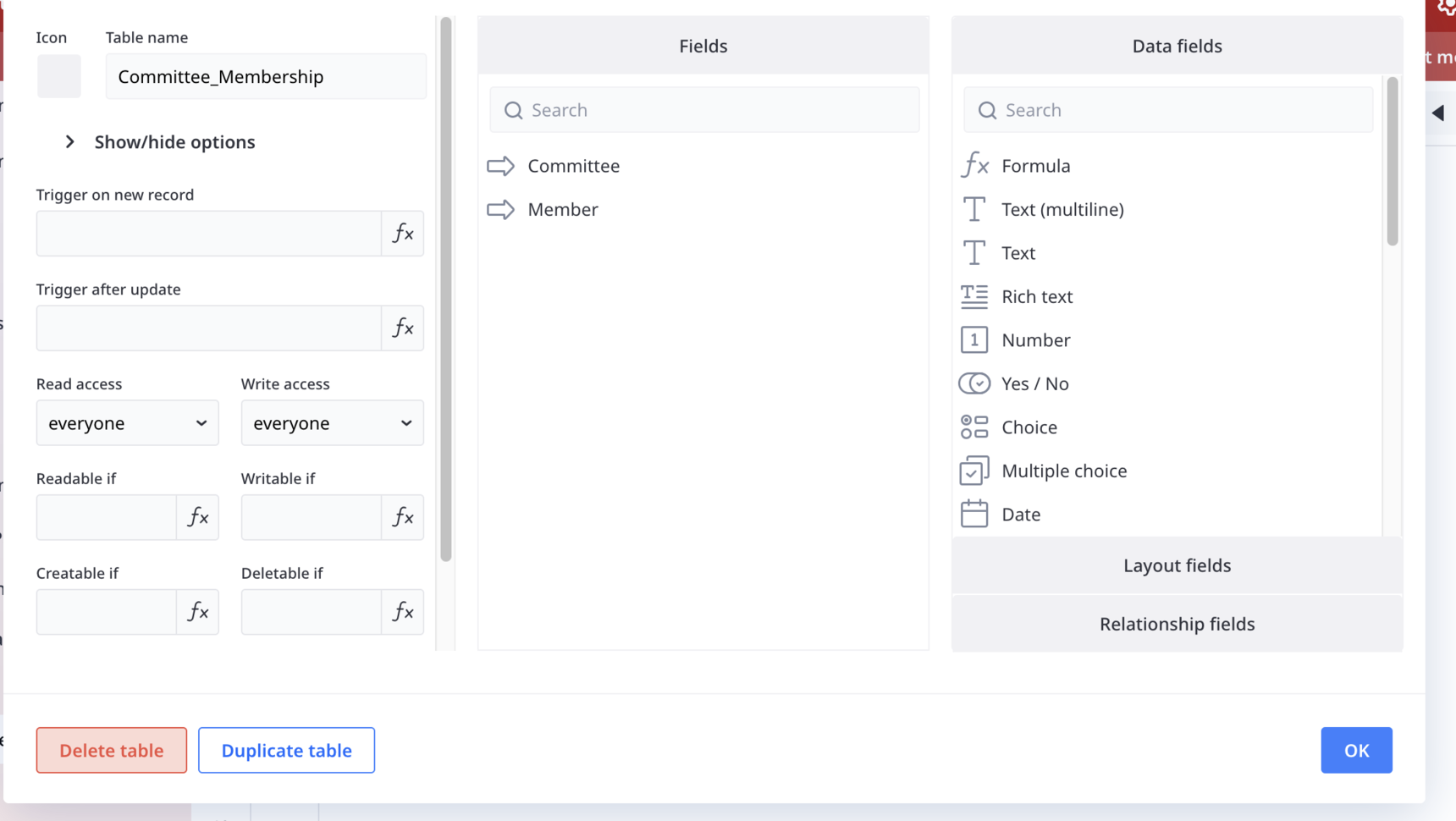
I created a junction table to allow me to have a N:N relationship between Working Group and Contacts. I placed a reference field in the Working Group record.
I placed a button in that same record to parse contacts & capture all committee members and their committees.
The reference field on each record pulls the appropriate contacts from the junction table, and since it's a reference field, I can print it to PDF.
What I'd really like is to have these PDFs created automatically (1/week maybe?) and pushed to a folder in our Google Drive. When I get some free time I'll explore the dynamic printing idea here. Thanks to you both -
-
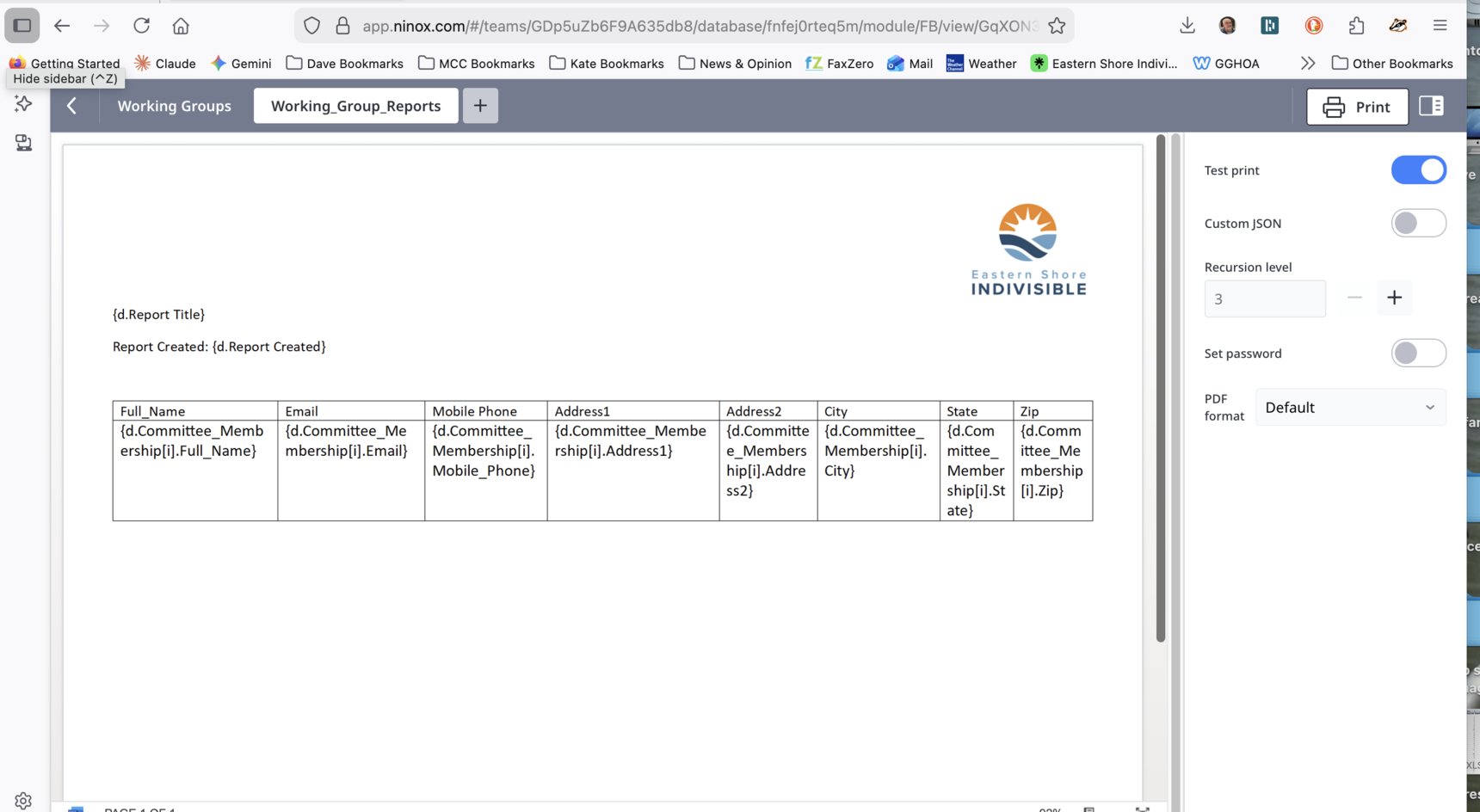
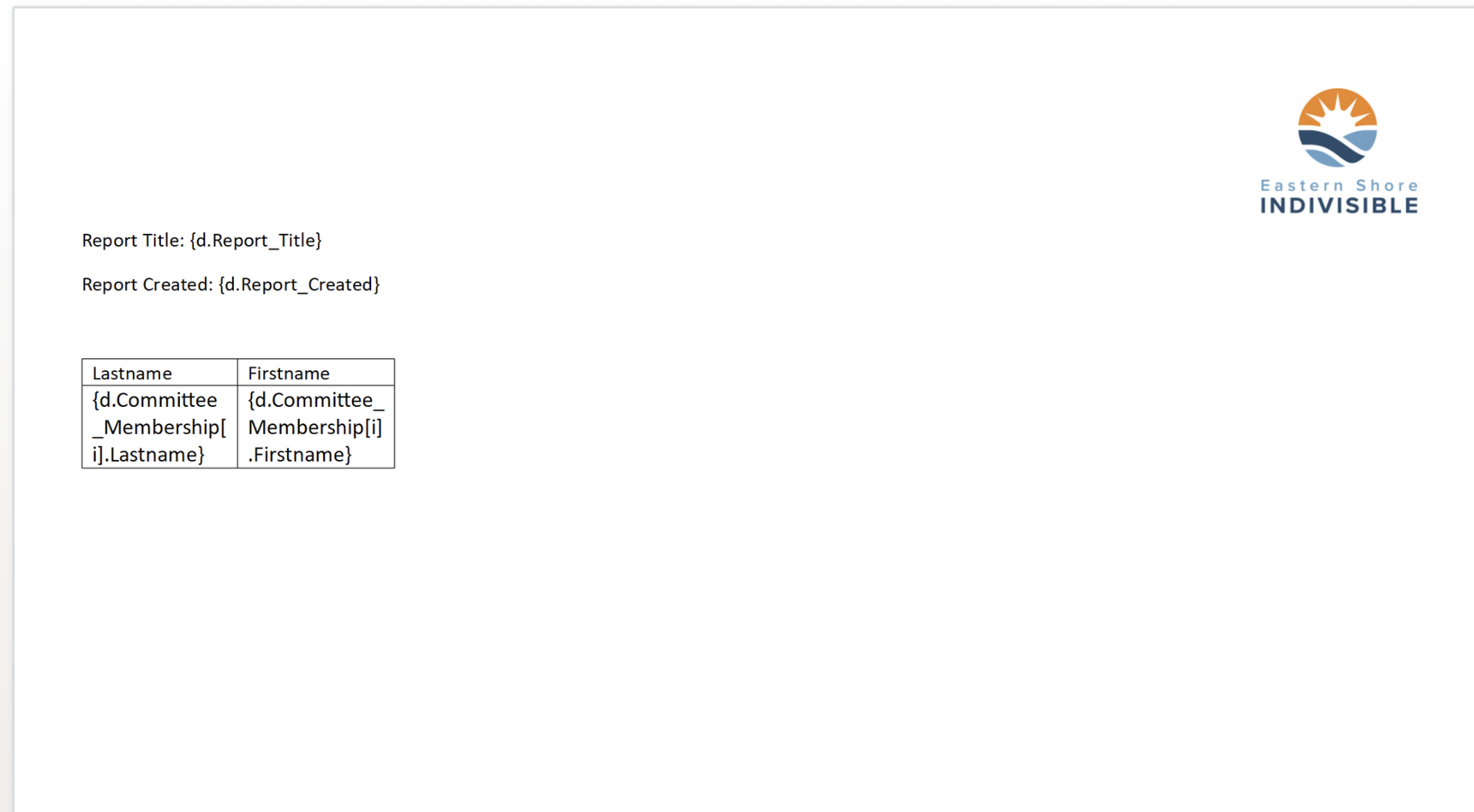
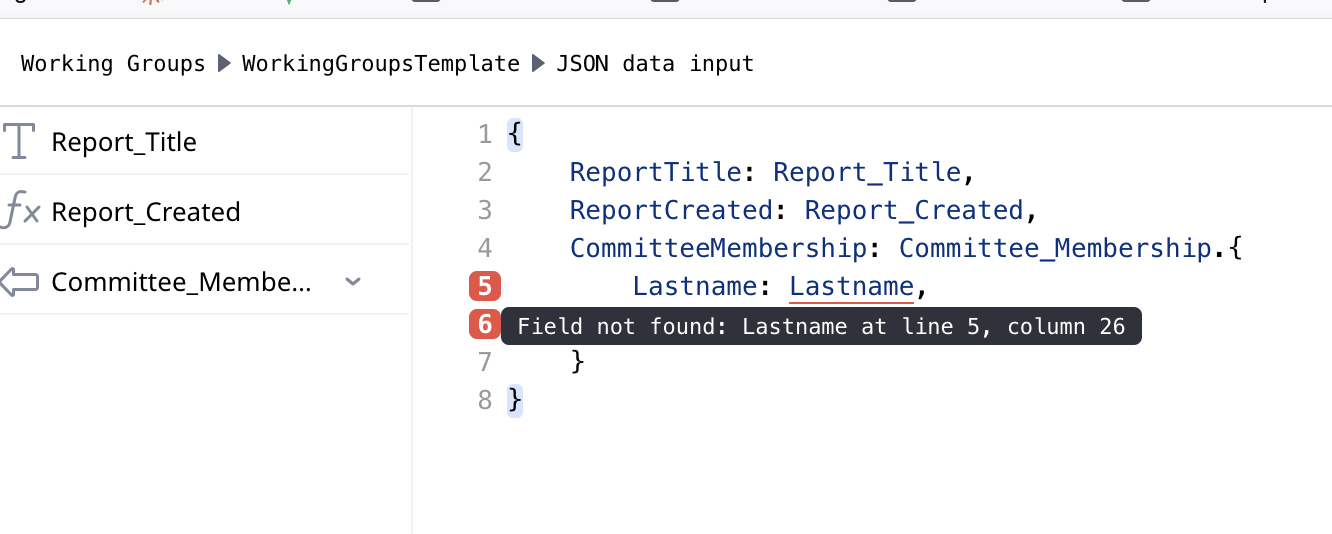
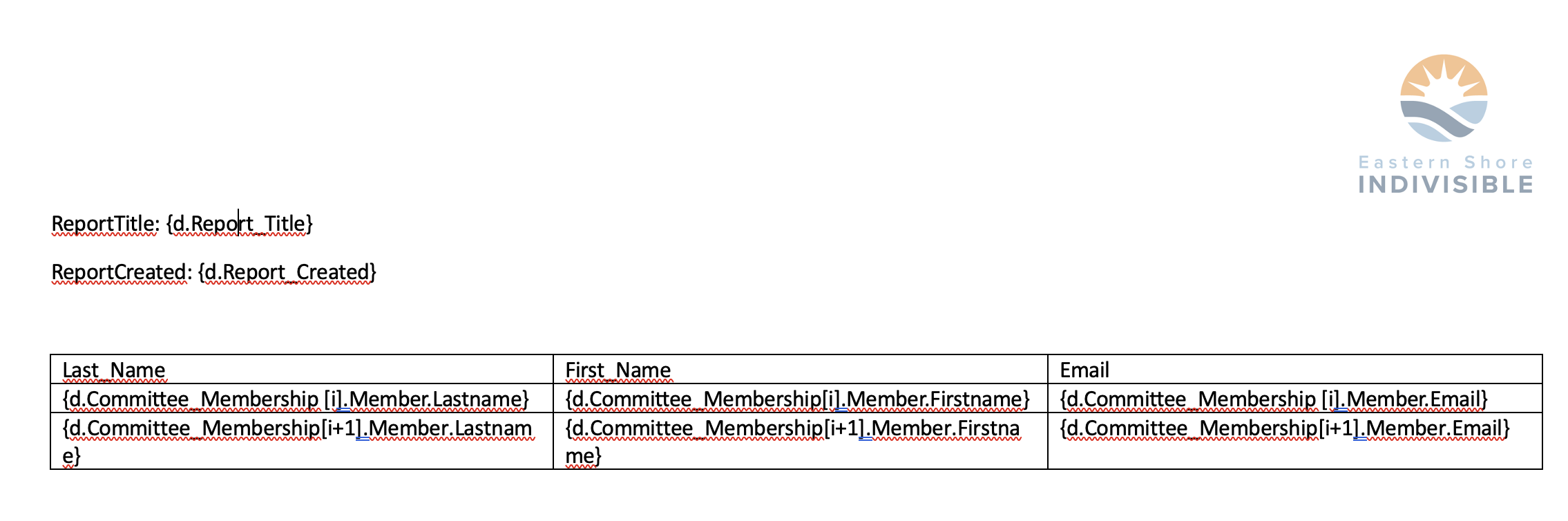
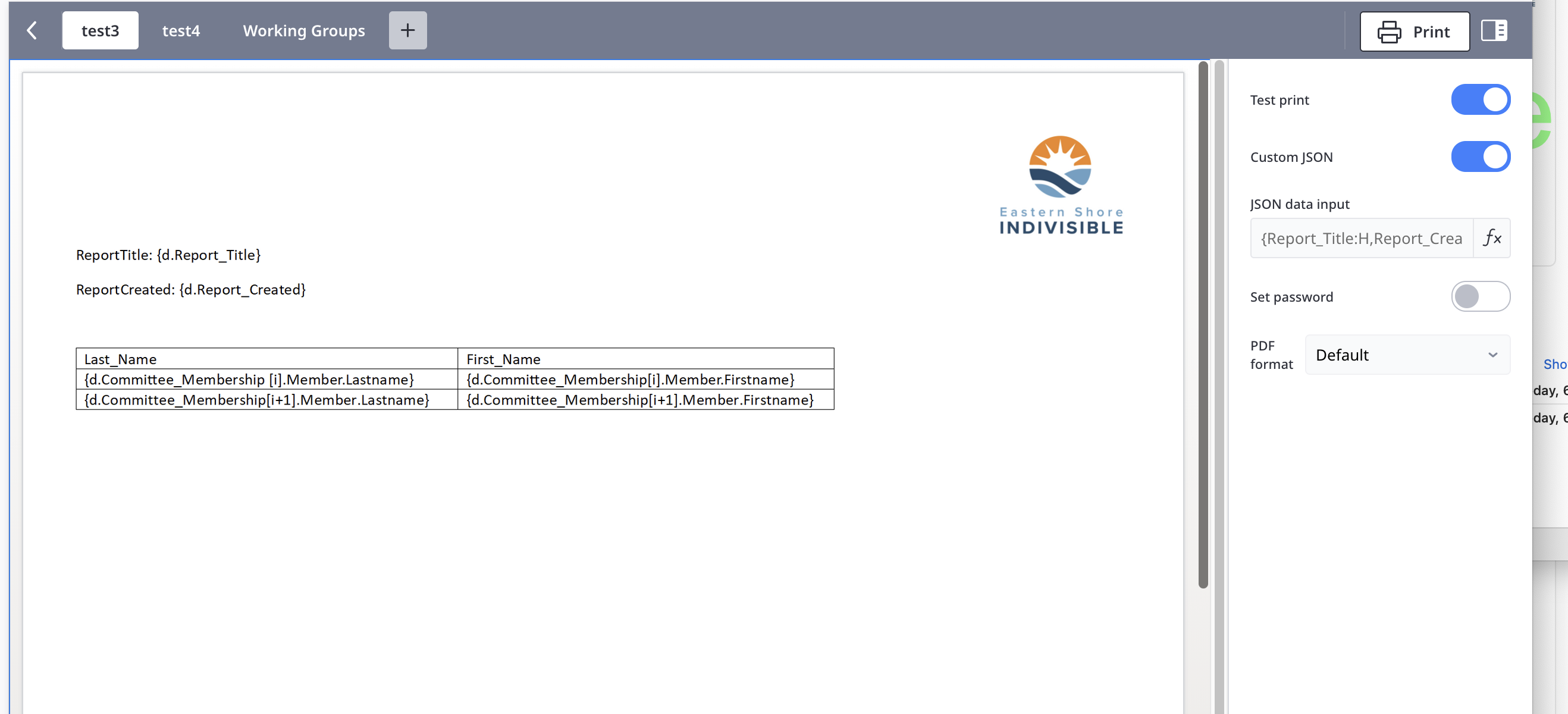
I've been playing around with dynamic priting. Created a Word template (attached), loaded into Ninox (screenshot, the form prints fine but no data. Been poking around documentation and AI for awhile and I'm stumped. Can anyone point me a what I'm missing?
-
said:
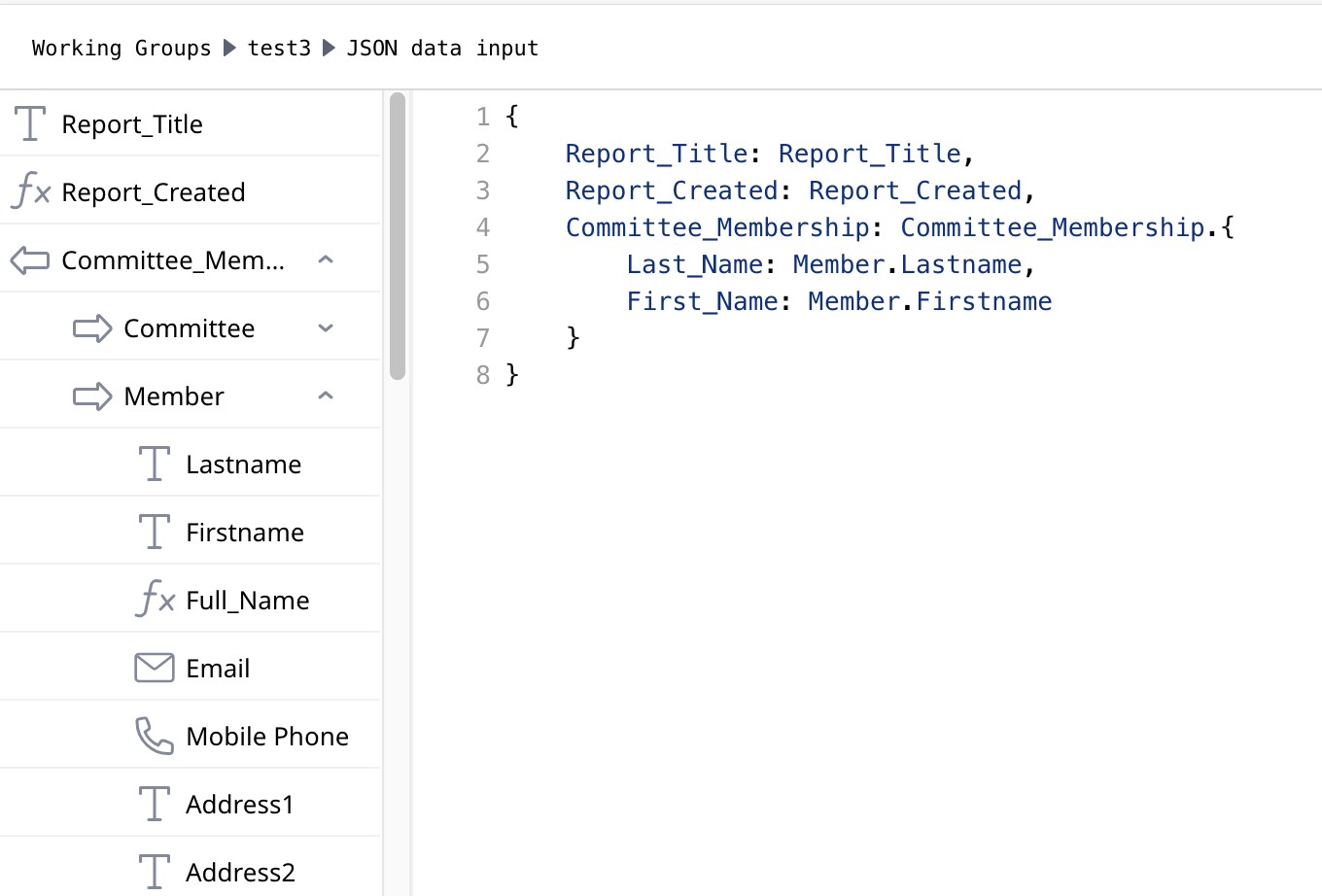
Could my N:N reference table be the issue?It is not your table that is the issue, but how you reference fields. Now with more information, you are not providing the proper path to the field names.
I'm guessing that Firstname and Lastname are in the Member table, so you need to add Member to the . path.
{d.Committee_Membership[i].Member.LastName}You will also need to do this in the JSON code.
CommitteeMembership: Committee_Membership.{
    lastName: Member.Lastname
}
In normal JSON creation you do need to put the " " around the key, but in Ninox when you are telling it to create JSON you don't. Ninox will put them in for you. Take the same JSON formula and put it into a formula field and you will see the results properly formatted.
-
Remember to create a second row of your table and add:
{d.Committee_Membership[i+1]}Otherwise Carbone won't iterate.
You can checkout their documentation here. I have found them to be very helpful if you have a question.
-
said:
So I only need to use a JSON script if my DB field names aren't Carbone-friendly?That is correct, or if you need to get data from different tables that are not linked, or need to create summary data that is not somewhere else.
No worries about the questions. It is a new language to learn and we are all here to help.
-
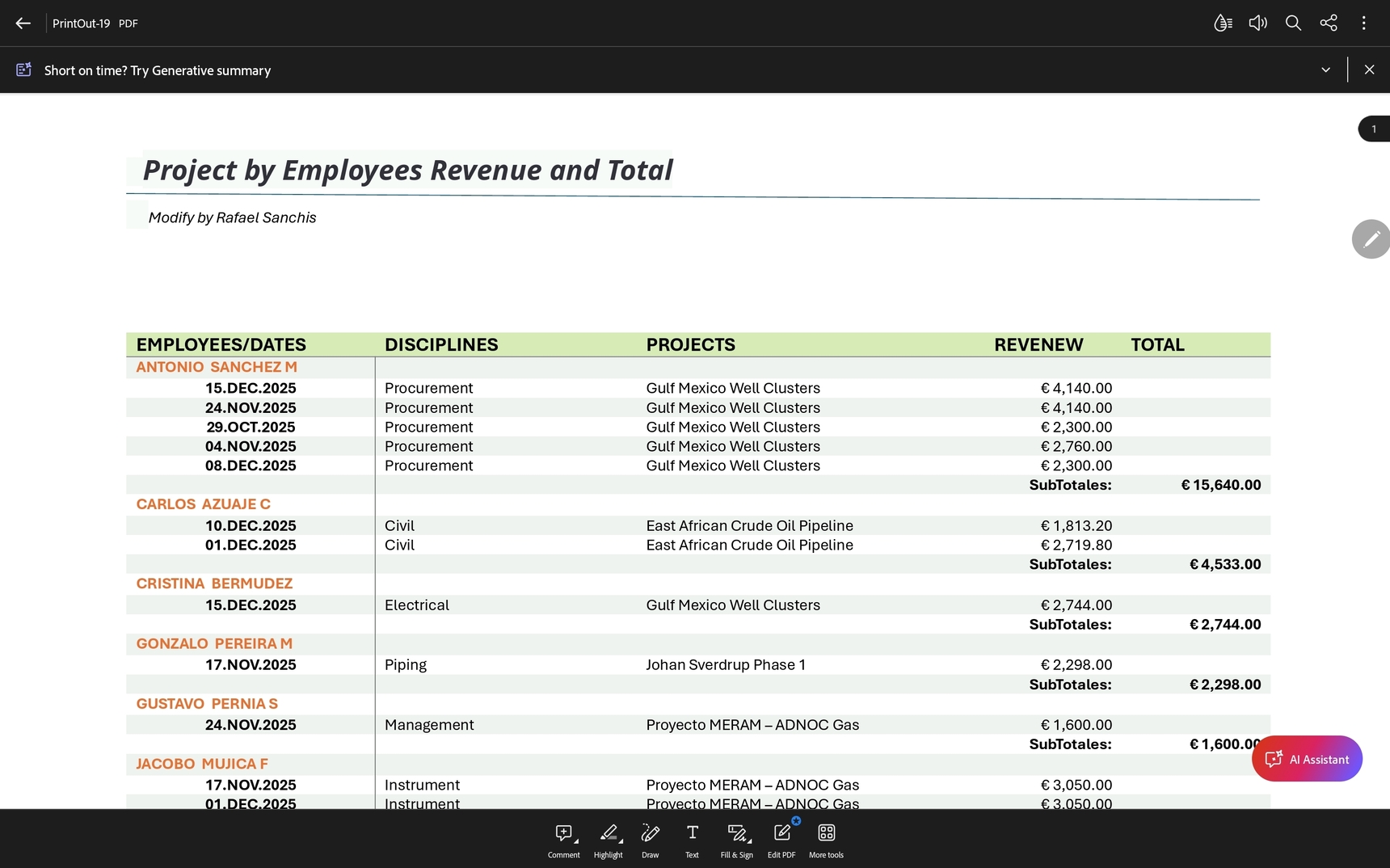
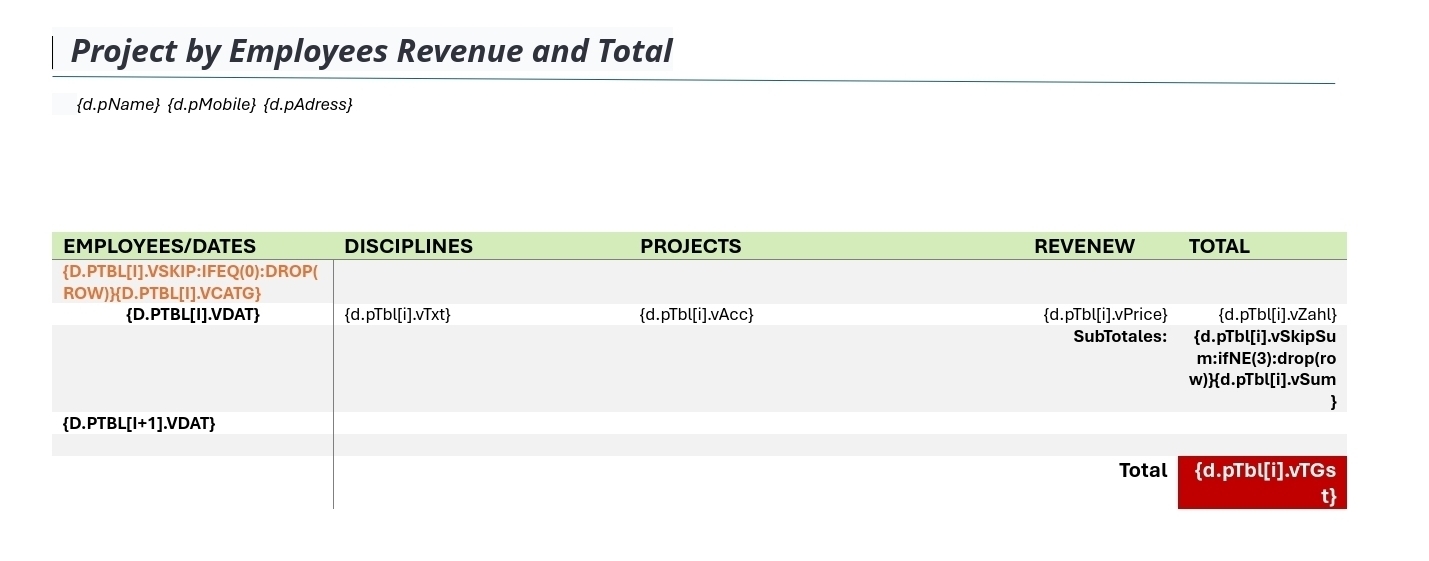
And example grouping data.
The Code in a Button
let vTbl := ((select 'Planning Data' where year('Date Start') = 2025) order by text('a_Employee Name'.'Employee Name'));let vObj := vTbl.{
vDat: format('Date Start', "DD.MMM.YYYY"),
vDat1: format('Date Finish', "DD.MMM.YYYY"),
vPrice: format('Revenue Week', "€ #,##0.00"),
vCatg: text('a_Employee Name'.'Employee Name'),
vAcc: text('a_Project Name'.'Project Name'),
vTxt: Discipline,
vDatArr: let xDat := 'a_Employee Name'.'Employee Name';
vTbl['a_Employee Name'.'Employee Name' = xDat].'a_Employee Name'.'Employee Name',
vSum: let yDat := 'a_Employee Name'.'Employee Name';
format(sum(vTbl['a_Employee Name'.'Employee Name' = yDat].'Revenue Week'), "€ #,##0.00"),
vTGst: format(sum((select 'Planning Data' where 'Date Start' and year('Date Start') = 2025).'Revenue Week'), "€ #,##0.00")
};
let xArr := [{}][null];
let xObj := {};
for i from 0 to cnt(vObj) do
xObj := item(vObj, number(i));
if i = 0 then
setItem(xObj, "vSkip", 1);
if item(vObj, number(i)).text(vDatArr) != item(vObj, number(i + 1)).text(vDatArr) then
setItem(xObj, "vSkipSum", 3)
end;
xArr := array(xArr, [xObj])
else
if item(vObj, number(i - 1)).text(vDatArr) = item(vObj, number(i)).text(vDatArr) then
setItem(xObj, "vSkip", 0);
if item(vObj, number(i)).text(vDatArr) != item(vObj, number(i + 1)).text(vDatArr) then
setItem(xObj, "vSkipSum", 3)
end;
xArr := array(xArr, [xObj])
else
setItem(xObj, "vSkip", 1);
if item(vObj, number(i)).text(vDatArr) != item(vObj, number(i + 1)).text(vDatArr) then
setItem(xObj, "vSkipSum", 3)
end;
xArr := array(xArr, [xObj])
end
end
end;
let pJson := {
pName: "Modify by Rafael Sanchis",
pYear: "2025/2026",
pTbl: xArr
};
Report := importFile(this, printAndSaveRecord(this, "Group2", pJson), "PrintOut.pdf");
alert(" ✅ Proceso finalizado archivo generado en PDF.")
Content aside
- 4 mths agoLast active
- 13Replies
- 127Views
-
4
Following