
Convert a string to Base64 format
Hello,
Many calls to a REST API require Basic authentication using a base64 encoding Authorization header (providing a username and password when making a request).
To my knowledge, no function within Ninox directly converts a string (e.g., userName:userPassword) to base64 format.
Because, in my case, the API server asks to change the password every 15 days, I find it challenging to convert the string outside of the Ninox each time manually.
As a workaround, we can first save the string in a text file using the createTextFile() function and then convert it to base64 format using the loadFileAsBase64() function.
loadFileAsBase64(createTextFile(this, "userName:userPassword", "user_credentials.txt"))
Does anyone have a more refined solution?
10 replies
-
you can use btoa() function in JavaScript : https://developer.mozilla.org/fr/docs/Web/API/btoa
-
this is an elegant solution, many thanks for your contribution 🙏
I have just tried your code with my database and it works as expected 🙂
I hope Ninox will continue to support the database.update() function or they'll create a native 'convert string to base64' one!
I have one question regarding security because in my case I will use your code to covert my API user credentials (username + password), does btoa() javascript function store my credentials in browser cache that I need to delete?
-
Hi Jacques
Thank you very much for the valuable Ninox script. Do you see a way to add to it so that German umlauts (ÄÖÜ,äöü) are also handled correctly?
Best,Sacha
-
Hi Sacha,
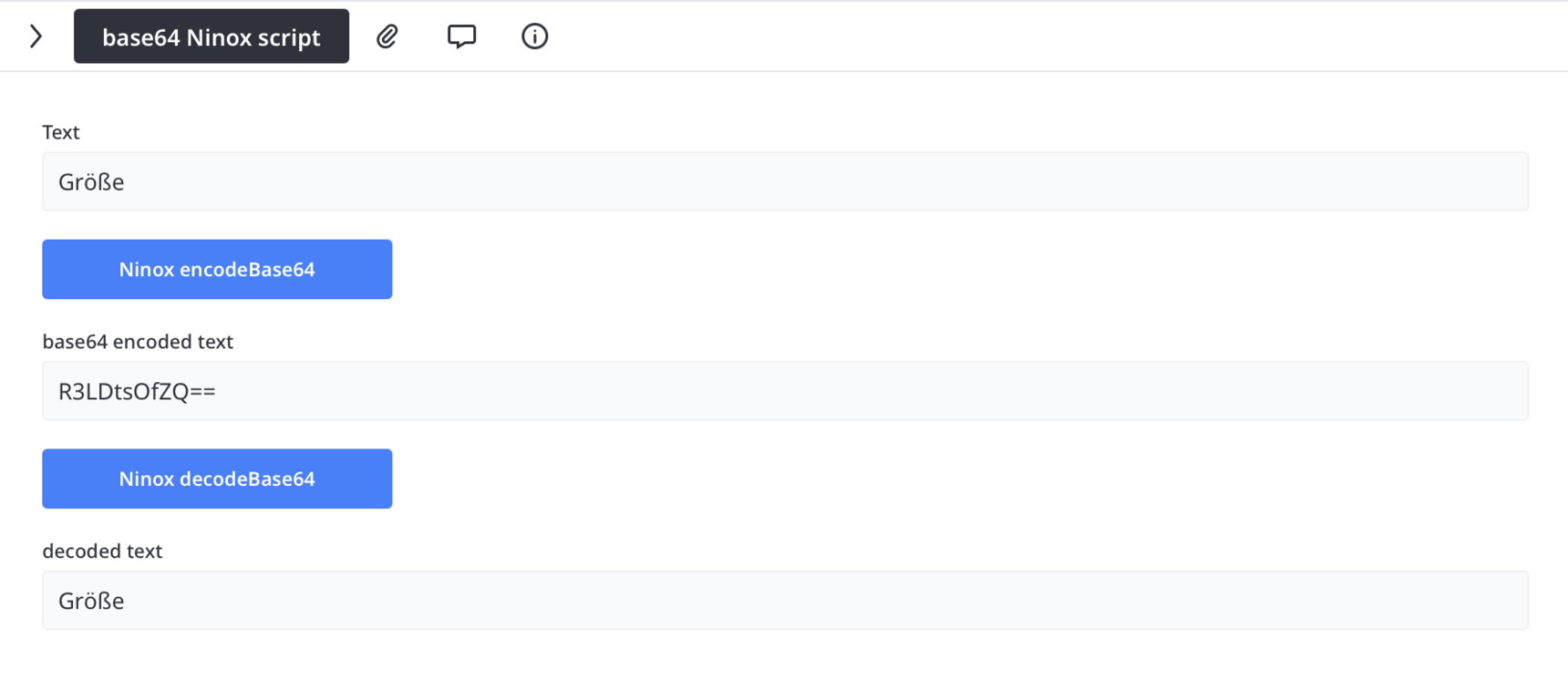
I've updated the Base64 encoding and decoding functions to support UTF-8 characters (accents, German special characters, etc.).
encodeBase64("Größe")
"Result: R3LDtsOfZQ==";

decodeBase64("R3LDtsOfZQ==")
"Result: Größe"
The updated application is attached.
Let me know if you have any questions!
Jacques
-
Dear Jacques,
Works perfectly - merci beaucoup !
Best regards,
Sacha


Content aside
-
1
Likes
- 7 mths agoLast active
- 10Replies
- 681Views
-
4
Following